SMS QR code generator
Generate easy & customizable SMS QR codes in seconds.
SMS QR Code Generator: Create Prefilled Text Messages Instantly
I use an SMS QR Code Generator when I want people to open their phone's SMS app with a prefilled number and message — no typing, no confusion. It's my go-to for posters, table tents, product packaging, and support workflows because a single scan turns intent into a ready-to-send text.
SMS remains the most universal, low-friction channel, which is why this format works so well. In the U.S. alone, people exchanged over 2.1 trillion SMS/MMS messages last year — a reminder that texting is still where everyday action happens (CTIA, 2024).
This page doubles as a fast generator and a clear guide. I'll show you how to create a pre-filled SMS code that's reliable across iOS and Android, when a static code is enough, and when a dynamic, trackable code pays off.
What Is an SMS QR Code?
An SMS QR code is a scannable code that opens the default SMS app on your phone with a pre-filled recipient number and optional message.
When scanned, the phone interprets an instruction string (usually SMSTO:number:message or sms:number?body=message) to prepare the text. You'll see the "To" field and body already filled in — just tap Send.
This makes it ideal for feedback, RSVPs, or support, since users don't need to type anything manually.
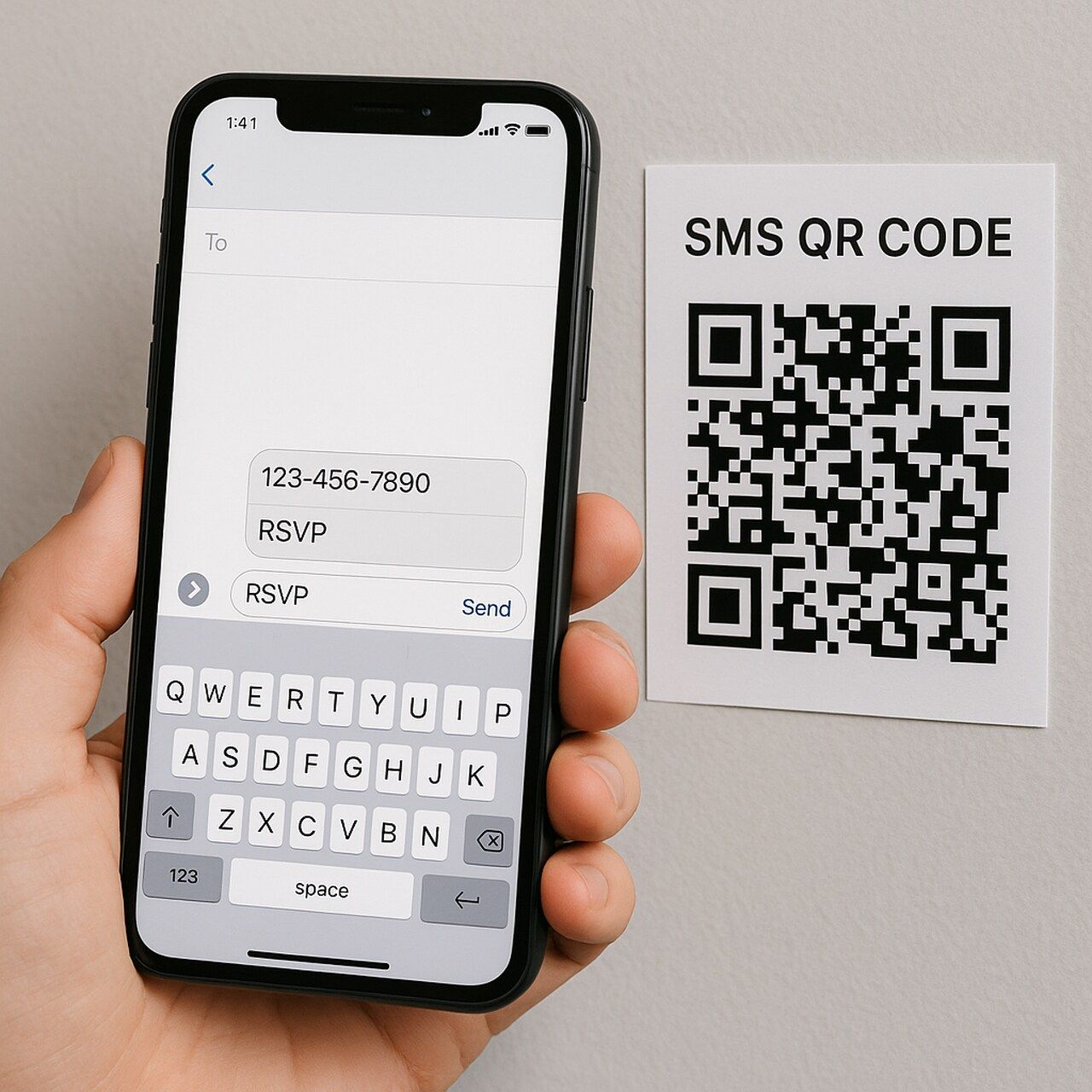
Scanning is habitual — 59% of consumers scan QR codes daily (Uniqode, 2025). SMS QR codes meet users where they already are.
What happens when it's scanned?
On iPhone, the built-in camera recognizes the code and offers to open Messages with the prefilled content.
On Android, most phones do the same through the camera or Google Lens. No extra app needed — just the stock camera and SMS client.
SMS QR Code vs. Other QR Types
SMS QR codes occupy a specific niche between phone QR codes (which trigger calls) and text QR codes (which display messages on screen). Here's how the three compare:
| QR Code Type | What Happens on Scan | Requires Internet? | Best For |
SMS QR (sms:) | Opens texting app with number + message prefilled | No (cellular for sending) | Opt-ins, feedback, RSVPs, support keywords |
Phone QR (tel:) | Opens dialer with number ready to call | No | Instant calls — hotlines, sales, support |
| Text QR | Displays plain text on screen (no action) | No | Codes, IDs, instructions, Wi-Fi passwords |
| URL QR | Opens a webpage in browser | Yes | Landing pages, forms, videos, products |
The key difference between SMS QR and URL QR: a URL QR opens a web link and needs data or Wi-Fi to load. An SMS QR opens the compose screen locally — the action works without internet. Only the final send uses your cellular plan (carrier rates apply).
A note on conventions. Developers often discuss sms: (per the IETF spec) versus the widely adopted SMSTO: pattern found in many generators. Both achieve the same outcome: launch the SMS app with prefilled fields for a low-friction user action. QRCodeDynamic handles this automatically — you just enter the number and message.
How Does an SMS QR Code Work?
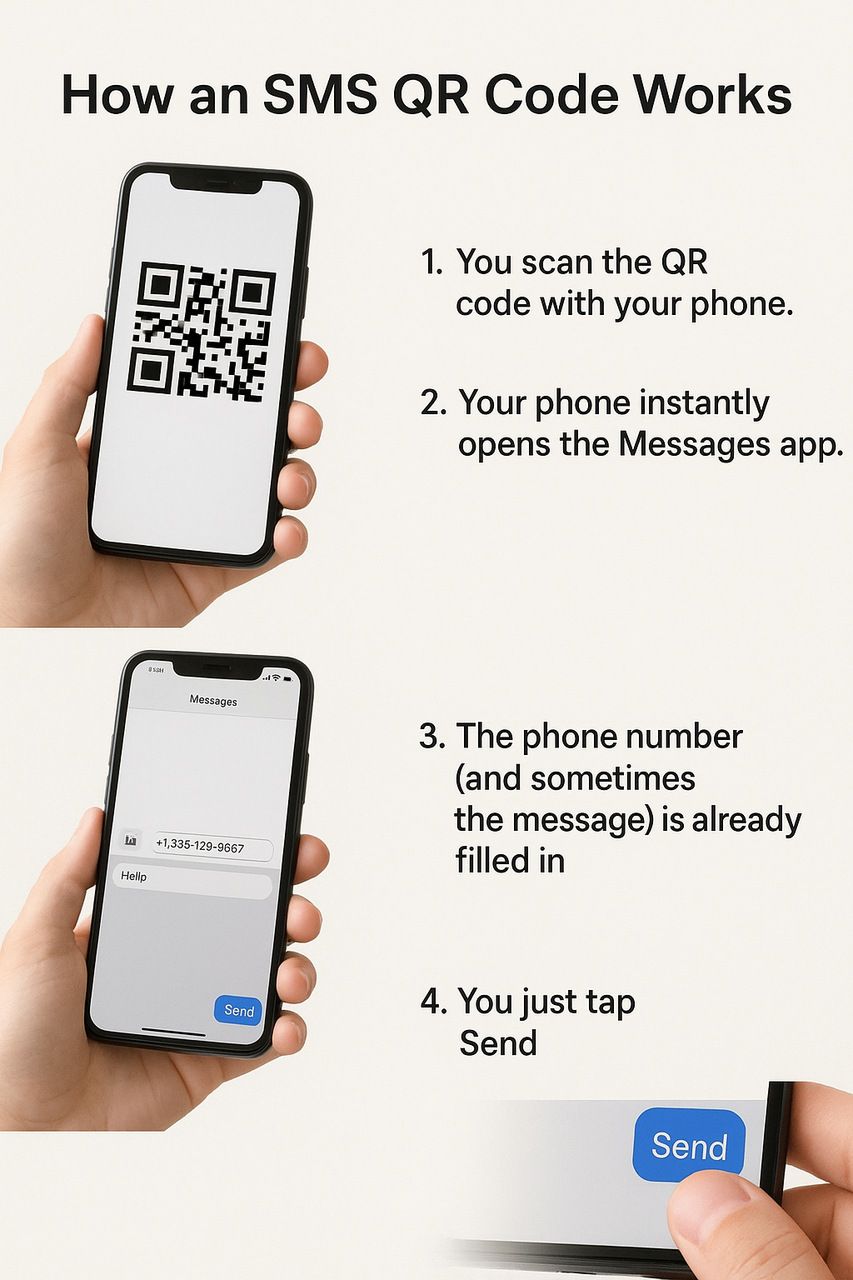
- Scan the code with your phone's camera.
- Inside the code is a short instruction like:
sms:+15551234567— just the numbersms:+15551234567?body=Hello— number + prefilled textSMSTO:+15551234567:Hello— another format with plain text
- Your phone hands this to the Messages app.
- A ready-to-send text pops up with the recipient and message already filled.
- You tap Send.
The sms: version needs special encoding for spaces (%20), while SMSTO: usually works with plain text.
Common formats (with samples):
- Number only:
sms:+15551234567 - Number + body (URI):
sms:+15551234567?body=Feedback%20goes%20here - SMSTO number + body:
SMSTO:+15551234567:Feedback goes here
Use URL-encoding for spaces and special characters with the sms: form. The SMSTO: pattern accepts plain text in most generators and scanners.
How to Generate an SMS QR Code (Step-by-Step)
Step 1: Choose a Generator
You can use QRCodeDynamic for dynamic, editable QR codes with analytics and an API. If you're just testing, a basic static code is fine.
Step 2: Add Phone Number and Message
Enter a full international number (E.164), like +15551234567, and a short, clear message. Stay concise for single-segment SMS delivery.
Shortcodes can work for campaigns; long codes are common for support. Keep the prefilled text specific (e.g., "RSVP YES for Friday 7 PM").
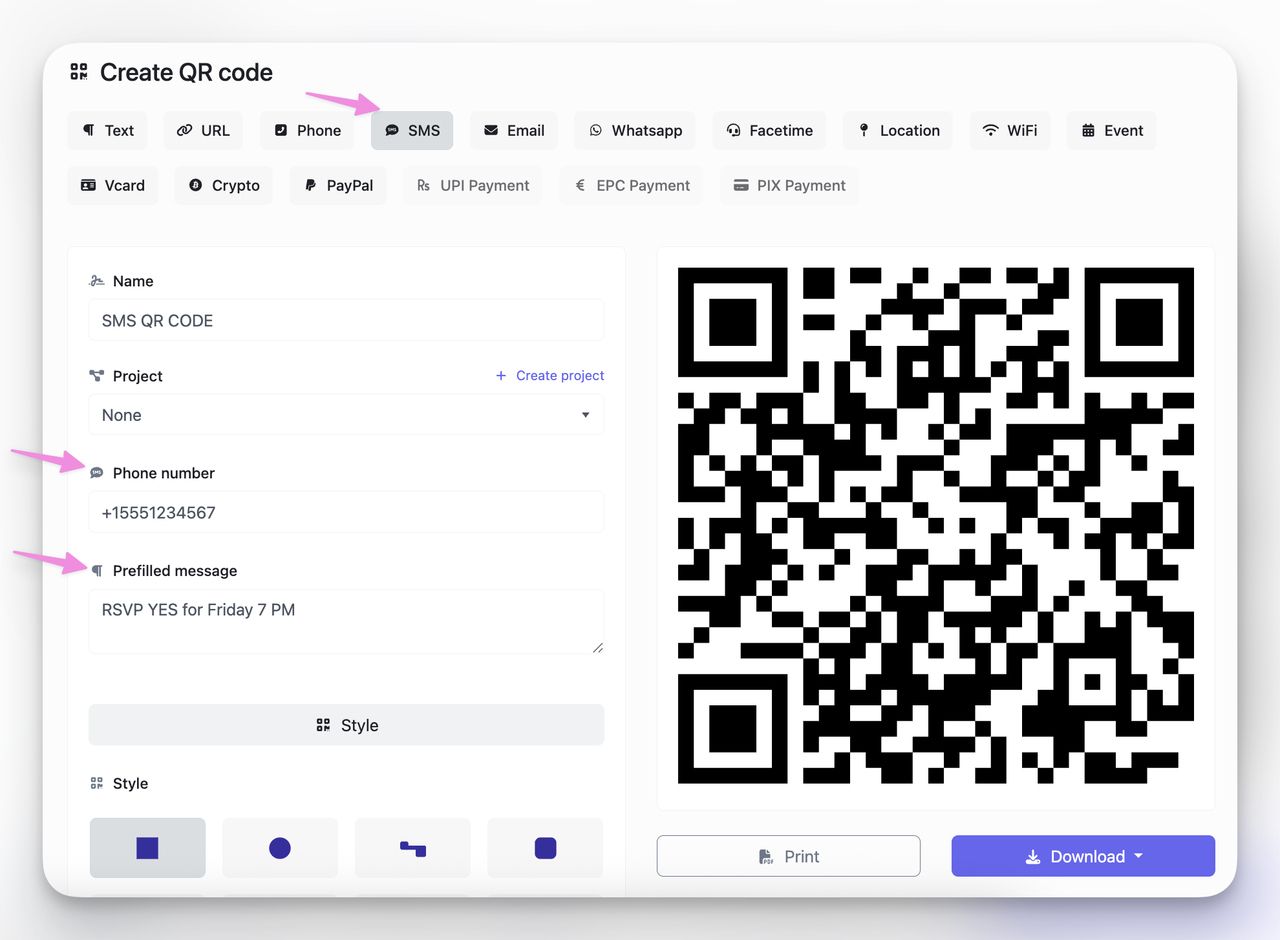
Don't skip the country code — it leads to failed sends when international users scan your code. Always use + and the full number.
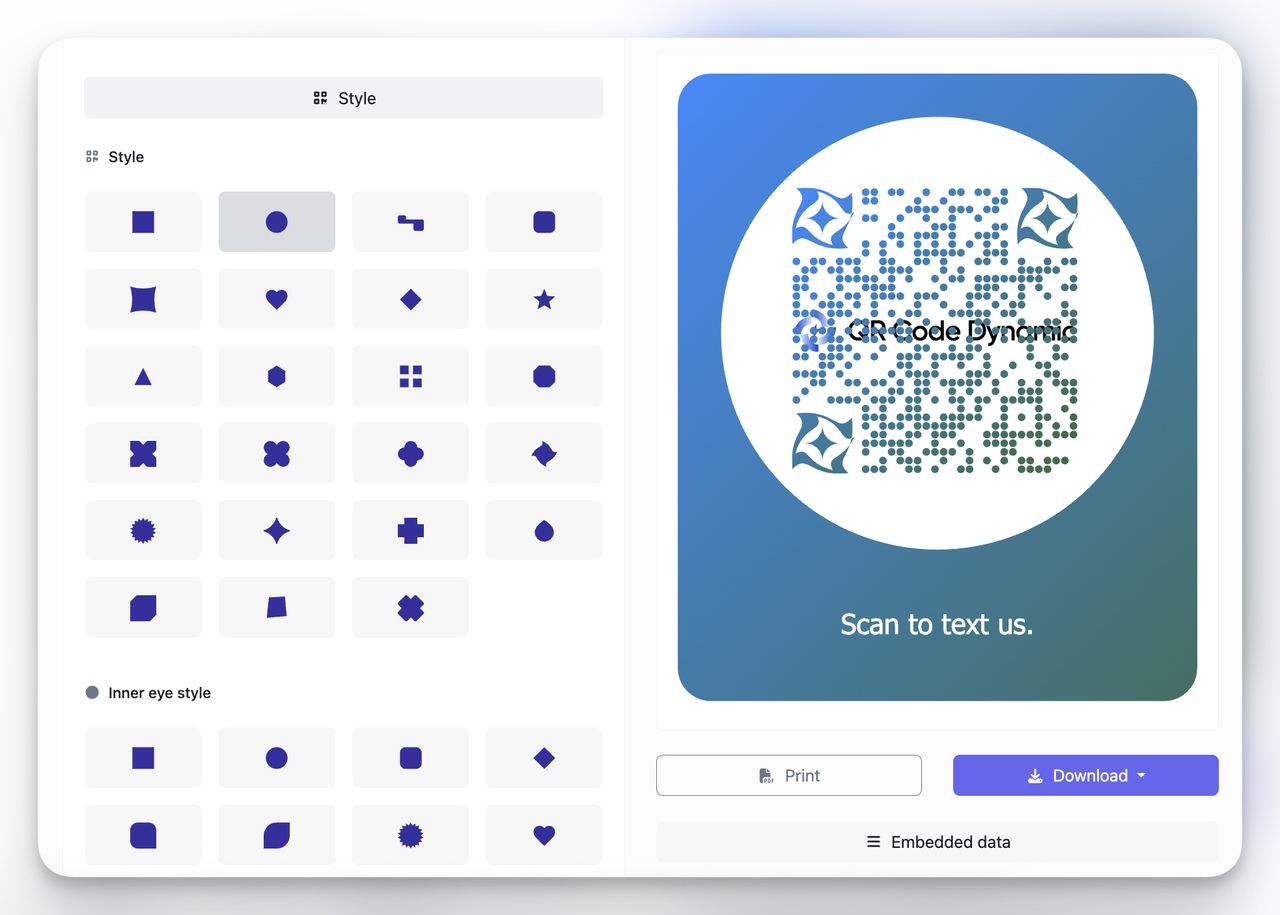
Step 3: Customize Design
Branded codes scan better when they're visually distinct.
- Pick high-contrast colors (dark foreground on light background).
- Add your logo and keep quiet zone/margins intact.
- Use a QR CTA like "Scan to text us."
- For heavy branding, raise error correction to keep scans reliable.
Step 4: Test Your Code
I scan on both iOS and Android before publishing, since those platforms cover ~99.6% of mobile devices. Open the camera, tap the prompt, confirm the compose screen shows the right number and message. (StatCounter Global Stats)
Pay attention to how different phones handle the prefilled text. Some Android skins strip line breaks or truncate long messages. If your message looks different on Samsung vs. Pixel, simplify it.
Step 5: Download & Deploy
Use PNG for screens and SVG/PDF for print so edges stay sharp at any size. Place codes where people can reach them quickly — menus, posters, packaging, counters.
For print, aim for at least 2 x 2 cm to keep scans reliable at typical hand-held distance.
SMS QR Code Message Templates
The prefilled message is where most people stumble. Too vague and the user deletes it before sending. Too long and it splits into multiple segments. Here are ready-to-use templates I've tested across different industries:
| Use Case | Prefilled Message | Why It Works |
| Event RSVP | RSVP YES for [Event Name] on [Date] | Clear action, easy to auto-sort replies |
| Customer feedback | FEEDBACK: I visited [Location] on [Date]. My experience: | Gives context, invites open-ended input |
| Support request | HELP: Order #___. Issue: | Routes to support, prompts order number |
| Promo opt-in | JOIN to get weekly deals from [Brand] | Single keyword, easy for SMS automation |
| Appointment confirmation | CONFIRM appointment on [Date] at [Time] | One-tap confirmation, reduces no-shows |
| Volunteer signup | VOLUNTEER: I want to help with [Campaign] | Low friction, captures intent immediately |
| Real estate inquiry | INFO: Interested in the property at [Address] | Agent knows which listing, can respond fast |
Three rules for writing effective prefilled messages:
- Start with a keyword. Words like RSVP, HELP, JOIN, or CONFIRM let you route incoming texts automatically with most SMS platforms.
- Stay under 160 characters. Single-segment delivery avoids split messages and extra costs.
- Leave a blank for personalization. A placeholder like "Order #___" signals to the user that they should add their own info before sending.
Static vs. Dynamic SMS QR Codes
When I'm printing codes I can't easily replace, I choose dynamic SMS QR codes. They route through a short URL, so I can edit the number or message later and see who scanned, where, and on which device. Static codes embed the instruction directly — simple, but fixed forever once printed.
Dynamic Codes: Editable, Trackable, Scalable
A dynamic SMS QR points to a redirect that launches the same sms: intent. This unlocks scan analytics (time, location, OS), content updates after print, and extras like password protection and device targeting on some platforms. That's what lets campaigns evolve instead of getting stuck with outdated messaging.
When to Use Static (and When Not To)
Static SMS QR codes are fine for short-lived or low-risk prints: a one-day event, a classroom handout, or a small-batch flyer. If the phone number or wording might change, or you care about attribution and ROI, static becomes a liability. Use dynamic for ongoing promotions, support lines, packaging, and signage with real foot traffic.
| Feature | Static | Dynamic |
| Edit after print | No | Yes |
| Scan analytics | No | Yes (time, location, OS) |
| Change number or message | No | Yes |
| Works offline | Yes | Needs internet for redirect, then cellular for send |
| Cost | Usually free | Paid tiers common |
I treat static like a permanent sticker — cheap and fixed. Dynamic is a remote control for your printed code: tweak the message, test copy, and prove impact with scan data. If your team needs agility or reporting, dynamic is the clear choice.
Who Should Use SMS QR Codes? (Use Cases)
I reach for SMS QR codes when I need replies without friction — fast feedback on a meal, an RSVP at the door, or a support keyword that routes to the right team. If your goal is to trigger a ready-to-send text from a poster, package, or screen, this format shines.
Restaurants & Cafés
Diners scan a table tent, the texting app opens with "Table 14 loved the tacos — here's my feedback". Staff reply in seconds, no app download required.
- Instant reorders for specials or sides
- Post-meal reviews that feed Google Maps stars
- Waitlist updates without clunky pagers
Want more creative ways restaurants can use QR codes? Check out our guide on Top 16 QR Code Ideas for Restaurants & Bonus Tips.
Event Organizers
Attach a code to badges or posters so attendees RSVP, get last-minute room changes, or ping support. No Wi-Fi? The SMS queues locally and fires once signal returns. With an event QR code, you can handle these tasks without any app setup.
Nonprofits & NGOs
A street poster can preload "YES, add me as a volunteer" to your shortcode. Conversions jump because supporters skip the form-fill friction. The same approach works for donation pledges, petition signatures, and emergency contact lists.
Businesses & Brands
Customer-care lines, promo opt-ins, product recalls — the applications are broad. 79% of consumers already welcome texts from brands (SimpleTexting, 2024), so a QR that writes the message for them feels natural rather than intrusive.
Healthcare & Professional Services
Clinics print SMS QR codes on appointment reminder cards so patients can text "CONFIRM" or "RESCHEDULE" without calling the front desk. Law offices and accounting firms use them on intake packets — a prefilled "I'd like to schedule a consultation regarding ___" removes the blank-page paralysis that stops people from reaching out.
Education & Institutions
Parents scan to report absences or confirm field-trip consent. Teachers pull a real-time roster from incoming texts — no lost paper slips. Universities print codes on campus signage for anonymous tip lines and counseling services.
Personal Use
Send a birthday invite that auto-types "On my way!" or leave a code on shared gear ("Text me when you're done with the bike pump"). It's the simplest automation you can print.
Bottom line: if your audience carries phones and needs to act fast, an SMS QR code turns every poster, badge, or menu into a two-way conversation starter — without the cost or complexity of apps.
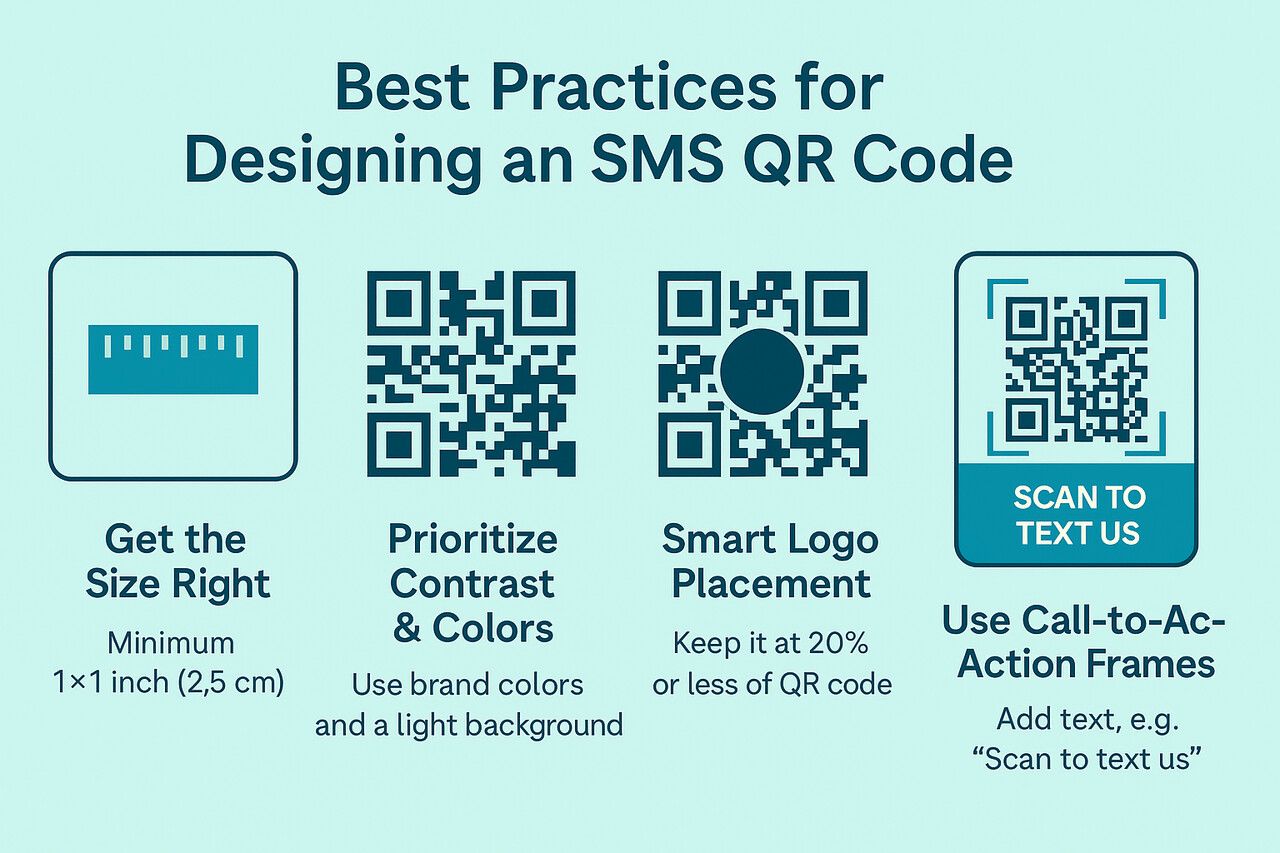
Best Practices for Designing an SMS QR Code
Designing an SMS-ready QR code is equal parts visual and technical. When done right, it looks professional, scans reliably across lighting conditions, and builds instant trust.
Get the Size Right
- Minimum size: 1 x 1 inch (2.5 cm) for hand-held use.
- Quiet zone: Leave at least a 4-module margin around the code (ISO 18004 guideline).
- Rule of thumb: 1 cm of QR code size per 10 cm of expected scanning distance.
| Scanning Distance | Minimum QR Size | Typical Placement |
| 15 cm (6 in) | 1.5 cm | Business cards, receipts |
| 30 cm (12 in) | 3 cm | Table tents, menus, flyers |
| 1 m (3.3 ft) | 10 cm | Posters, event signage |
| 3 m (10 ft) | 30 cm | Storefront windows, banners |
A common mistake: shrinking the code to "save space." Small codes break the 10:1 distance rule, causing poor scan rates. Always print big enough the first time.
Prioritize Contrast & Colors
- Stick to a dark foreground on a light background.
- Replace black with your brand colors if you want, but maintain the contrast ratio.
- Add a logo to boost recognition and trust.
Branded QR codes with logos are scanned up to 80% more often than plain black-and-white versions (ViralQR).
Smart Logo Placement & Error Correction
- Place the logo at the center of the code.
- Keep logo coverage under 20% so error correction (Level H) works effectively.
- Export logos as transparent PNG or SVG to avoid visible white boxes behind the logo.
Use Call-to-Action Frames
Pair your code with a clear instruction — "Scan to text us," "Text us your feedback," or "Scan to RSVP."
Integrating SMS QR Codes with Automation
The real power of SMS QR codes shows up when you connect incoming texts to automation. A prefilled keyword like "JOIN" or "HELP" can trigger an entire workflow on the receiving end.
SMS platforms like Twilio, MessageBird, or SimpleTexting let you set up keyword-based auto-replies and routing. When someone scans your code and sends "RSVP YES for Friday 7 PM," your system can auto-reply with a confirmation, add them to an event list, and notify your team — all without a human touching the inbox.
CRM integration takes it a step further. Tools like HubSpot, Salesforce, or Zapier can capture inbound SMS, create a contact record, tag the lead source as "QR — [campaign name]," and route it into a nurture sequence. This turns a table tent scan into a trackable pipeline entry.
The prefilled keyword is what makes this work. Without it, incoming texts are unstructured and hard to route. With a clear keyword, every scan becomes a structured data point your systems can act on automatically.
Why SMS QR Codes Still Work
When I need action in the real world — right at a counter, on packaging, or at an event — SMS QR codes are my most reliable tool. They turn a scan into a low-friction way to get a response. No apps, no typing. People already know how to text; you're just removing the busywork between intent and send.
The channel's strength is simple: people open texts. Use that reality to your advantage when the next step is "text us YES," "share feedback," or "confirm pickup."
They're also offline-friendly. The scan launches a compose screen locally, so it works even when Wi-Fi is flaky. The message queues and sends once cellular signal is available. That makes SMS QR codes ideal for signage, print, and on-the-go environments where web pages might stall or fail.
If the outcome you want can start with a short text, an SMS QR will beat most alternatives for speed and completion. Place it where intent is highest — checkout counters, entrances, tables, or handouts — and keep the message unmistakably clear.
Frequently Asked Questions About SMS QR Codes
Can I track scans on my SMS QR code?
With dynamic codes, yes. Each scan pings a short-URL redirect first, so you see device, timestamp, and location in your dashboard. Static codes embed the number directly — no redirect means zero analytics.
Can I edit the SMS QR code after downloading it?
Only with a dynamic SMS QR code. Update the number or body text in your dashboard and the printed code keeps working. A static code is locked to whatever you encoded at creation.
Are shortcodes better than regular numbers?
Shortcodes (five- or six-digit numbers) look professional and avoid country codes, but they cost more and sometimes block replies outside your region. Regular long-code numbers are cheaper and work globally. Choose based on your audience footprint and budget.
Can I send a QR code via SMS or MMS?
Yes. Drop the PNG into an MMS so recipients can forward or print it. Messages with media count against MMS quotas and need data to download, so keep the image file size reasonable.
Will users be charged for sending an SMS?
Standard carrier rates apply. If the recipient has unlimited texting, the message is free. Otherwise, it counts as one outbound text. International numbers can incur extra fees, so localize your numbers when possible.
Are there character limits for the prefilled message?
Keep to 160 GSM characters (or 70 if you include non-GSM symbols like emojis) to ensure single-segment delivery. Longer messages split into multiple segments, which can raise costs and cause delivery issues on some carriers.
Do SMS QR codes work on all phones?
Every modern smartphone with a camera and an SMS app can handle SMS QR codes. iOS and Android (which together cover ~99.6% of mobile devices) both support the sms: and SMSTO: URI schemes natively. Older feature phones without cameras obviously can't scan, but they're a negligible share of the market at this point.
What if the user edits the prefilled message before sending?
They can. The prefilled text is a suggestion, not a locked field. Users are free to modify, add to, or delete the message before tapping send. This is actually a feature — it lets people add order numbers, personal details, or context. If you need the message to stay exactly as written (for keyword routing or automation), add a note near the QR code: "Send the message as-is for fastest service."
Can I prefill the message but leave the phone number blank?
No. The sms: protocol requires a recipient number. You can't create a QR code that opens the SMS app with body text but no "To" field. If you want to display a message without a phone number, use a text QR code instead.
How do I handle replies from SMS QR codes at scale?
If you're expecting more than a handful of replies, connect the receiving number to an SMS platform like Twilio, SimpleTexting, or MessageBird. These tools let you set up auto-replies, keyword routing, and CRM integration. Without automation, a high-volume SMS QR campaign will flood a single phone's inbox and replies will get lost.