Text QR code generator
Generate easy & customizable Text QR codes in seconds.

Free Text QR Code Generator: Create, Customize & Print Online
I reach for text-only QR codes whenever I need to share quick, offline information — product instructions, short asset IDs, or even a hidden message — without directing people to a website.
They've saved me countless times in situations where Wi-Fi or mobile data wasn't available, but I still needed information to be instantly scannable.
A text QR code is exactly that: a scannable code that stores plain text, numbers, or even emojis.
In this guide, I'll walk you through everything you need to know: what a text QR code is, how it works, its character limits, best practices for print sizing, and where to use it for maximum impact.
What Is a Text QR Code?
A text QR code is a type of QR code that stores plain text — words, numbers, symbols, emojis — inside the code itself. When scanned, it reveals the embedded message directly on the user's screen, without redirecting to a website or triggering an action like an SMS or email. It's a digital sticky note, encoded into a 2D matrix pattern.
If you've ever scanned a QR code and immediately saw something like "USE CODE SAVE20" or "WiFi: CafeNet123," that was a text QR code, not a URL-based one.
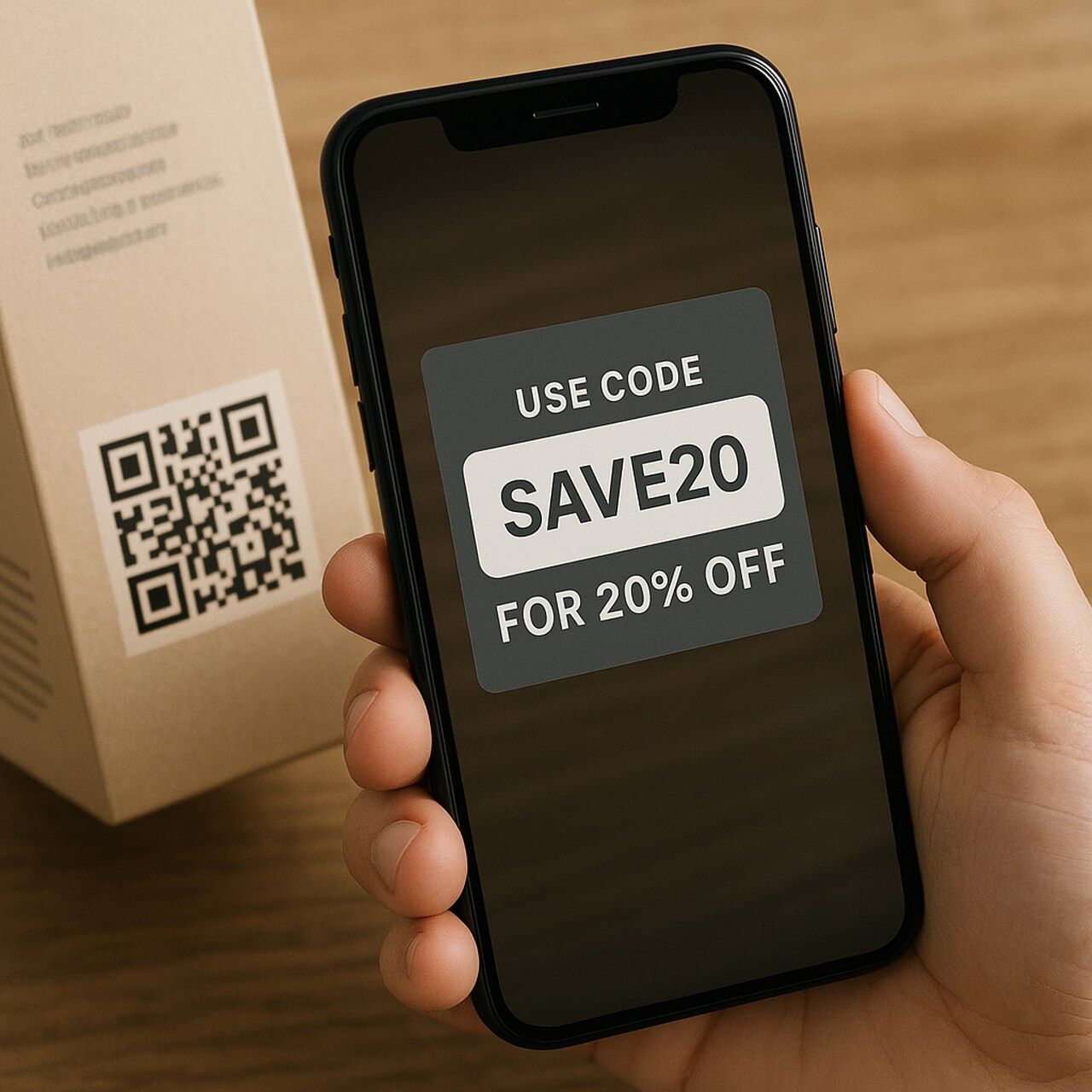
That's why people often choose text QR codes when they need to share short, clear, and static information quickly.
The key distinction here is functionality:
| QR Code Type | Action on Scan |
| Text QR Code | Shows message directly |
| URL QR Code | Redirects to a webpage |
| SMS QR Code | Opens messaging app with prefill |
| vCard QR Code | Saves contact details to your phone |
Text QR codes are static by nature, meaning the text can't be edited after creation unless you generate a new one. That's why they're ideal for one-time, non-sensitive, offline use cases.
What makes text QR codes so popular?
- Offline functionality: No Wi-Fi or mobile data needed. The data lives inside the code itself.
- Privacy: No data is tracked or logged, making them a fit for GDPR-compliant environments.
- Simplicity: Quick to create, quick to scan, no loading delays.
- Universal compatibility: Every modern smartphone camera can read them without a dedicated app.
Many people confuse text QR codes with URL codes and expect them to open a site. If you want redirection or analytics, use a dynamic URL QR code instead. But if you want the message to appear instantly on the scanner's screen, text QR is the better choice.
How Does a Text QR Code Work?
At its core, a text QR code works by encoding characters into a grid pattern. Every letter, number, or symbol you type is converted into black-and-white modules (the small squares you see). A smartphone camera or QR scanner then decodes this pattern back into readable text.
Here's the typical flow:
- You create the code — enter your message into a QR code generator.
- Encoding happens — the text is translated into a QR pattern.
- Someone scans it — on iOS or Android, the scanner instantly displays the text message.
Because the text itself is baked into the code, a text QR code is static, meaning it can't be changed once generated. If you need the ability to edit later (for example, update a promo code mid-campaign), you'd need a dynamic QR code that links to an editable URL instead.
Encoding Modes and How They Affect Capacity
Not all characters are stored the same way. QR codes use different encoding modes depending on what you type, and each mode affects how many characters you can fit:
| Encoding Mode | Characters Supported | Max Capacity |
| Numeric | 0–9 only | 7,089 characters |
| Alphanumeric | A–Z, 0–9, spaces, $%*+-./: | 4,296 characters |
| Byte (UTF-8) | Any character, including emojis | 2,953 bytes |
What this means in practice: a code containing only numbers (like a serial number) will produce a simpler, easier-to-scan pattern than one containing mixed-case text with emojis. If scan reliability matters more than content richness, stick to uppercase alphanumeric text.
Error Correction: Why Some Damaged Codes Still Scan
Every QR code has a built-in error correction level that determines how much of the code can be damaged or obscured and still scan correctly:
- Level L (Low): Recovers up to 7% damage. Smallest, cleanest pattern.
- Level M (Medium): Recovers up to 15%. The default in most generators.
- Level Q (Quartile): Recovers up to 25%. Good for printed codes exposed to wear.
- Level H (High): Recovers up to 30%. Required if you're adding a logo overlay.
Higher error correction means a denser code, so there's a trade-off. If you're placing a logo in the center, use Level H. If you need the smallest possible print size, use Level L with no logo.
One practical limit to keep in mind: the longer your text, the denser the QR pattern becomes. That makes it harder for some scanners to read, especially on smaller prints. Most experts recommend keeping text under 250–300 characters for reliable scans across devices.
How to Create a Text QR Code: Step-by-Step
I create text QR codes almost daily, whether for marketing tests, product labeling, or quick-access notes. My go-to tool is QR Code Dynamic, and here's how I walk through the process every time.
Let me show you how to generate a scannable, fully customized text QR code in just a few minutes. No technical skills needed.
Step 1: Enter Your Text
Head over to the QR Code Dynamic Generator and choose the Text QR option.
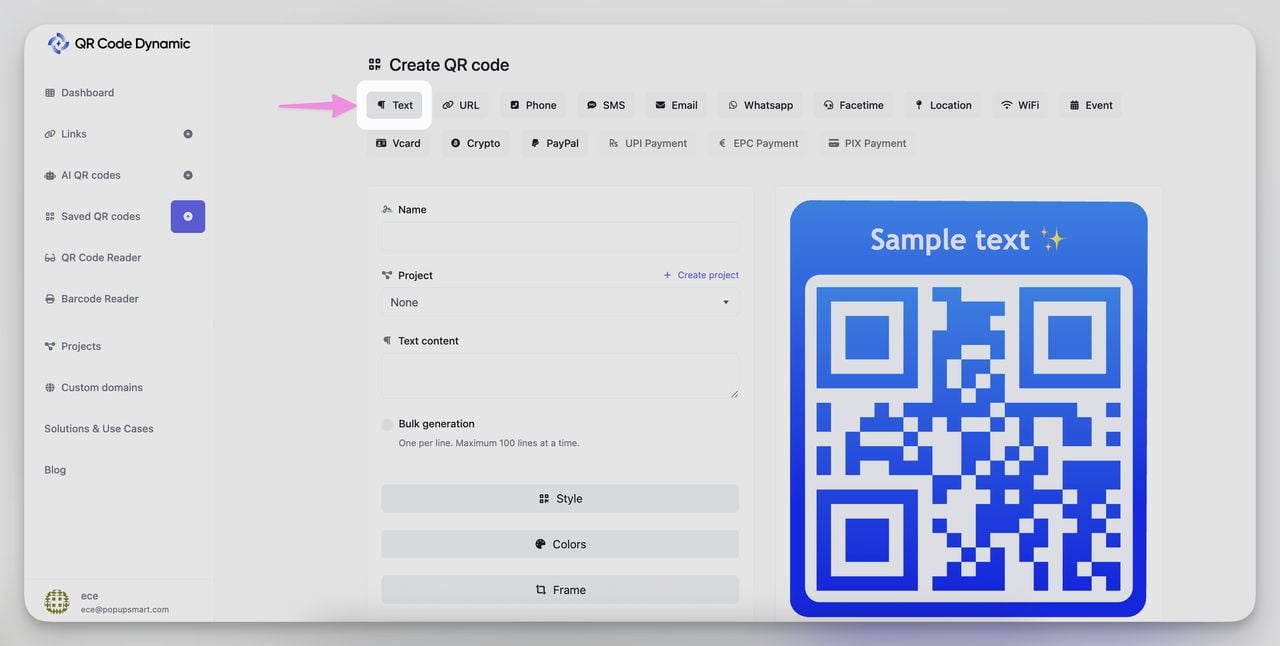
Type your message. It could be:
- A discount code (e.g., "Use SAVE10 at checkout")
- A Wi-Fi name/password
- A support phone number
- A short instruction (e.g., "Scan this tag before use")
- An emoji-based label like "📍This side up"
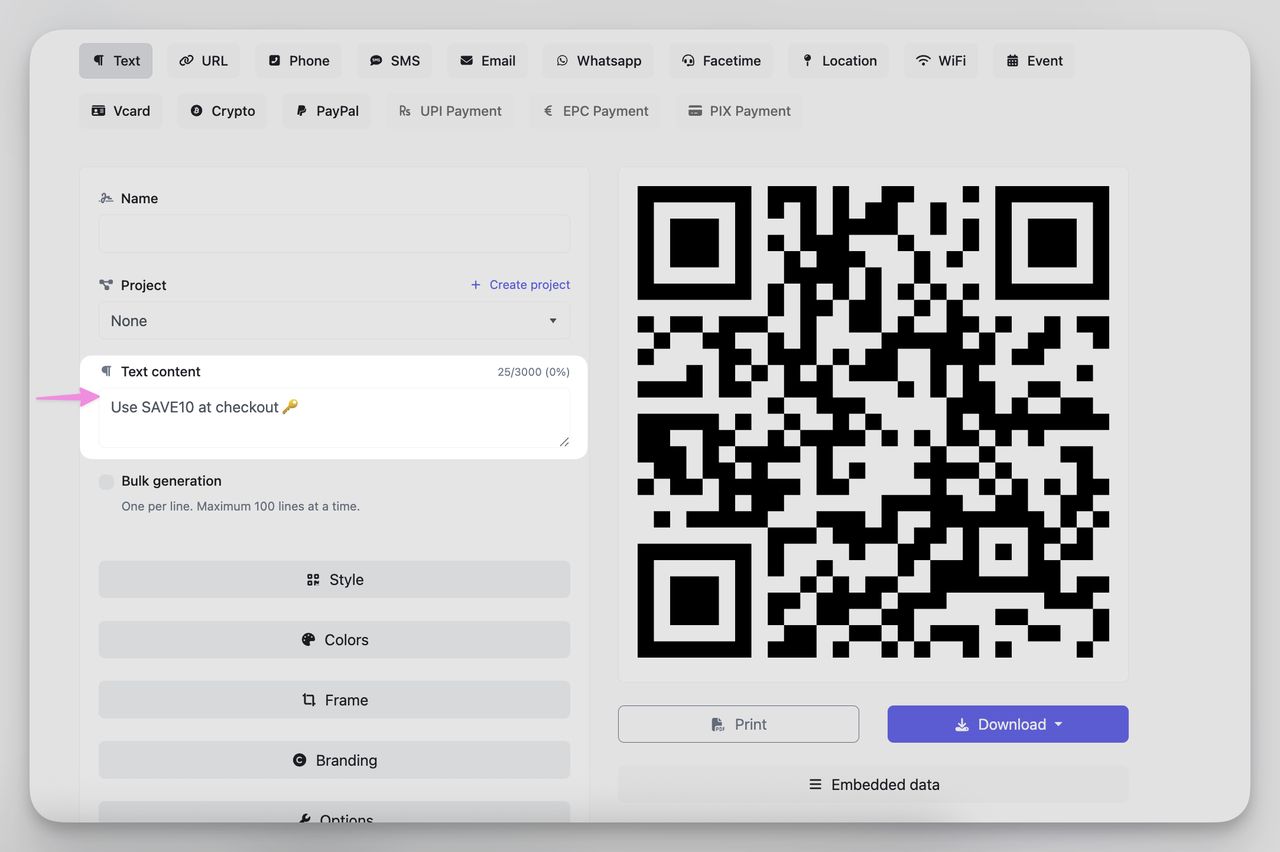
You can include spaces, line breaks, punctuation, and special characters. Just keep it under 300 characters for smooth scanning.
Step 2: Customize Your Design
This is where you make it pop while keeping it functional.
You can:
- Change colors (dark foreground on light background = best scan reliability)
- Add your logo in the center
- Choose a frame with a QR call-to-action like "Scan Me"
- Adjust corner shapes and eye patterns for a branded feel
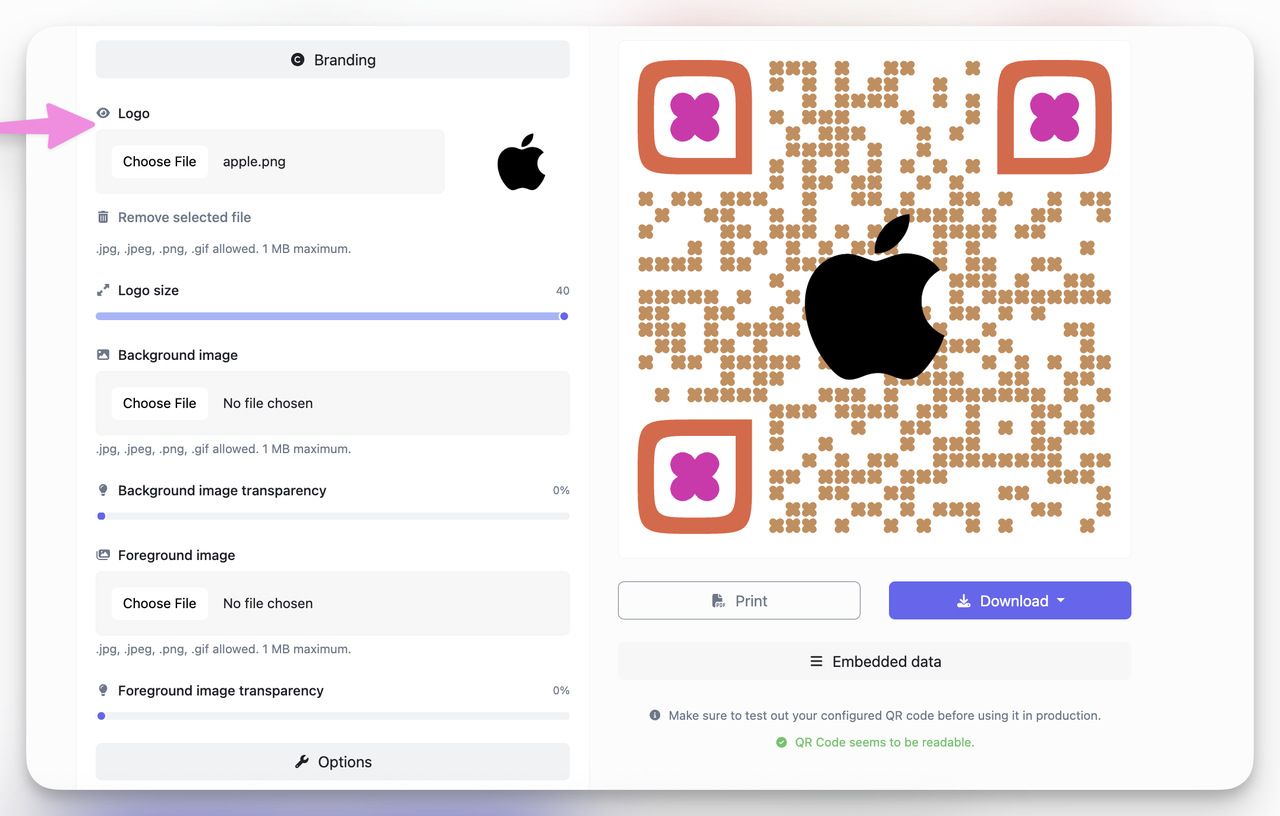
Stick to high contrast. Dark blue on white or black on pale yellow consistently scans well in both print and mobile screens.
Step 3: Download in High Quality
Once your design is ready, hit Download.
Choose from:
- PNG for digital uses (email, screens)
- SVG or EPS for print materials (flyers, packaging)
- JPG for quick, small file sharing
I usually export in SVG for marketing materials and PNG for slide decks.
Don't just drag the preview to your desktop. Always use the official download button to get the full resolution file.
Step 4: Test Before Printing
This step is non-negotiable for me.
I scan it:
- On both iPhone and Android
- In low light and bright light
- At different angles and distances
If it takes more than 2 seconds to register, I tweak the size or contrast before printing.
One failed scan means one lost customer. Testing your QR code before a print run saves you both embarrassment and reprinting costs.
With QR Code Dynamic, I can go from idea to ready-to-print QR in under 90 seconds. Once you do it once, it becomes second nature.
Best Practices for Text QR Codes
After creating and printing dozens of text QR codes — for everything from internal labels to event flyers — I've learned what separates a scannable, effective code from one that frustrates users. Here's the playbook I follow every time.
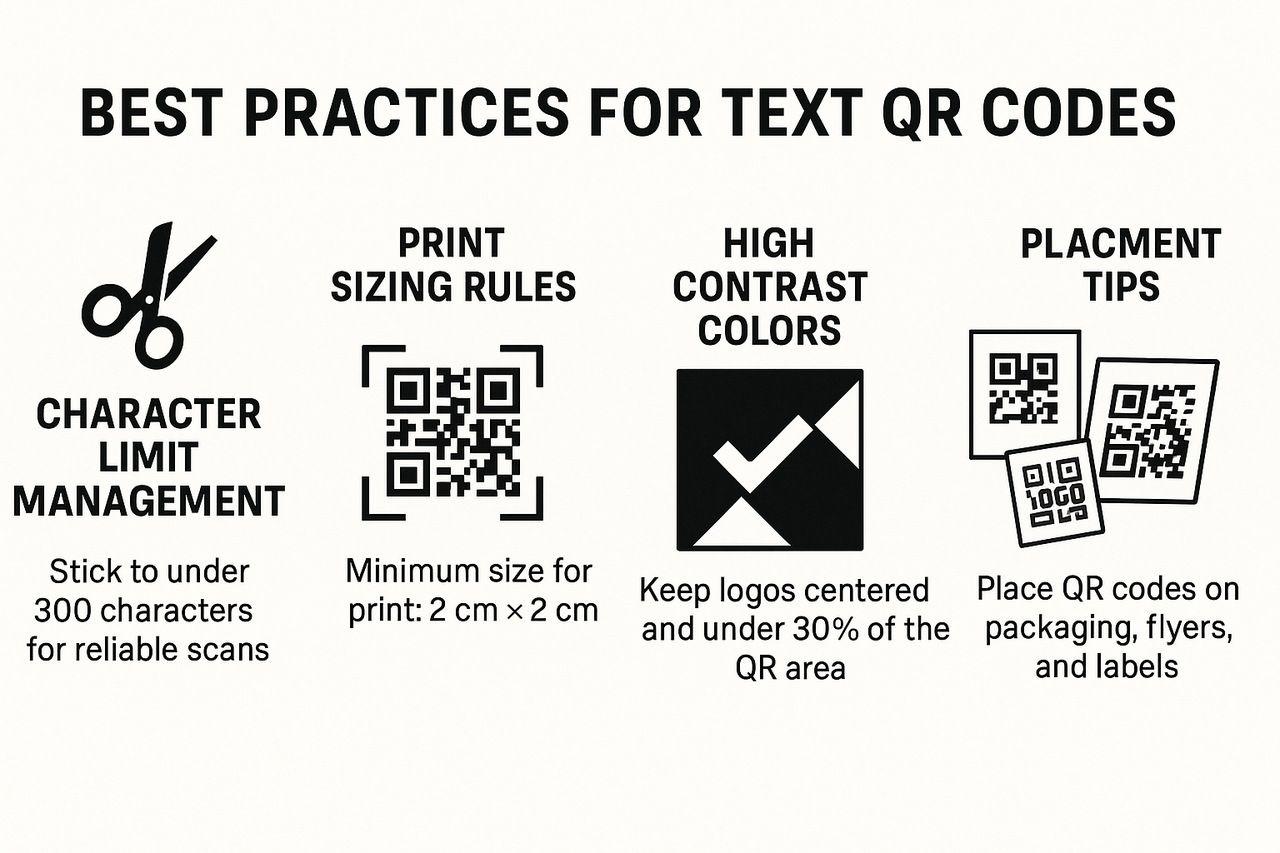
Character Limit Management
Just because a text QR code can hold thousands of characters doesn't mean it should.
- Stick to under 300 characters for reliable scans.
- Use line breaks (\n) for clarity if showing multiple lines.
- Avoid pasting in large paragraphs; break them into smaller chunks if needed.
The denser the QR pattern, the harder it is to scan — especially on small prints or from a distance.
Print Sizing Rules
This is where many people go wrong.
- Minimum size for print: 2 cm x 2 cm (0.8 in x 0.8 in)
- For flyers/posters: aim for at least 3–4 cm
- Add "quiet space" (clear margins) around the code, at least 4 modules wide
If it's going on packaging or clothing tags, always print a test version and scan it from arm's length. If you can't scan it quickly, it's too small.
Scanning Distance vs. Print Size
There's a general rule for estimating how large your QR code needs to be based on the expected scanning distance: divide the distance by 10. That gives you the minimum code width.
| Scanning Distance | Minimum QR Code Size | Example Use Case |
| 15 cm (6 in) | 1.5 cm | Product labels, jewelry tags |
| 30 cm (12 in) | 3 cm | Business cards, shelf labels |
| 1 m (3.3 ft) | 10 cm | Flyers, posters, event signage |
| 3 m (10 ft) | 30 cm | Banners, storefront windows |
This is a minimum. Dense codes with long text or high error correction need to be printed even larger.
High Contrast Colors
Design matters, but readability matters more.
- Use a dark foreground (black, navy, dark green)
- Use a light background (white, pastel)
- Avoid low-contrast pairs like red-on-orange or blue-on-purple
White QR codes on black backgrounds can work, but only at very high resolution and larger print sizes. Test before committing to a print run.
Logo Integration
Adding a logo to a QR code can boost brand recognition, but it needs to be done carefully.
- Keep logos centered and under 30% of the QR area
- Use high-res PNG or SVG
- Make sure the scanner can still detect the three "eyes" (corners of the QR)
Logo overlays work best on marketing materials. For logistics or internal docs, skip the logo — simpler codes scan faster.
Placement Tips
Where you put the QR code is as important as what's inside it.
Great spots for text QR codes:
- QR codes on product packaging — perfect for sharing discount codes, instructions, or warranty details.
- QR codes on flyers — great for driving quick engagement and saving printing space.
- QR codes on business cards — instantly share contact info without typing.
- QR codes on warehouse labels and internal tags — simplify inventory checks and internal communication.
Always place QR codes where they're visible, flat, and not distorted by folds, curves, or glare. Glossy surfaces and curved packaging are the two most common reasons an otherwise good code fails in the field.
Real-World Use Cases of Text QR Codes
I've used text QR codes in so many different settings that it's hard to count. What surprises me most is how versatile they are. From field operations to classroom hacks, they show up in unexpected, low-tech places where simplicity matters more than internet access.
Here are real examples from my own use and what I've seen across industries:
Business & Retail
- Product Labels: I printed QR codes that show "Model: XB213, SN: 5544" to simplify stock checks and repairs.
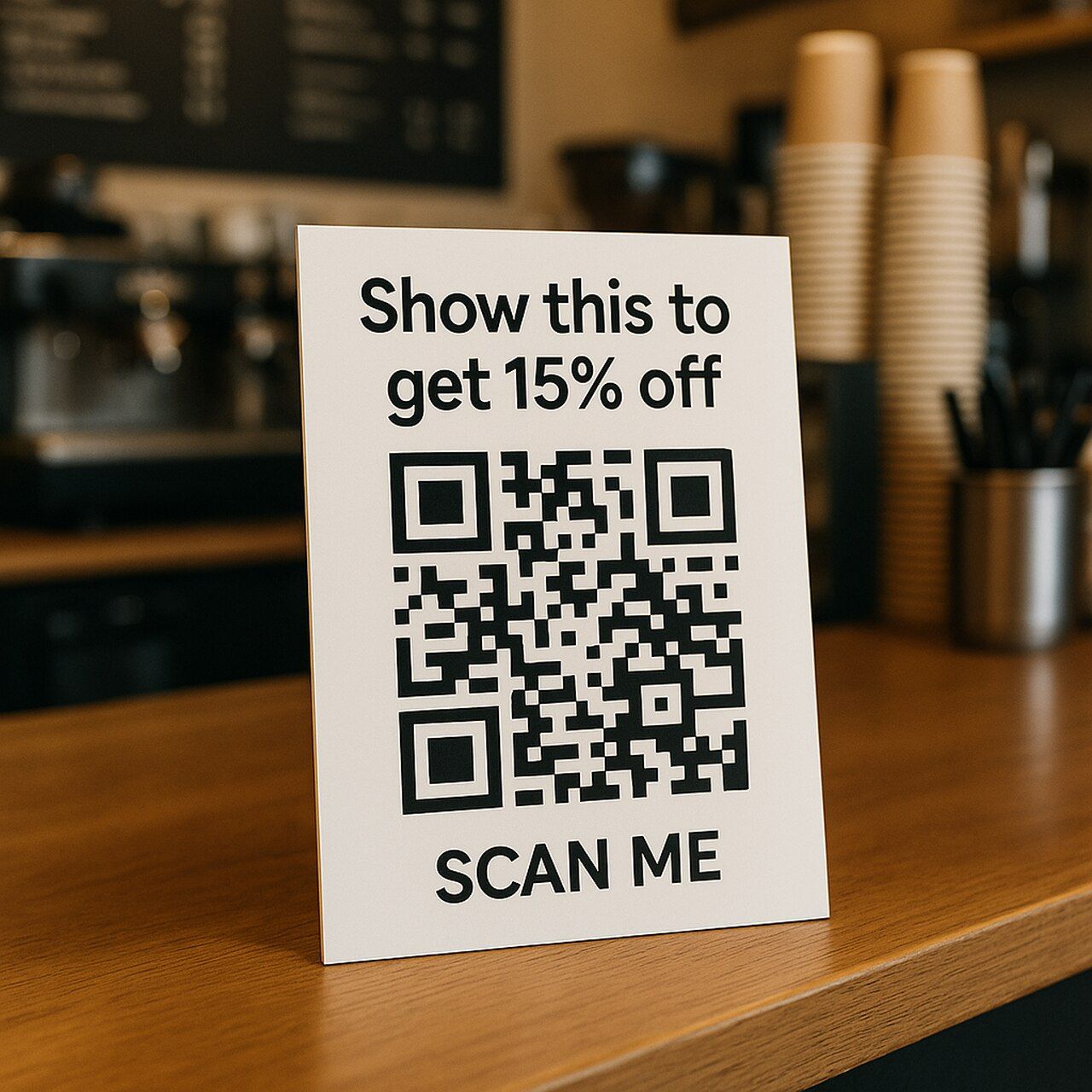
- Promo Stickers: A coffee shop I consulted used codes saying "Show this to get 15% off" at the counter. No internet, no app, just scan and save.
- Wi-Fi Cards: One retailer printed "Wi-Fi: StoreGuest | PW: welcome2025" as a QR next to checkout counters. Faster than typing.
- Price Verification: Stores print codes on shelf tags with "SKU: 88412 | Price: $24.99" so staff can verify prices without checking the POS system.
For retail, the offline nature of text QR codes means faster customer interaction and zero dependency on your store's internet connection staying up.
Education
- Quiz Codes: I've seen teachers place QR codes at the end of a worksheet with answers like "Answer: 47.2 Joules". Students scan to check instantly.
- Classroom Stations: Rotate learning materials with coded instructions — "Start with Station B, then watch the video after."
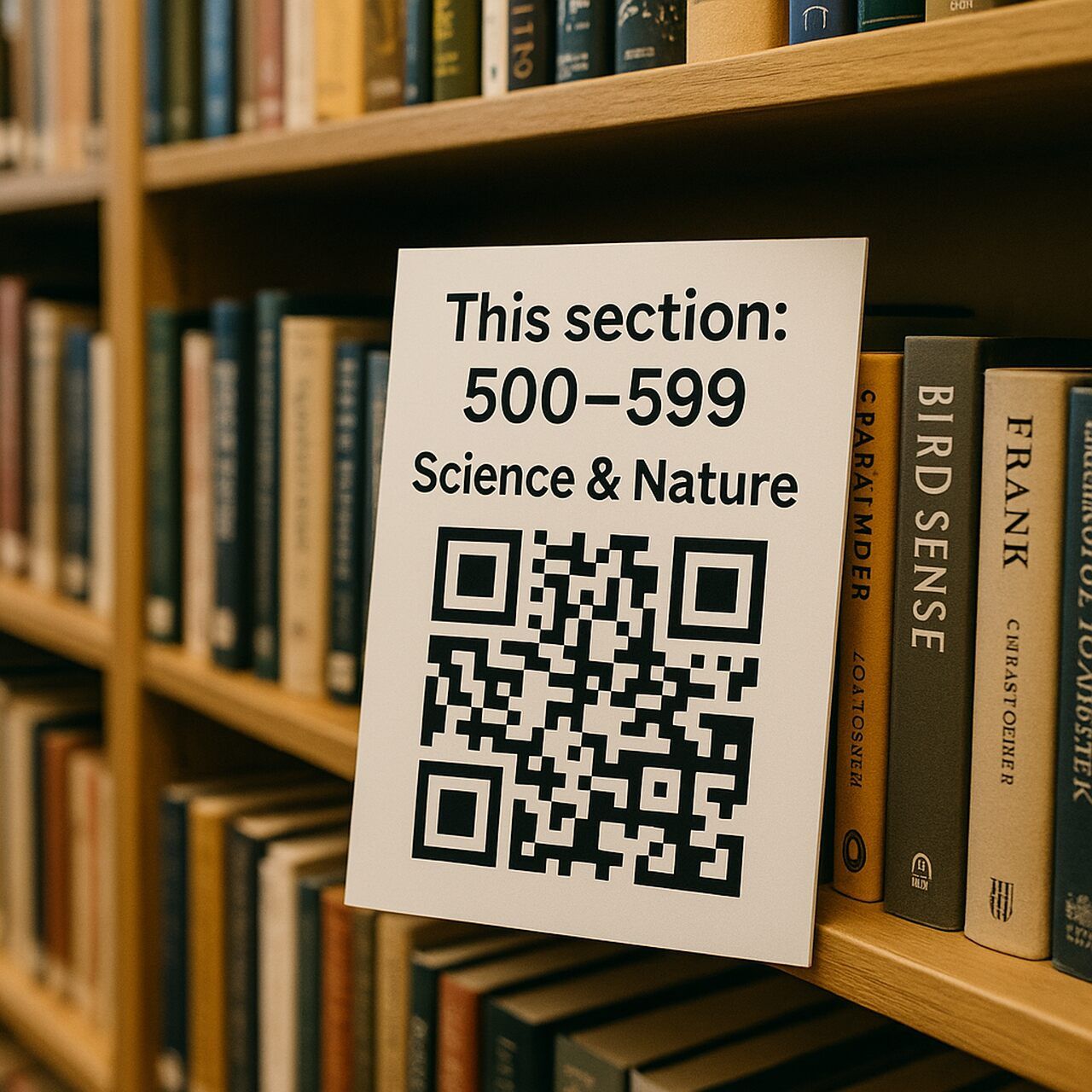
- Library Tags: Print shelf QR codes like "This section: 500–599 | Science & Nature" to guide students.
- Lab Equipment: Stick codes on microscopes or scales with brief operating instructions — "Max weight: 500g. Tare before use. Calibrate weekly."
Emojis work well in educational settings. A code reading "🧪Start here → ➡️Finish there" can guide younger students through hands-on experiments more intuitively than plain text.
Events & Marketing
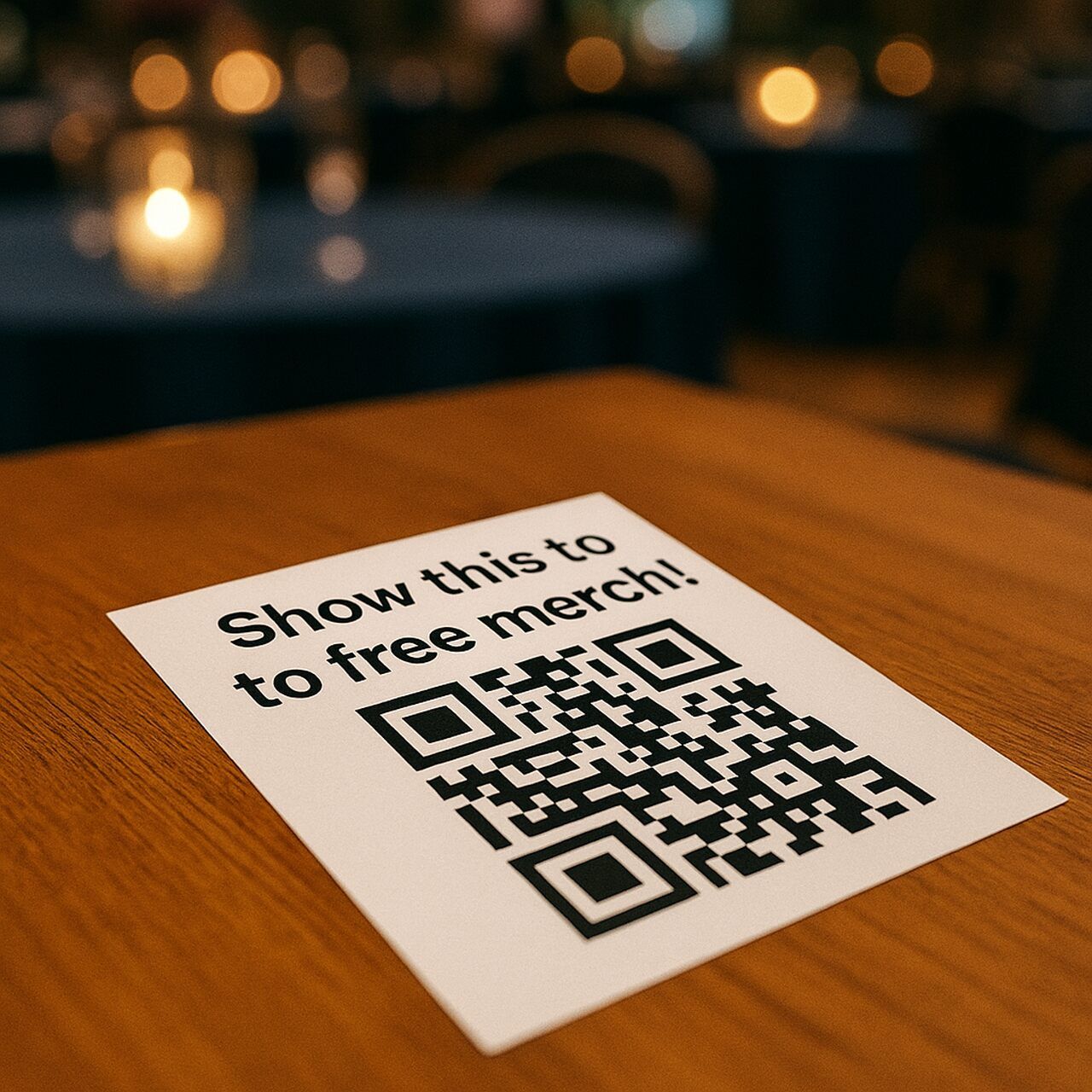
- Hidden Messages: We placed QR stickers on event tables that revealed "Show this to get free merch!" Scavenger hunt style.
- Instant Info Cards: At expos, I print tags that say "Scan for booth schedule" directly in text — no links that might break.
- Contest Entries: "Scan to get code: WIN2025" used on flyers and posters. People love instant gratification.
- Speaker Introductions: Conference organizers print codes on podiums with the speaker's name, title, and session topic. Attendees get context without a printed program.
Don't rely on a text QR to communicate something that needs ongoing updates. If the promo code or schedule changes mid-event, you'll need to reprint. For content that might change, use a dynamic URL QR code instead.
Personal Use
- Notes to Self: I stick QR codes on boxes during moves with "Kitchen – mugs and plates" or "Office – cables only."
- Reminders: For shared spaces, I use QR codes like "Remember to lock after 5 PM!" printed near cabinets.
- Surprise Messages: I've left QR codes saying "You got this" on a partner's mirror during stressful weeks. Small gesture, big impact.
- Plant Care Labels: Stick a code on each pot with "Water every 3 days. Indirect sunlight. Fertilize monthly." Beats looking it up every time.
If you need a short, static message that anyone can scan instantly, a text QR code is often the fastest, cheapest, and most reliable choice.
Text QR Code vs Other QR Code Types
When I started working with QR codes, I defaulted to URL types — until I realized not all QR codes are built for the same job. Choosing the wrong type often meant broken user flows or failed scans in low-connectivity areas.
Here's what I've learned after testing different formats across events, packaging, and internal logistics:
Text QR vs. URL QR
Text QR Code:
- Message shows instantly.
- No redirection or loading.
- Works fully offline.
URL QR Code:
- Opens a webpage.
- Requires internet access.
- Can track visits (if dynamic).
I use text QR for things like product instructions, coupon codes, or short identification tags — anything that needs to be quick and guaranteed to load regardless of connectivity.
Text QR vs. SMS QR
Text QR Code:
- Shows message directly on screen.
- Zero interaction needed.
SMS QR Code:
- Opens the user's messaging app with a preset number and message.
- Requires mobile network and user input to send.
A common misunderstanding: people think an SMS QR will send a message automatically. It won't — it just pre-fills the text. If all you want is for someone to see "CHECK-IN OK" on their screen, stick to text.
Text QR vs. vCard QR
Text QR Code:
- Simple. Just shows "Call John: 555-0198."
vCard QR Code:
- Saves full contact details to the phone's address book.
- Ideal for business cards and resumes.
I use a vCard QR when the goal is for someone to add me to contacts. Otherwise, a text QR like "Email: [email protected]" does the job without prompting the user to save anything.
Text QR vs. Wi-Fi QR
This one catches people off guard. You can put "Wi-Fi: MyNetwork | Password: abc123" in a text QR code, and it'll display on screen. But a dedicated Wi-Fi QR code auto-connects the phone to the network with one tap — no copying, no typing.
If the goal is convenience, use the Wi-Fi type. If you just need to display credentials (say, on an internal reference sheet), text works fine.
When to Use Each QR Code Type
| Goal | Recommended Type | Why It Works |
| Share a coupon or ID instantly | Text | Fast, offline, no redirects |
| Send traffic to your website | URL | Dynamic, trackable, editable |
| Collect SMS opt-ins | SMS | Pre-fills number and message |
| Provide contact info | vCard | Structured contact card for saving |
| Connect to a Wi-Fi network | Wi-Fi QR | Auto-connects, no manual entry |
| Share location coordinates | Text or Location QR | Text for display, Location QR to open maps |
If your message is static, short, and doesn't require interaction, text QR is the fastest and most reliable option.
Generate Your Free Text QR Code Now
If you've made it this far, you already know that text QR codes are fast, free, and frictionless — and you've seen how I use them across marketing, events, education, and personal life.
Now it's your turn.
I recommend creating a text QR code with QR Code Dynamic because it lets you go from idea to ready-to-scan in under a minute, with no account needed, no paywall, and no tech skills.
Why Use QR Code Dynamic
- Truly free: Unlimited static text QR codes, no forced signup.
- Offline compatible: Works perfectly for coupons, IDs, instructions, and more.
- Customizable: Add your brand colors, logo, and choose from modern design frames.
- High-quality downloads: Export in PNG, SVG, JPG, or EPS for print or digital use.
- Instant preview + scan test: Built-in scanner lets you verify before downloading.
I always test multiple sizes and styles before printing. With QR Code Dynamic, I can create a few variations in seconds and pick the one that scans fastest at my target print size.
FAQ About Text QR Codes
1. How many characters can I store in a text QR code?
Technically, you can store up to 4,296 alphanumeric characters (or 7,089 if your content is numbers only), depending on the QR version and error correction level.
But in real-world usage? I recommend staying under 300 characters for optimal scan reliability. Anything more creates a dense code that might fail when printed small or scanned from a distance.
Keep your message short, scannable, and easy to read — think "Show this code: SAVE25" or "Asset ID: 445-WEST".
2. Can I edit a text QR code after printing?
No, not if it's a static text QR code (which is what most people use).
Once generated, the message is embedded and can't be changed. To update the content, you'd need to generate a new QR code.
If you need flexibility, consider using a dynamic QR code that links to an editable page — but remember, that requires internet to load.
3. Can text QR codes include emojis or special characters?
Yes. Text QR codes can handle emojis, line breaks, and symbols like &, %, @, and others. Just test your code before printing — some rare characters might render differently on certain phones or scanner apps.
Keep in mind that emojis use Byte encoding, which reduces your maximum character count compared to plain alphanumeric text.
4. Do I need the internet to scan a text QR code?
No. Text QR codes work 100% offline because the data is encoded inside the QR image itself. The scanner reads the pattern and displays the text without making any network request. This is why they're a go-to for trade shows, warehouses, classrooms, and anywhere you can't trust connectivity.
5. What's the difference between a text QR code and a plain text file?
A text QR code is a visual encoding of a message. You don't need to open a file manager, find a document, or navigate any interface. You point your camera at the code and the message appears on screen in under a second. It's designed for physical-world situations — labels, signs, packaging, flyers — where you need someone to receive a short piece of information with zero friction.