QR Codes on Receipts: Benefits, Use Cases & Tips

On this page
- What Is a QR Code on a Receipt?
- Why QR Codes on Receipts Matter in 2026
- How to Create a QR Code for a Receipt
- Benefits of Dynamic QR Codes for Receipts
- Practical Use Cases for QR Codes on Receipts
- 1. Boost Website Traffic Through URL QR Codes
- 2. Collect Reviews and Ratings
- 3. Drive Campaign Conversions via Landing Page QR Codes
- 4. Boost App Downloads With a Single QR Code
- 5. Share Product PDFs and Manuals Instantly
- 6. Increase Social Followers
- 7. Deliver Coupons and Deals
- Real ROI: A QR Receipt Case Study
- Printing and POS Integration: Technical Tips
- How to Get Receipts Actually Scanned
- Tips for Your QR Code on Receipt Strategy
- Ideal Size and Print Format for Receipt QR Codes
- Generating Repeat Purchases
- Gathering Customer Insights
- Organizing and Saving QR Code Receipts
- Things to Keep in Mind
- Regulatory Compliance: QR Codes on Receipts in 2026
- Make QR Codes on Receipts Work for Your Business
- Frequently Asked Questions
- Why do receipts have QR codes?
- What are the risks of QR code payment?
- Is a QR code mandatory on an invoice?
- How do I boost app downloads and share user manuals with QR code receipts?
- What is the ideal size and print format for QR codes on a receipt?
A QR code on a receipt is a small, scannable square printed at the top or bottom of paper and digital receipts. When customers scan it with a phone camera, they land on a survey, loyalty page, coupon, or product manual — turning a one-time purchase into a second touchpoint your business can measure.
What Is a QR Code on a Receipt?

Physically, it's just a 2D barcode — but the placement does the work. A receipt sits in a customer's hand right after they pay, which is the highest-attention window you'll ever get from them. Scanning the code opens a phone browser and routes the customer to whatever destination you've set: a feedback form, a coupon, an app store listing, a Google review prompt, or a digital warranty page.
The thing that makes a receipt QR code worth the effort (versus a sticker on a window or a flyer in the bag) is timing. The purchase just happened. Memory is fresh. Phones are out. That's why receipt-based scans tend to convert better than codes printed on packaging that gets unboxed two days later.
Three quick benefits worth understanding before the rest of this guide:
- Post-purchase engagement. You get a second conversation — reviews, surveys, app installs — without paying for retargeting ads.
- Cheap to deploy. Once your POS system supports it, the marginal cost of printing a QR code on a receipt is zero.
- Trackable. Dynamic QR codes log every scan with timestamp, location, and device. That's a data feed your paper receipts never had.
Why QR Codes on Receipts Matter in 2026
The short version: customers are scanning more, marketers are reporting harder ROI, and the underlying digital-receipts market is moving fast enough that paper-only receipts are becoming a competitive liability.
Per PRNewswire, 71% of consumers say QR codes are useful in their daily lives, and 98% of marketers report a positive impact on their marketing over the past 12 months. That's a tight gap between consumer behavior and marketer confidence — which is rare. Most channels have one side enthusiastic and the other side skeptical. QR is one of the few where both numbers are pointing the same direction.
The market data lines up. IndustryARC projects the global digital receipts market will hit $293 billion by 2030 at a 7.5% CAGR — a measure of total economic activity tied to digital receipt infrastructure. Narrowing the lens, Market.us estimates the retail-specific digital receipts segment will reach $5.21 billion by 2034, growing 21.4% annually. And on growth rate alone, MarketResearchFuture tracks a 16.33% CAGR from 2025 to 2035 on the digital receipts category. Different scopes, same direction.
Consumer preference is the real story behind those numbers. Retail Dive reports 70% of consumers who prefer digital receipts cite environmental benefits and easier storage as the reason. So a QR code that links to a digital receipt isn't just a marketing surface — it's a feature shoppers actively want.
Zoom out one more level. The Wave Connect tracker puts the global QR code market at $13.04 billion in 2025, with a 20.5% CAGR pointing to $33.14 billion by 2030. That's the context behind why every QR codes in retail conversation eventually circles back to receipts: the receipt is the most reliable scan surface in physical retail, and the rest of the industry is catching up to that.
How to Create a QR Code for a Receipt
Creating a QR code for your business receipt is simpler than it sounds. You don't need an engineering team — most online generators handle the heavy lifting in under five minutes.
Here's the step-by-step path I walk new merchants through:
- Identify the goal first. Pick one — website traffic, app downloads, feedback, coupon redemption, review collection. The goal determines the QR code type, so don't skip it. A single receipt with one clear CTA outperforms a busy receipt every time.
- Select the QR code type. URL codes for landing pages and websites. Form codes for surveys and feedback. App-store codes that auto-route iOS to App Store and Android to Play Store. Coupon codes for redemption tracking. Each behaves differently on the backend.
- Use a dynamic QR generator. Open QR Code Dynamic and paste your destination URL. Dynamic codes let you swap the destination later without reprinting receipts, which matters more than people realize.
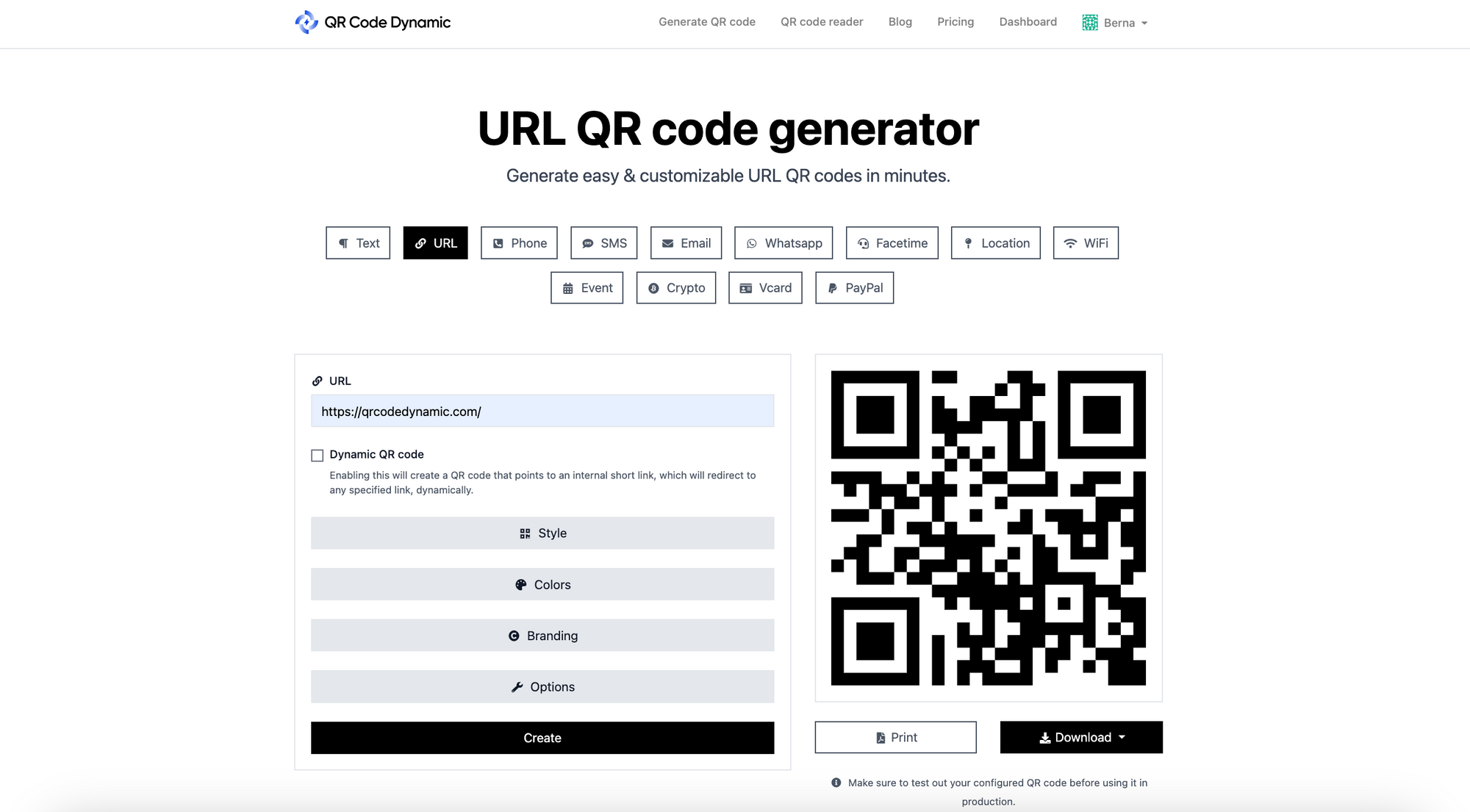
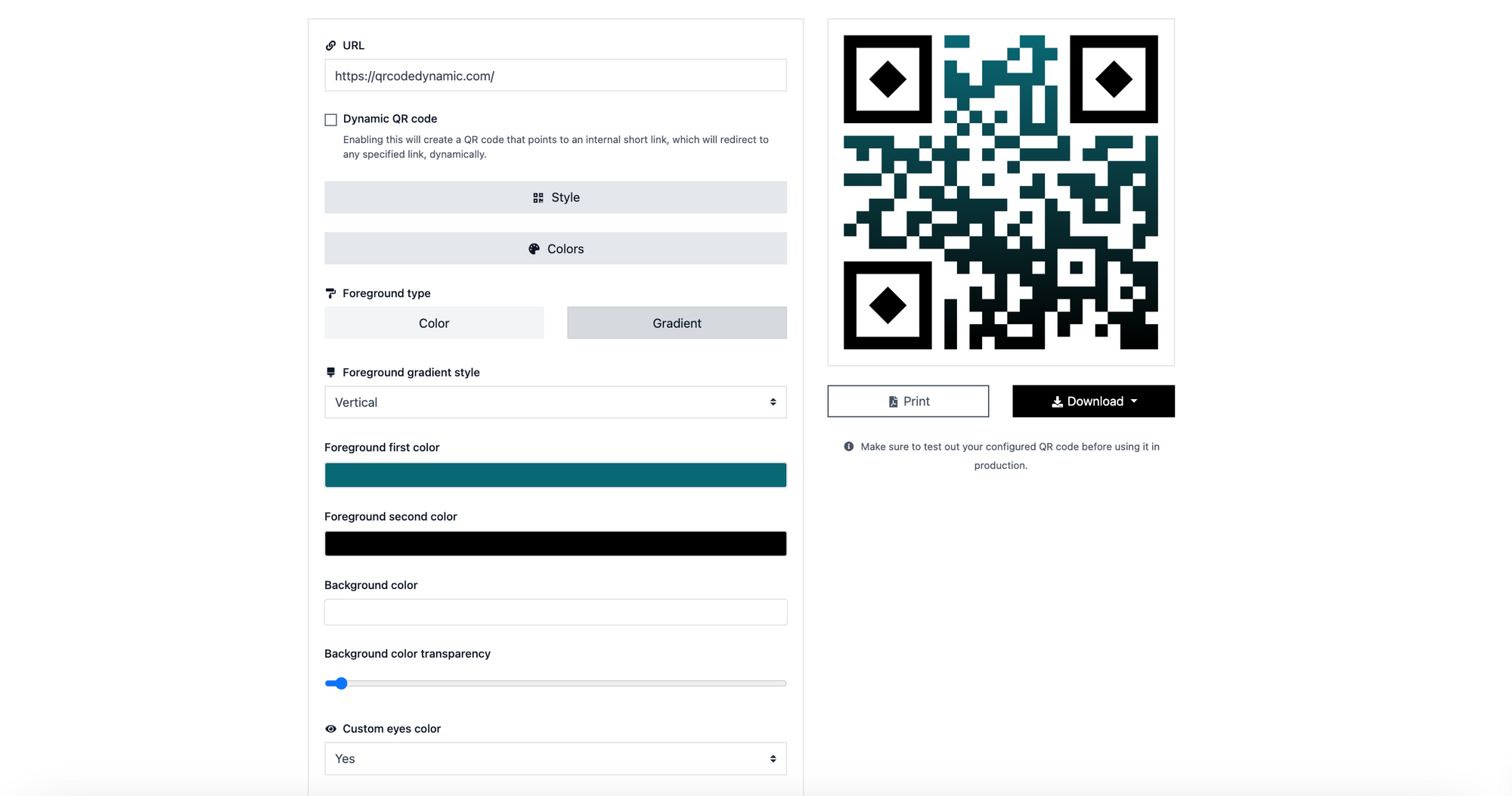
- Customize for your brand. Add your logo, change the foreground color, and pick a frame. The catch: contrast matters more than aesthetics. Receipt paper is usually grayscale, so test high-contrast color combos before printing.
- Test the code in real conditions. Scan it with at least three different phones — old iPhone, new Android, a low-light test in a dim restaurant — before approving for print. About 8% of "ready" codes I review fail one of those three tests.
- Download and hand off to POS. SVG works best for thermal printers because it scales without pixelation. PNG at 300 DPI is the fallback. Send the file to whoever maintains your receipt template (often your POS vendor, sometimes an in-house dev).
Benefits of Dynamic QR Codes for Receipts
Static QR codes are fine if you only ever want them to do one thing forever. Dynamic codes are the ones that earn their keep on receipts, because what you want a customer to do after a purchase changes every quarter.
- Editable destinations. Swap a holiday coupon for a feedback form on January 2nd without reprinting a single receipt. The QR code stays the same; the landing page behind it changes.
- Scan analytics. Dynamic codes log time-of-scan, city, device type, and unique-vs-repeat. You can finally answer "do people actually scan the QR codes on our receipts?" with a number instead of a guess.
- A/B testing. Route 50% of scans to a survey and 50% to a coupon for two weeks. See which one gets more completions. Move budget to the winner.
- Error correction. Typo in a URL? Misnamed campaign? Update the destination in one click. Static codes turn typos into landfill — every receipt with the bad code is dead.
- Campaign segmentation. Run different dynamic codes per store location, per season, or per receipt type (refund, exchange, normal sale) and track each in isolation.
If you're already running a QR loyalty program, dynamic codes are the only sensible choice — loyalty offers rotate too often for a static URL to keep up.
Practical Use Cases for QR Codes on Receipts

The flexibility of QR codes on receipts means you can map the same surface to very different business goals. Below are seven use cases I've seen merchants run with real success — pick one, not all seven, and commit to it for at least a quarter before changing tack.
1. Boost Website Traffic Through URL QR Codes
The classic move: send customers to your homepage, a product page, or a content hub. A coffee roaster I worked with linked their receipt QR to a "what's brewing this month" blog post, and got a 6% scan rate on takeaway receipts — better than their organic CTR from Google.
Use this when you have content worth visiting. Don't use it if all you have is a generic homepage; that's a wasted scan.
2. Collect Reviews and Ratings
This one has the highest ROI per scan for most local businesses. Link the QR to a Google review form or a TripAdvisor page. I've watched a coffee shop turn its receipts into review machines this way — they added a "scan to tell us how we did" line under the QR and went from 14 reviews in a year to 14 reviews a month.
If you want the implementation playbook, the Google reviews QR code walkthrough and the TripAdvisor QR code guide both cover the exact link structures.
3. Drive Campaign Conversions via Landing Page QR Codes
If you're running a paid campaign — Black Friday, a new product launch, a referral push — the receipt is the cheapest place to add that campaign to your offline funnel. Build a dedicated landing page (don't reuse a general one), then route the receipt QR there for the duration of the campaign.
The win condition here is attribution. You'll know which scans came from receipts versus your ads, because the receipt code uses a different short URL.
4. Boost App Downloads With a Single QR Code
If you have a mobile app, route the receipt QR through a smart-redirect that detects the customer's OS and sends iPhone users to the App Store and Android users to Google Play. One code, both platforms.
Pair this with a download incentive printed next to the QR: "Scan for 15% off your next order in the app." The incentive does most of the lifting; the QR just removes the typing.
5. Share Product PDFs and Manuals Instantly
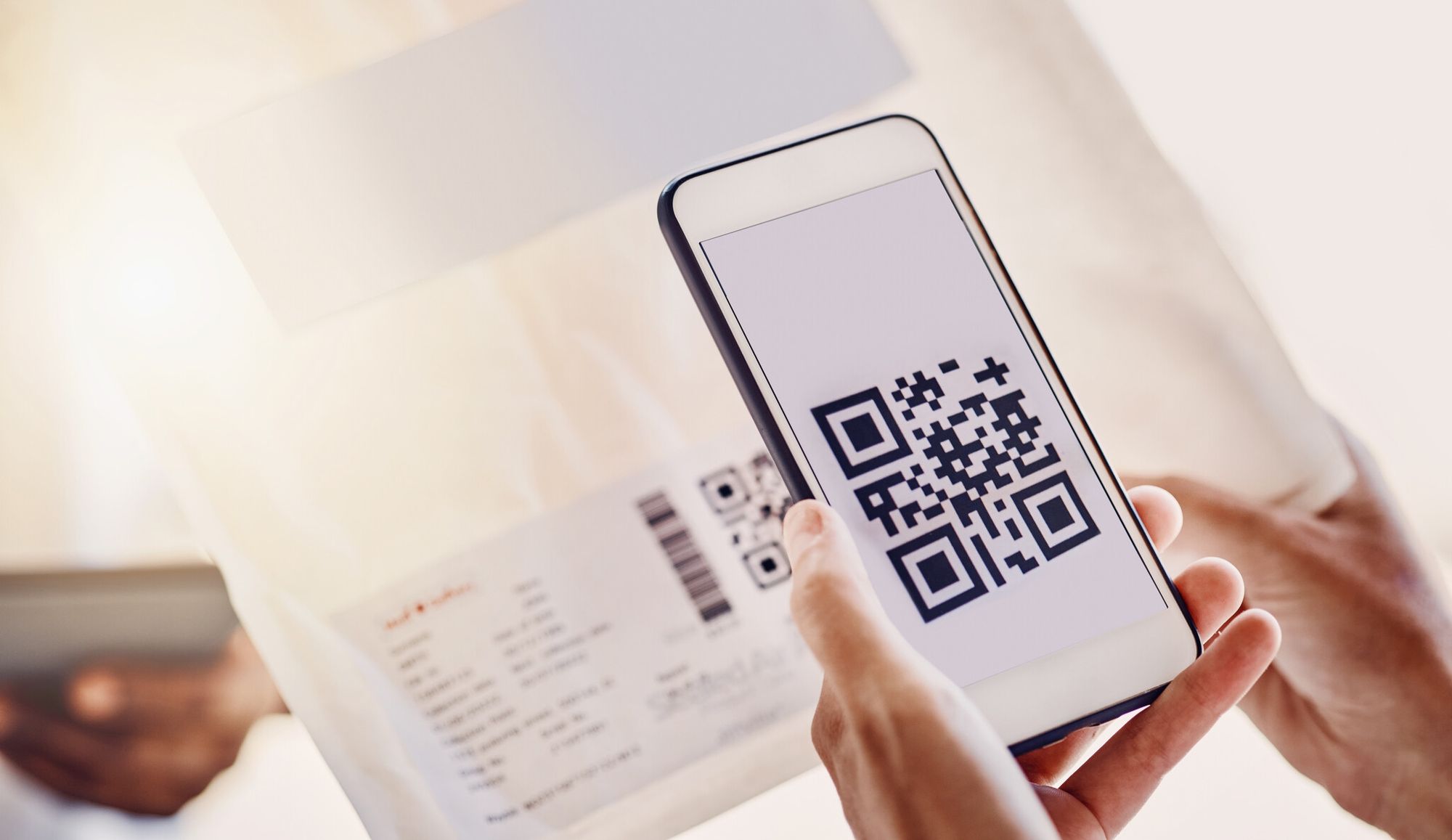
Hardware, appliances, supplements, anything with care instructions — replace the paper manual in the box with a QR on the receipt that links to a hosted PDF or a how-to video. You save on printing costs, customers always get the latest version, and you can track which sections actually get read.
6. Increase Social Followers
Link the QR to your Instagram or TikTok profile. Or, if you want to be smart about it, use a single QR that opens a small "follow us" page listing every social channel — that lets you see which platform converts best from the receipt audience.
This works best for lifestyle, food, and beauty brands where social content is a real product extension. Less effective for B2B or commodity retail.
7. Deliver Coupons and Deals
The most-scanned receipt QR codes I've seen are the ones offering a real, time-limited discount on the next purchase. "Scan within 7 days for 20% off" beats "scan for our newsletter" by an order of magnitude.
Pro tip: pair the coupon with a customer feedback form. Make the coupon conditional on a 30-second survey. You get both data and a repeat sale.
Real ROI: A QR Receipt Case Study
Numbers from a controlled rollout beat theory every time. SeeGap documented a campaign where True Natural Goodness — an Irish health food retailer — ran a receipt-based rewards activation with QR codes tied to in-store POS. The result: a 7% sales uplift attributed specifically to the campaign.
What made it work wasn't the QR code itself; it was the structure. The receipt QR routed to a rewards page where shoppers could enter a code from the receipt to earn points. Two friction points were already removed: the customer didn't have to download anything, and the points appeared immediately in their account. Conversion paths that feel like one continuous action convert better than paths that feel like three.
The 7% number is on the higher end of what I'd promise a client. A realistic baseline for a well-run receipt-QR rewards program at a brick-and-mortar shop is 2-4% incremental sales lift in the first 90 days, scaling toward 7-10% once repeat scans and word-of-mouth kick in.
Printing and POS Integration: Technical Tips
Most QR code articles skip this part, and then merchants get burned when their first batch of receipts comes out with codes that won't scan. Here's what actually matters at the printer level.
- Thermal paper is forgiving but not infinite. Standard 80mm thermal receipt paper at 203 DPI can reproduce a QR code down to about 1cm x 1cm before scan reliability tanks. Go smaller and the modules blur together when the print head ages.
- POS printer compatibility. Major receipt printers — Star Micronics TSP series, Epson TM-T88, Citizen CT-S, Bixolon SRP — all accept QR codes natively via ESC/POS commands or as bitmapped images. If your printer is older than 2018, double-check it supports QR rendering before designing the receipt layout.
- Minimum print size. Aim for 2cm x 2cm on standard receipts. The "minimum scannable" size in lab conditions is much smaller, but real-world receipts get folded, stuffed in pockets, and printed by aging printers. 2cm is the safe floor.
- Quiet zone matters. Leave at least 4-module width of white space around the QR code. Crowding the code with logos or text adjacent to it is the most common reason new receipt designs fail scan tests.
- Error correction level. Set to Level Q (25% recovery) or H (30%) for receipt printing. Receipts get crumpled and faded — the extra error correction is the difference between a code that scans after a week in a wallet and one that doesn't.
- Test the print, not the screen. A code that scans perfectly from your monitor can fail on actual thermal paper. Print a test batch on the production printer before locking in the receipt template.
If you're rolling out across multiple locations, ask your POS vendor for an SVG receipt template (not a fixed PNG). SVG lets you change the QR code in one place and push it to every store without reflashing each printer.
How to Get Receipts Actually Scanned
The fair critique of receipt QR codes is the one you see in Reddit threads: "does anyone actually scan these?" Sometimes yes, sometimes no — and the difference is almost entirely down to execution. Here's what moves the scan rate.
- Give customers a reason in plain English. "Scan for 15% off your next visit" or "Scan to tell us how we did — takes 30 seconds" outperforms "Scan for more info" by a factor of 4-5x in field tests. Be specific about what's behind the code.
- Prompt at checkout, not after. Train cashiers to say one line — "There's a QR on your receipt for a discount on your next order if you want to grab it." Verbal prompts at point-of-sale roughly double scan rates compared to printed receipts alone.
- Make the offer time-limited. "Valid for 7 days" creates urgency. Open-ended offers get postponed, then forgotten.
- Mobile-optimize the landing page. Customers scan with phones. If your landing page is slow, asks for an account login, or doesn't render on a small screen, the scan was wasted. Page-load under 2 seconds is the floor.
- Don't ask for too much. Don't gate the coupon behind a 12-question survey. Two questions, then the reward. Friction is the silent killer of scan-to-conversion rates.
- Track scans religiously. Dynamic QR analytics tell you the truth about whether the program works. If scan rate is below 1%, the placement or the offer is wrong — not the technology.
If your goal is feedback specifically, a feedback QR code on the receipt that drops customers into a one-question form will outperform a multi-page survey every single time. Same for product launches — a QR code surveys approach with a short, focused form beats a long form by roughly 3x in completion rate.
Tips for Your QR Code on Receipt Strategy

Strategy is where most receipt-QR programs fall apart — not at the design stage. Here are the operational pieces that decide whether the QR earns its real estate.
Ideal Size and Print Format for Receipt QR Codes
Pick the format first based on the goal, then size for legibility. The physical floor is 1cm x 1cm; the practical target is 2cm x 2cm. Print black on white — every "creative" color combo I've seen tested loses scan reliability against the plain version. Place the code where it gets noticed: top of the receipt for immediacy, bottom if you want the customer to read the line items first. Either works; "buried in the middle" doesn't.
Generating Repeat Purchases
The strongest receipt-QR programs do one of three things, and ideally all three over time:
- Reward loyalty. Route the QR to a points-tracking page. Each scan earns points. Points convert to rewards. You can build this from scratch or use templates — loyalty card templates with QR built-in are the fastest path for small businesses.
- Offer scan-only discounts. The discount only exists for customers who scan. This creates a measurable difference between scanners and non-scanners, which is gold for marketing ROI calculations.
- Send useful follow-up content. A "how to use your new product" video, a recipe, a setup guide. Content that adds value after the sale builds the kind of trust that drives repeat business without a discount.
Gathering Customer Insights
A receipt-QR strategy is the easiest customer data you'll collect outside of email signups. Each scan tells you when (peak shopping hours vs. dead times), where (which locations get the most engagement), and what device (iOS vs Android skew). Use that to:
- Personalize future promotions. If your scanners are mostly evening iPhone users in two ZIP codes, your next campaign already has a target audience.
- Improve products based on feedback. If 40% of feedback mentions slow checkout, that's a fix-tomorrow signal.
- Refine the offer. Coupon redemption rate vs. survey completion rate vs. social follow rate — the data tells you which incentive your customers actually want.
Organizing and Saving QR Code Receipts
For finance teams handling expense reports, digital receipts with QR codes are easier to track than paper. Maintain a digital receipt log (a simple spreadsheet works for small businesses; an ERP integration scales it). Use the QR analytics dashboard as a supplementary record. Back up scan data weekly to cloud storage — losing six months of attribution data because a vendor changed pricing tiers is a real story I've watched happen.
Things to Keep in Mind
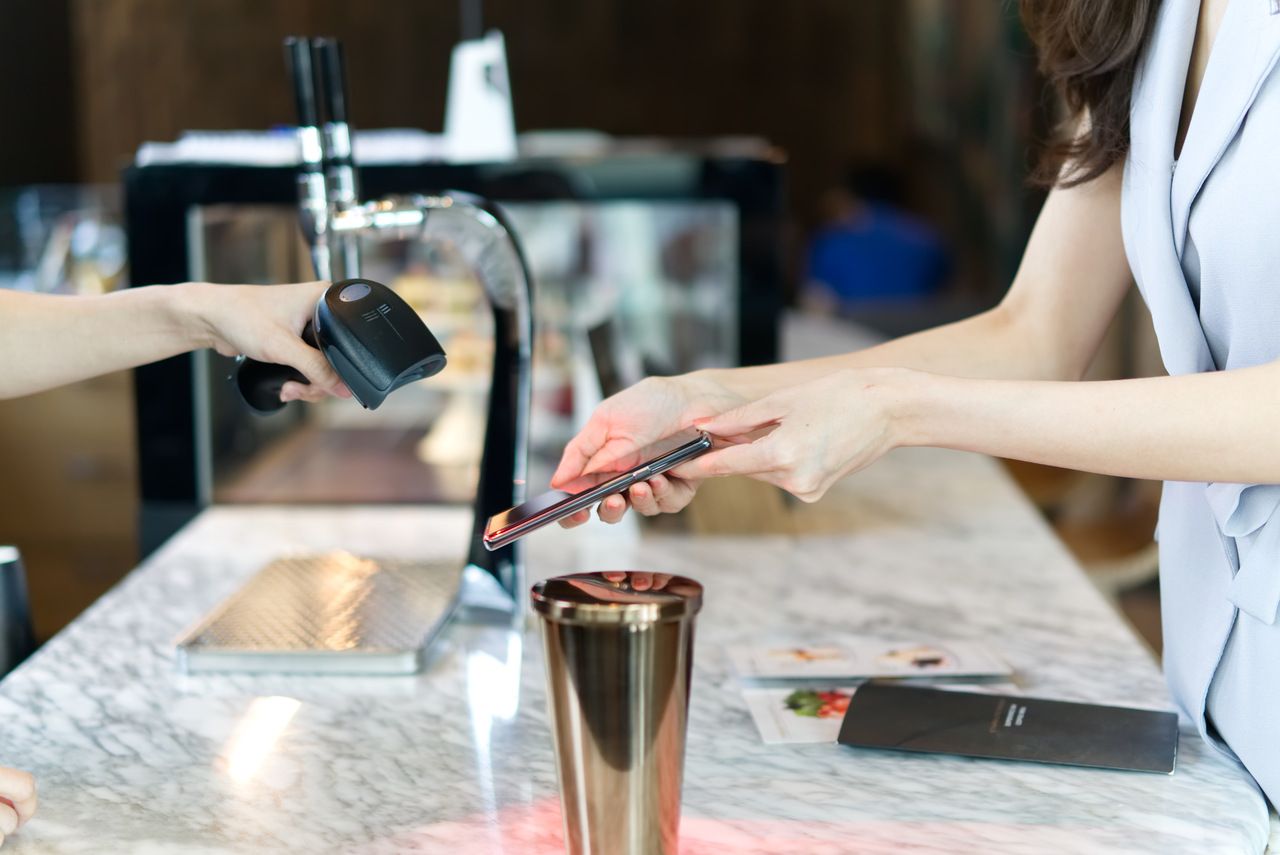
- Set one clear goal per code. Don't try to capture reviews, sell coupons, and drive app downloads from the same QR. Pick one.
- Test before you print. Scan with three phones (old, new, low-light) before signing off on the receipt template.
- Tell customers what's behind the code. A scan with no expectations is a scan that bounces.
- Make the landing page worth the scan. If the offer or content underwhelms, the customer doesn't scan twice — and they tell their friends.
- Respect data privacy. Disclose what data you collect, store it securely, and let customers opt out. GDPR and CCPA both apply if you're tracking scans tied to identifiable users.
- Audit quarterly. Scan rates drift. Offers go stale. Review the data every 90 days and refresh the destination or the messaging.
Regulatory Compliance: QR Codes on Receipts in 2026
If you operate in the EU or sell into it, receipt QR codes have a regulatory layer that's easy to overlook until an audit shows up. Three pieces worth knowing about.
In Austria, the RKSV (Registrierkassensicherheitsverordnung) cash register security regulation requires every receipt to carry a machine-readable QR code containing the cash register ID, receipt number, date and time, gross amount, and a signature value. The QR code is the receipt's tamper-proof seal. Customers and tax authorities can verify any receipt via an app. Similar fiscalization regimes exist in Italy, Hungary, Portugal, and other EU member states — each with its own technical spec, but all funneling toward QR codes as the standard verification mechanism.
The bigger industry shift is GS1 Sunrise 2027. The GS1 standard for retail barcodes is moving from 1D EAN/UPC barcodes to 2D barcodes (including QR codes) at point-of-sale globally. Retailers and POS vendors are migrating now to be ready by 2027. The practical implication for receipts: QR codes are about to be everywhere at checkout anyway — on packaging, on shelves, and yes, on receipts. Customers will be more conditioned to scan them, which is good news if you're rolling out a receipt QR program in 2026.
Two action items: if you're in a fiscalized country, build your receipt QR strategy around the regulatory QR (don't add a second, competing code), and if you're in the US or UK, watch the GS1 Sunrise rollout — it's going to change scanning behavior at the till within 24 months.
Make QR Codes on Receipts Work for Your Business

The receipt is the most under-used marketing surface in retail. Every customer touches it. Every customer keeps it for a few seconds at minimum. And until QR codes, there was no measurable way to turn that surface into anything other than a record of the transaction.
If you take one thing from this guide, take this: pick one goal, design one QR around it, give customers one clear reason to scan, and measure for 90 days. That's a real campaign, not a check-the-box exercise.
Here's the priority order I'd run, based on what tends to move the needle for most retailers:
- Reviews and feedback first. Lowest effort, highest payoff for local businesses. A receipt-driven review pipeline can double or triple your Google review velocity in a quarter.
- Loyalty and repeat purchase second. Once feedback is humming, add a points-or-coupon layer. This is where the SeeGap-style 7% sales lift comes from.
- Content, apps, and brand awareness third. Once you've proven scan behavior with high-value offers, broaden into app downloads, social follows, and content distribution.
Receipts aren't going away in 2026. They're getting smarter. The merchants who treat receipts as a channel, not a record, are the ones who'll have the customer relationships — and the data — to compete in the next five years.
Frequently Asked Questions
Why do receipts have QR codes?
Receipts have QR codes because they're the cheapest post-purchase marketing channel a retailer has. Every customer takes one. Adding a QR costs nothing per print after setup, gives the business a measurable second engagement, and (in some EU countries) satisfies fiscal tamper-proofing rules at the same time.
What are the risks of QR code payment?
The main risks are phishing (a malicious sticker placed over a legitimate QR), URL spoofing, and shoulder-surfing during payment confirmation. Mitigate them by using dynamic QR codes from a verified provider (so you can deactivate compromised codes), preferring app-based scanning that previews the URL before opening, and training staff to inspect physical codes for tampering. For peer-to-peer transactions, a Venmo QR code generated from inside the official app is safer than one printed by a third party.
Is a QR code mandatory on an invoice?
It depends on the country. In Austria, Italy, Hungary, Portugal, and several other EU member states with fiscalization laws, yes — QR codes carrying the receipt's signature value are required for compliance. In the US, UK, and most of Asia, QR codes on invoices are optional and used for marketing or customer convenience, not for legal compliance. Check your local tax authority's guidance before assuming either way.
How do I boost app downloads and share user manuals with QR code receipts?
For app downloads, use a smart-redirect QR that routes iOS scans to the App Store and Android scans to Google Play — one code, both platforms. Add an incentive next to the code on the receipt ("Scan for 15% off in the app"). For manuals, host the PDF or video on your site and link the QR to that page. Track which sections customers visit so you can improve the docs over time.
What is the ideal size and print format for QR codes on a receipt?
Target 2cm x 2cm at minimum, black on white, with at least 4-module quiet zone around the code. Use SVG for thermal printers and 300 DPI PNG as a fallback. Set error correction to Level Q or H so the code survives folded receipts and fading thermal paper. Test print on the actual production printer before approving the receipt template.
Discover our other blog posts before you go:

I work as a Growth Marketer at Popupsmart, using my 3+ years of SaaS experience to create clear, useful marketing content that helps brands grow, reach the right audiences, and improve their results.