QR Code for Books: 10 Ways to Use Them in 2026


On this page
- What Is a Book QR Code?
- Why Authors and Publishers Add QR Codes to Books in 2026
- 10 Use Cases for a QR Code for Books That Earns Its Spot
- 1. Bonus Chapters and Deleted Scenes
- 2. Audiobook Companion and Chapter Narrations
- 3. Author Email List Signup
- 4. Multimedia Author Bio
- 5. Reader Review Request Page
- 6. Book Club Discussion Guide
- 7. Multilingual Translations
- 8. Errata and Updates for Non-Fiction
- 9. Buy-the-Next-Book CTA
- 10. Classroom Interactive Content
- How to Create a QR Code for Books in 6 Steps
- Step 1: Decide the Post-Scan Destination
- Step 2: Build the Mobile-First Landing Page
- Step 3: Pick Dynamic Over Static
- Step 4: Generate the QR Code
- Step 5: Place It Well
- Step 6: Track Scans and Update the Destination
- Best Practices for Book QR Code Placement and Design
- Common Mistakes to Avoid With a QR Code for Books
- Frequently Asked Questions
- How do I get a QR code for my book?
- Can you put QR codes in books?
- What content should a book QR code link to?
- How do I update QR code content without reprinting books?
- What is the best QR code size for a book?
- Pick the One QR Code That Earns Its Spot on the Page
A QR code for books is a scannable code printed on a cover, jacket, or interior page that links readers to digital content — bonus chapters, author videos, audiobook samples, review pages, or signup forms. A dynamic QR code lets you swap the destination after the book is printed without changing the code on the page.
What Is a Book QR Code?
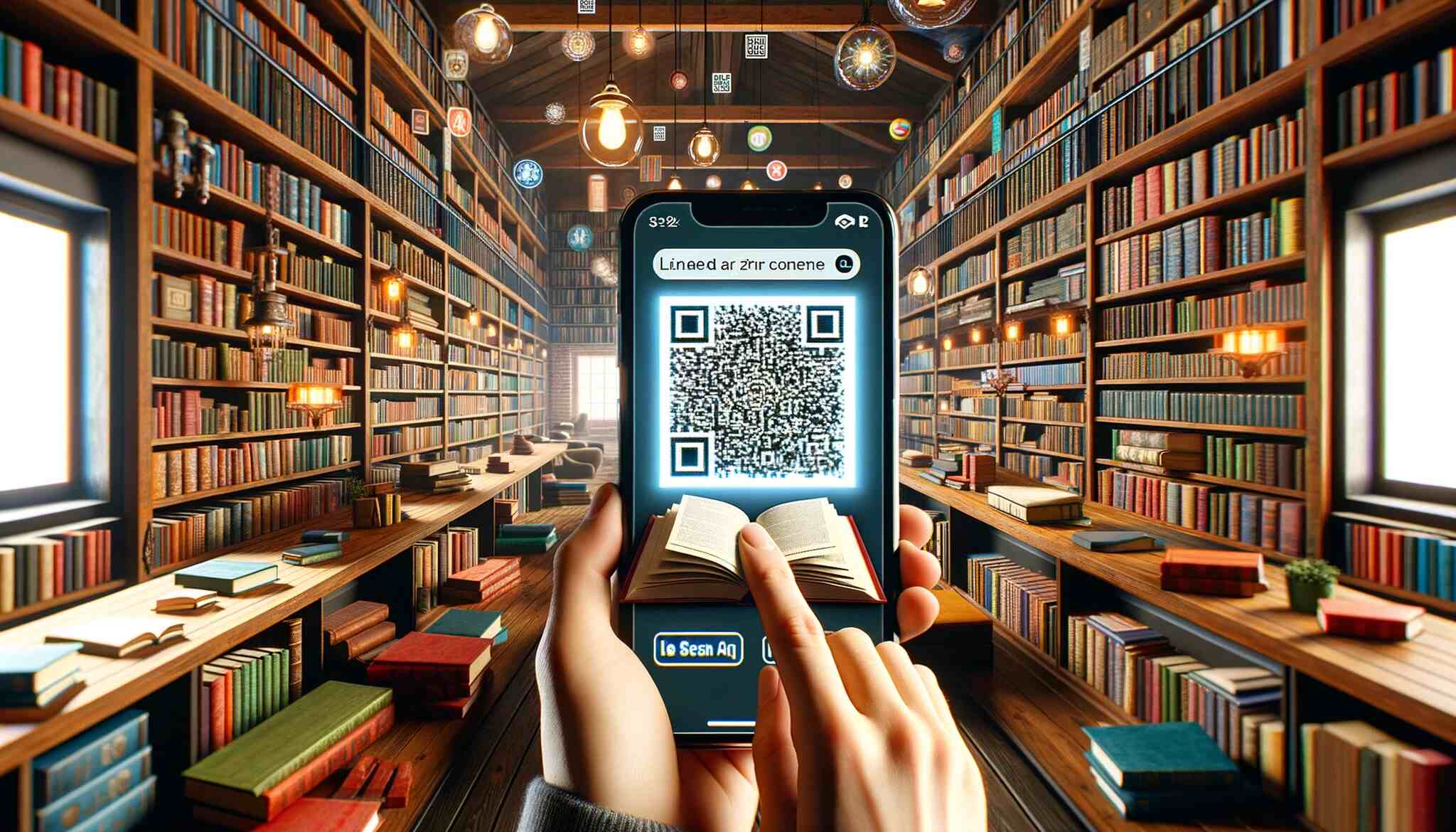
A book QR code is a small printed square that a reader scans with a phone camera to open a URL. The code itself is just a pointer. What lives at the other end is the real value — that is where most authors either win readers or waste the slot.
There are two kinds, and the difference matters for print:
• Static QR code: The destination URL is baked into the pattern. Change the URL, you reprint the code. For a book that will sit on shelves for years, that is a problem.
• Dynamic QR code: The pattern points to a short redirect URL you control. You can change the final destination any time without touching a single printed copy.
For books, dynamic wins by default. A novel printed in 2026 might still be selling in 2030, and the landing page you built today may not exist by then. Dynamic codes also give you scan analytics — total scans, time, location, device. Static codes give you none.

Why Authors and Publishers Add QR Codes to Books in 2026
The behaviour question is settled. Readers scan. The real question is whether what you put behind the code earns their attention.
According to Automateed, 44.6% of global internet users scan QR codes at least monthly. That is roughly one in two readers walking around with a scanning habit already wired in. You do not need to teach the gesture.
The scale backs that up. According to SuperCode, 2.2 billion people worldwide actively use QR codes in 2025, representing 29% of all smartphone users globally. For a print product trying to connect to digital content, that is the largest installed scanner base print has ever had access to.
The publishing-specific result is where this gets useful. SuperCode also documents a campaign by South African publisher Associated Media Publishing (AMP): after running QR code campaigns across five best-selling magazines, page views in their online shops grew from 47,000 to 84,441 and products available for sale grew from 1,500 to 3,174 within months. Same readers, same titles — the code was the bridge.
10 Use Cases for a QR Code for Books That Earns Its Spot
Most QR codes in books fail for one reason — they link to a generic homepage. The use cases below all share one trait: the destination is specific, named, and worth scanning even before the reader knows what they will get.
1. Bonus Chapters and Deleted Scenes
The highest-converting use case for fiction. A short note at the end of the final chapter — "Scan for the deleted scene I cut from chapter twelve" — turns back matter into a reason to keep reading. Keep the content gated behind the code, not freely linked on your website. The scarcity is the point — readers who scan feel they got something the average buyer did not, and that drives reviews and word-of-mouth.
2. Audiobook Companion and Chapter Narrations
The one most authors miss. If you have an audiobook version, put a QR code on the inside cover that drops the reader straight into a sample chapter on Audible, Spotify, or your storefront of choice. You are not cannibalising the print sale — you are stacking it. For poetry, picture books, or non-fiction with technical pronunciations, link each chapter to a short audio clip you narrate yourself. See our QR codes for audiobooks guide for the full setup.
3. Author Email List Signup
If you publish more than one book, the email list is the asset. Every book you sell that does not end with a signup capture is a missed compound — that reader buys the next book only if Amazon's algorithm reminds them. Put a QR code on the final page with a single sentence: "Get the next book first — scan to join my reader list." Send them to a one-field landing page (email only). Conversion drops roughly 5% for every extra field. Once they are on the list, you have a direct channel for launch day, which is the day that decides whether a book ranks.
4. Multimedia Author Bio
The standard back-flap bio is a paragraph of biographical facts. A QR code lets the reader meet the human who wrote the book — a 60-second video intro, a podcast appearance, a talk you gave on the topic. For non-fiction especially, the bio video is where readers decide whether you are someone they want to follow. Keep it short and shot well, or link to a curated playlist of your best podcast appearances instead.
5. Reader Review Request Page
Reviews on Amazon and Goodreads compound the algorithm. Most readers who would happily leave a review never do — asking inside the book breaks the spell, and asking after they finish requires them to look you up. A QR code at the very end fixes both. Send the scan to a simple page with three buttons: Amazon, Goodreads, BookBub. One sentence above them: "If this book mattered to you, a review would mean a lot." That is enough.

6. Book Club Discussion Guide
Book clubs are a slow-burn marketing channel for fiction and serious non-fiction. A discussion guide gives clubs a reason to pick your title over another, and the QR code gets it into the hands of the person organising the meeting. Build a guide with 8 to 12 open-ended questions, an author Q&A, and a one-pager on the themes. Hosts share it in their group chat — direct exposure to ten to twelve high-intent readers per scan.
7. Multilingual Translations
If your book gets read internationally — or if you write for a bilingual audience — a QR code can serve translated excerpts, a glossary, or a full alternate-language version without printing a second edition. Pair it with an audio version through the same dynamic destination and one code covers translation and audio access. Self-published authors with strong Latin American or European sales especially undercount this.
8. Errata and Updates for Non-Fiction
The use case dynamic codes were built for. Non-fiction books — especially in technical, academic, legal, or medical categories — go out of date the moment they ship. A static code locks the error in until the next print run. A dynamic code lets you update the destination overnight and every copy of the book inherits the fix. Put a single "Updates and corrections" code on the copyright page, and host a running changelog with dates, page references, and what changed.
9. Buy-the-Next-Book CTA
The last page of a series book is the most under-used real estate in publishing. The reader is at peak engagement — they just finished, they want more. Then they hit a copyright page and the moment is gone. A QR code labelled "The next book is out — scan to grab it" with a one-line teaser converts at rates that make most paid ads look bad. Track the scans with a dynamic code so you can see which titles produce the strongest series pull-through.

10. Classroom Interactive Content
For textbooks and educational titles, QR codes carry the supplementary material the printed page cannot fit — video walkthroughs, interactive quizzes, lab demonstrations, answer keys gated behind teacher logins. Each chapter ends with a code, the student scans, the screen does the part that needed motion or sound. Libraries are a natural fit too — our piece on QR codes in libraries covers patron-facing patterns that translate to classroom use.
How to Create a QR Code for Books in 6 Steps
This is the process I would walk a first-time author through. It assumes the book content is done and you are deciding what to put behind the code.
What you'll need:
• A clear answer to "what is the one thing I want readers to do after they scan?"
• A mobile-friendly landing page (a simple WordPress or Ghost page works)
• A dynamic QR code generator
• Ten minutes per code, plus design time for placement
Step 1: Decide the Post-Scan Destination
Before anything else, name the single action you want a scanner to take. "Engage readers" is not an action. "Join my email list" is. "Read the deleted chapter from page 247" is. "Leave a review on Amazon" is. One code, one action.
If you have multiple things you want readers to do, use multiple codes — one per chapter ending, one per back matter section — not one code that dumps the reader on a Linktree of options. Choice paralysis is a real conversion killer in print-to-digital flows.
You will know this step is done when: you can describe the destination in one sentence and explain why a reader would care.
Step 2: Build the Mobile-First Landing Page
Every scan happens on a phone. If your landing page is a desktop-first theme with a 1.5 MB hero image and a sticky cookie banner, you have already lost half the scanners before render. Optimise for mobile first.
The page should load in under two seconds on 4G, fit a phone screen without horizontal scrolling, and have one clear call to action above the fold. No popups. No newsletter overlays on a page that already exists to capture signups. Match the visual style to the book — same fonts, same colour palette — so the reader feels they are still inside the experience.
Watch out for:
• Linking to a homepage: readers will not dig through navigation to find what you promised. Link to the specific page.
• Asking for too much information: drop everything except the one field you actually need.
Step 3: Pick Dynamic Over Static
For a printed book, dynamic is the only sane choice. A static code locks the destination forever — and as I said earlier, the URL you trust today is not necessarily the URL you trust in five years. Dynamic codes route through a short redirect you own, which means the printed pattern stays the same while the final destination is whatever you change it to in the dashboard.
You also get scan analytics with dynamic codes — total scans, unique scans, time, location, device — which is the only way to know whether the slot on the page is paying off. Our breakdown of QR codes versus barcodes covers the underlying tech if you want the deeper read.
Pro tip: From three years working on QR campaigns, the pattern I see again and again is authors printing a static code with a campaign URL, then coming back two years later asking how to "update the QR code." You cannot — you reprint. Spend the extra two minutes to set up dynamic on day one.
Step 4: Generate the QR Code
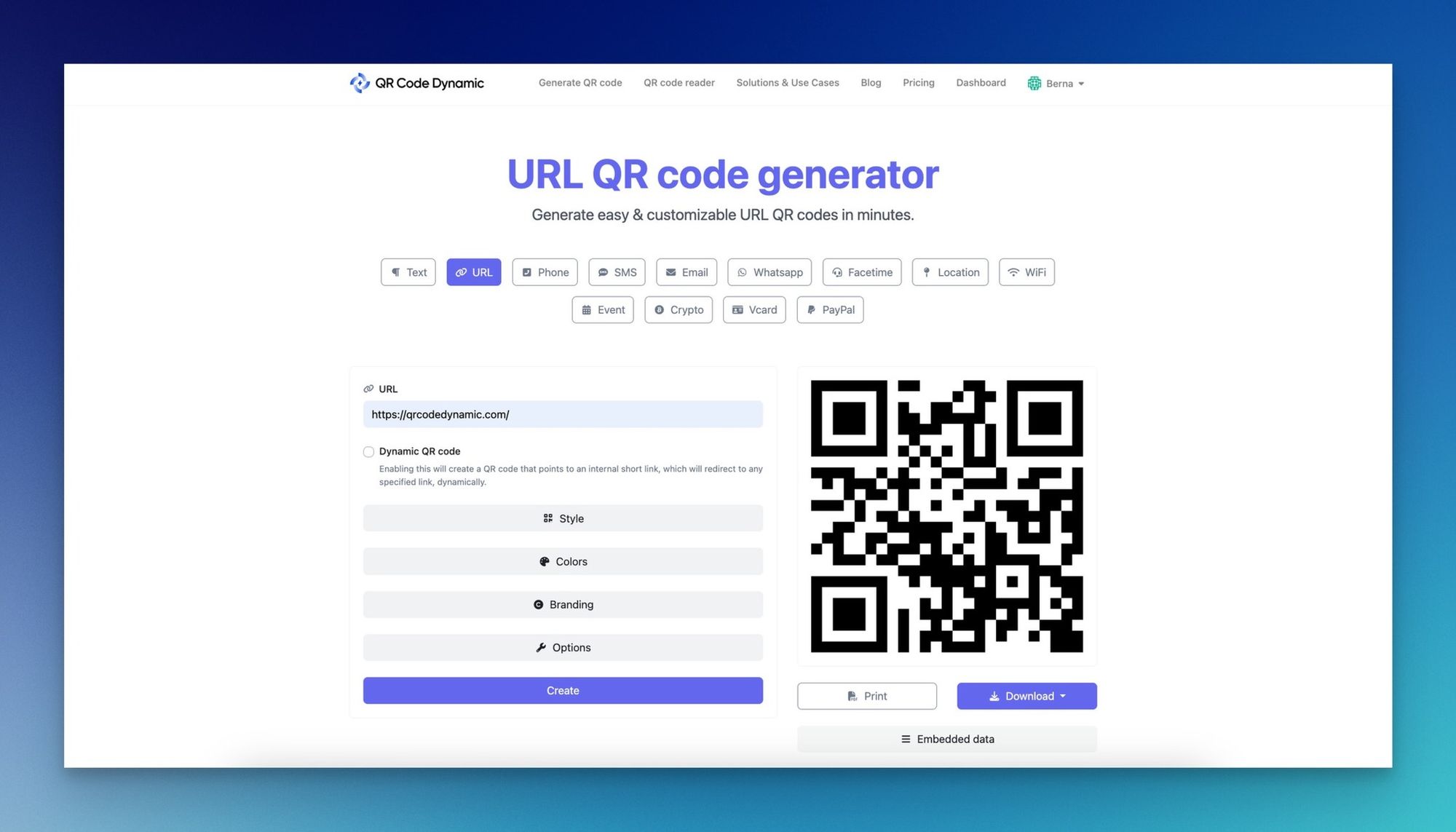
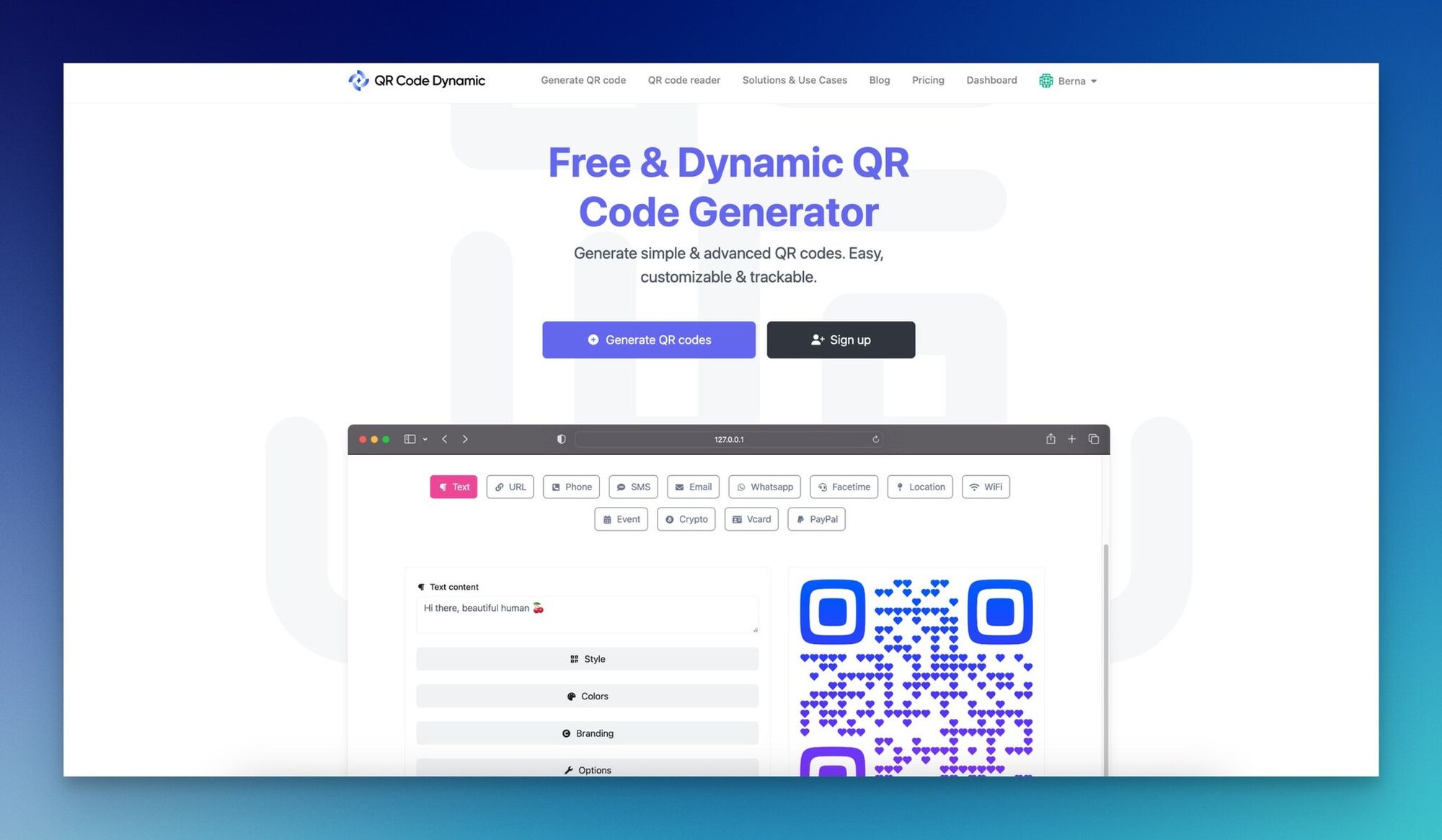
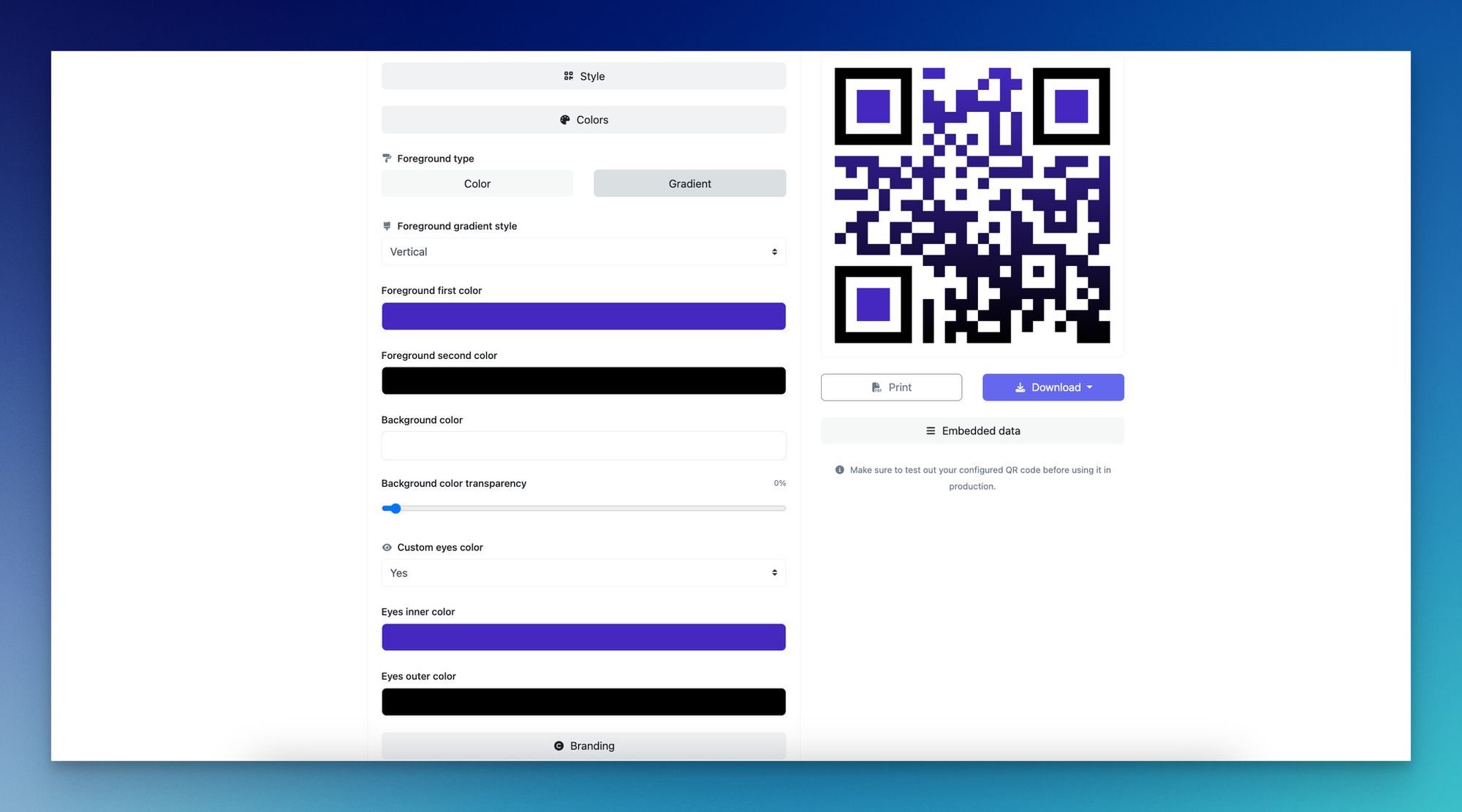
Use a generator that supports dynamic codes, custom branding, and scan analytics. I run mine through QR Code Dynamic — create a URL-type code, paste the landing page link, customise the colours to match the book cover, and download in a print-ready resolution. The dashboard then tracks scans against that code over time.
Whichever tool you choose, download the file at high resolution — at least 1000 x 1000 pixels for a print code, ideally as PNG or SVG. JPG compression introduces artefacts that lower scan reliability at small print sizes. If you want to experiment with the visual side, the QR code design ideas collection has 30 patterns that print cleanly.
You will know this step is done when: you have a PNG or SVG file at least 1000 x 1000 pixels, scan-tested on three different phones, with the destination URL pointing where you intended.
Step 5: Place It Well
Placement is the difference between a code that gets scanned and one that gets skipped. Four locations consistently outperform the rest, and the choice depends on what you want the reader to do.
| Placement | Best For | Why It Works |
|---|---|---|
| Inside front cover | Author bio video, series welcome, audiobook companion | Reader sees it before reading. High awareness. |
| End of chapter | Bonus content tied to that specific chapter | Peak engagement with the content the code extends. |
| Back cover | Marketing — buy next book, follow author, join list | Last thing the reader sees. Strong recency effect. |
| Bookmark or insert | Time-bound campaigns, launch promos | Replaceable without reprinting. Good for ARC reviewers. |
Whatever location you pick, the code needs three things around it: a one-line label telling the reader what they will get, a quiet zone of white space at least four modules wide on every side, and enough contrast that a phone camera can lock on under bookstore lighting. Dark code on light background is the safe default. Avoid printing on glossy paper without testing — reflections kill scans. QR codes on flyers covers similar placement principles for adjacent print formats.
Watch out for:
• Too small to scan: the minimum reliable print size is around 2 cm x 2 cm. Go bigger for textured paper.
• No call to action: a naked QR code with no label gets ignored. The label earns the scan.
• Wrapping around the spine: if part of the code curves into the gutter, it will not scan.
Step 6: Track Scans and Update the Destination
This is the step that turns a QR code from a print decoration into a measurable channel. Open your dynamic code dashboard a week after launch, then again at one month, three months, and six months. Watch the scan curve.
If a code is under-performing, the fix is usually upstream: the label is unclear, the placement is wrong, the landing page is slow. Test one variable at a time. If the landing page itself is the problem, update the destination URL behind the code without touching the printed book. That is the entire reason you went dynamic in step 3. For series authors and publishers, scan data also tells you which titles drive the most cross-sell.
Pro tip: The biggest lift in my experience comes from refreshing the destination quarterly, not from designing a fancier code. Readers care what is behind the scan. Spend your effort there.
Best Practices for Book QR Code Placement and Design

Most placement problems trace back to one of five rules being broken. Apply these before you send the book to the printer.
• Size: minimum 2 cm x 2 cm on standard paper. Bump to 2.5 cm for textured or matte stock.
• Contrast: minimum 4.5:1 ratio between code and background. Dark code on white is the reliable default. Inverted (light on dark) scans poorly on older phones — avoid unless tested across at least five devices.
• Quiet zone: leave at least four modules of empty space on every side of the code. Crowding the code with text or art kills scan rate.
• Layout: place the code on a flat page area, never across the spine, never in the binding margin. Test on a printed proof, not on screen.
• Branding: match the code colour to your book cover, add the book logo to the centre if your generator supports it. Branded codes have higher scan rates than plain black-and-white ones because they look intentional.
Common Mistakes to Avoid With a QR Code for Books
These five show up over and over again in books I have reviewed.
1. Printing a static code for a campaign that might change. If you are linking to a launch promo, contest, or any URL with an expiry date attached, static codes are a permanent record of a temporary idea. Use dynamic.
2. No call to action next to the code. A QR code with no label looks like a graphic glitch. Readers do not scan codes out of curiosity any more — they scan because the label promised something specific.
3. Code too small or printed on glossy paper. Codes under 2 cm fail at a noticeable rate, especially in low light. Glossy paper adds reflections. Test on the actual paper stock before going to press.
4. No mobile-optimised landing page. A successful scan that lands on a slow desktop page is a wasted scan. Most readers do not wait beyond three seconds. Build mobile-first or do not bother.
5. No tracking, no review, no iteration. Authors print the code, ship the book, and never look at the scan numbers. The data is the whole point of going dynamic. The codes that get reviewed quarterly outperform set-and-forget codes by a wide margin.
Frequently Asked Questions
How do I get a QR code for my book?
Pick a QR code generator that supports dynamic codes, decide what your code should link to, paste the destination URL into the generator, customise the design to match your book, download the high-resolution file, and place it in the book layout. The whole process takes around ten minutes per code. For a book that will sit on shelves long-term, always pick a dynamic code so you can change the destination later without reprinting.
Can you put QR codes in books?
Yes. Authors, publishers, and educators have been printing QR codes inside books for over a decade — on covers, chapter endings, end papers, bookmarks, and inserts. Both self-published and traditionally published titles use them. The main constraints are physical (size, contrast, quiet zone) and editorial (the destination has to be worth the scan). There is no licensing fee, no special paper, and no approval required from a printer.
What content should a book QR code link to?
The best content extends what is already on the page — bonus chapters for fiction, audiobook samples, author bio videos, review request pages, book club discussion guides, multilingual translations, errata pages for non-fiction, the next book in a series, classroom supplementary materials, or an email signup. The rule of thumb: scan-worthy content is content the reader could not have got just from finishing the book.
How do I update QR code content without reprinting books?
Use a dynamic QR code. Dynamic codes point to a short redirect URL you control through a dashboard. When you change the final destination in the dashboard, every printed copy of the book now points to the new URL — without reprinting a single page. Static codes do not work this way: the destination is baked into the printed pattern, so the only way to change it is to reprint. Pick dynamic at the start of the project, not after.
What is the best QR code size for a book?
Minimum 2 cm by 2 cm for a code on standard paper at arm's length scanning distance. Go to 2.5 cm or larger for textured stock, matte finishes, or codes with embedded logos. The rule of thumb is that the code's print size should be roughly one-tenth of the expected scanning distance. For a book held 30 cm from the face, 3 cm is generous and reliable. Always print a proof and test on at least three phones before signing off on the final layout.
Pick the One QR Code That Earns Its Spot on the Page
The temptation with QR codes in books is to add five and hope one converts. That is the wrong instinct. One code, placed where the reader is most engaged, linked to one specific destination, with one clear label, will outperform five scattered codes. Decide the single action you want a reader to take after they close the book — review, signup, buy the next one, watch the author intro — and put one code in service of that action.
Start with a dynamic code so you can change the destination later, build a mobile-first landing page that loads fast, and review the scan numbers ninety days in. Generate the code with QR Code Dynamic for analytics and design control in the same dashboard, and check QR code advertising patterns for placement ideas that translate well from print campaigns to book interiors.

I work as a Growth Marketer at Popupsmart, using my 3+ years of SaaS experience to create clear, useful marketing content that helps brands grow, reach the right audiences, and improve their results.