Phone QR code generator
Generate easy & customizable Phone QR codes in seconds.
Make a QR Code for Phone Number: Free Online Generator
Sharing your phone number should be simple. With a QR code generator for phone number, it is. Instead of asking people to type digits, you give them a code to scan — and their call to you is ready instantly.
I've used it on business cards and flyers, and it made a noticeable difference. People didn't think twice, they just scanned and called. That's the beauty of a scan-to-call QR code — fast, easy, and no room for mistakes.
In this guide, I'll show you how to make one in seconds and the best ways to use it so people can reach you without effort.
What Is a Phone Number QR Code and Why Use It?
A Phone Number QR Code lets anyone scan and call you, instantly. No typing, no searching, no saving contacts. Just point, tap, and connect.
That's exactly what this tool does. With our free QR code generator for phone numbers, you can turn any number — mobile, landline, or support line — into a scannable action.
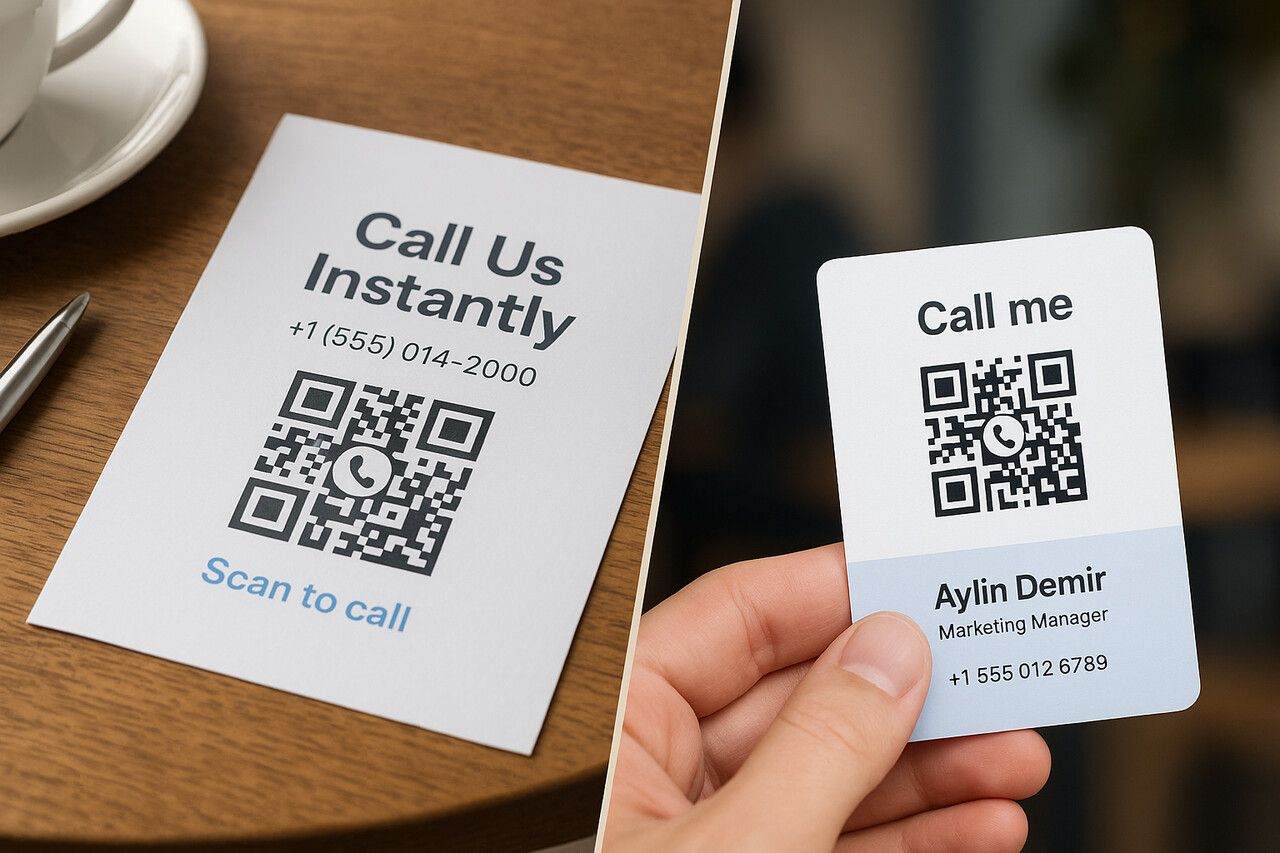
What Is It, Exactly?
A phone number QR code encodes a clickable tel: link (like tel:+14155552671) into a QR format. When scanned on any smartphone, it instantly opens the dialer with your number filled in. The user just taps Call.
- No app download required
- Works offline — no internet needed
- Compatible with all iOS and Android devices
If you're printing anything — flyers, cards, signs, packaging, menus — a call QR code turns static materials into instant conversations.
This tool is perfect for:
- Businesses: Add "Scan to Call" on storefronts or brochures
- Professionals: Use it on business cards or resumes
- Hospitality: Let guests scan menus to reach staff
- Real estate: Add it to yard signs for direct buyer contact
- Emergency or help desks: One-scan access to hotlines
Phone QR Code vs. vCard QR vs. SMS QR
All three involve phone numbers, but they trigger different actions. Picking the wrong type is a common mistake I see — here's how they compare:
| QR Code Type | What Happens on Scan | Best For |
Phone QR (tel:) | Opens dialer with number ready to call | Instant calls — support lines, sales, hotlines |
SMS QR (sms:) | Opens texting app with number and optional message prefilled | Opt-ins, appointment confirmations, feedback |
| vCard QR | Saves full contact card (name, phone, email, company) to phone | Networking, business cards, team directories |
If you want the person to call right now, use a phone QR. If you want them to save your info for later, use a vCard. If you want them to send you a text, use SMS.
How to Create a QR Code for a Phone Number
I've created hundreds of phone QR codes over the years — for events, product packaging, even bathroom signs in co-working spaces. The key? It has to work every time, across every phone, with zero confusion.
Here's how to do it the right way using our free QR code generator for phone numbers.
Step 1: Choose a Phone QR Code Generator
There are tons of tools out there, but QRCodeDynamic.com is fast, frictionless, and free. No sign-up needed for static codes, and you can unlock dynamic features (like scan tracking and editability) with a free account.
Step 2: Enter the Correct Phone Number
Always use the international format, starting with a plus sign and the country code.
For example:
+14155552671(US)+447911123456(UK)
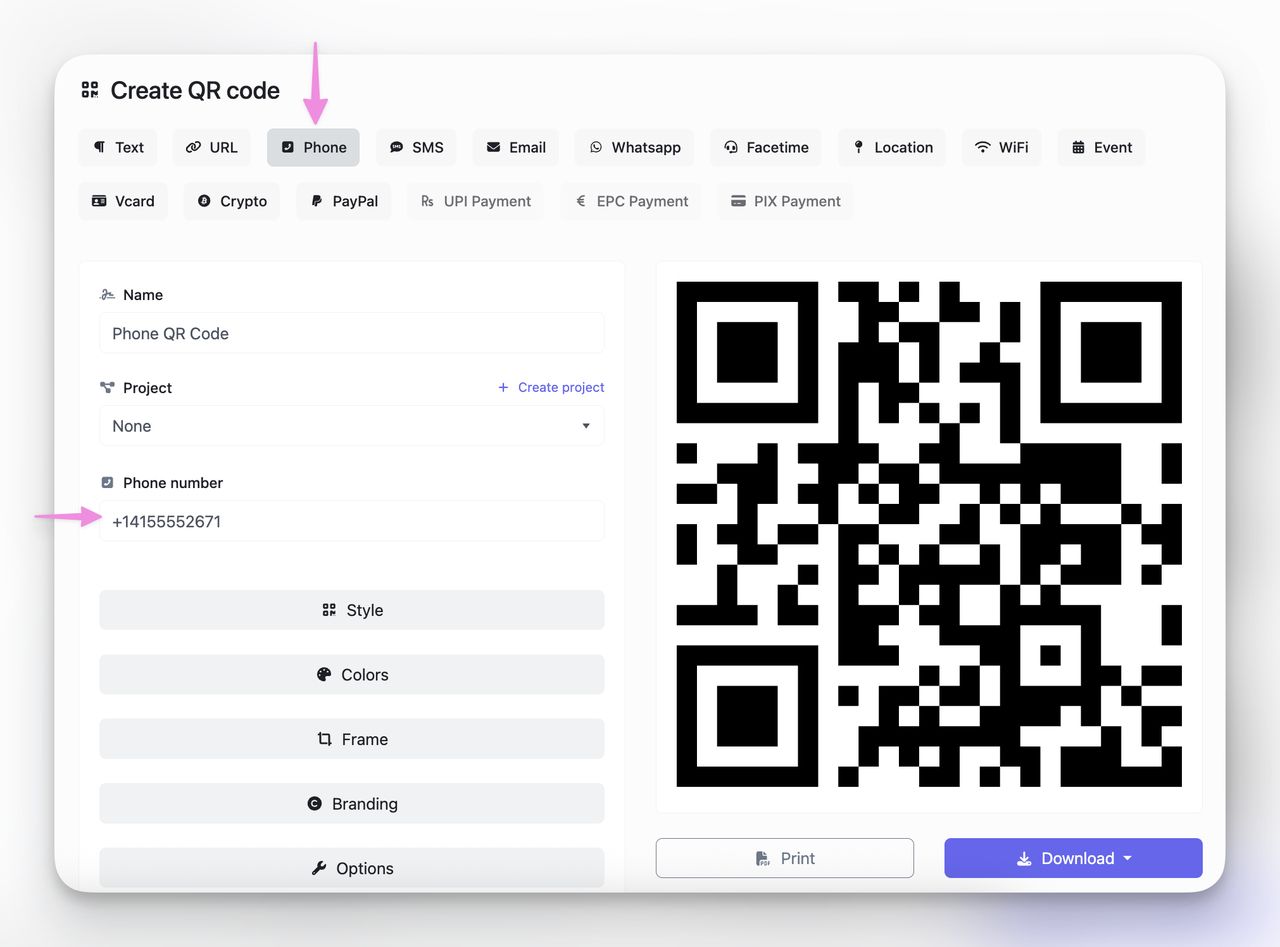
Don't include dashes, spaces, or parentheses — they can break the link on some phones and older devices.
Step 3: Customize Design
You want your QR code design to match your brand and stand out.
On QRCodeDynamic, you can:
- Pick brand colors and gradients
- Upload your logo
- Choose a call-friendly CTA frame for QR like "Call Now"
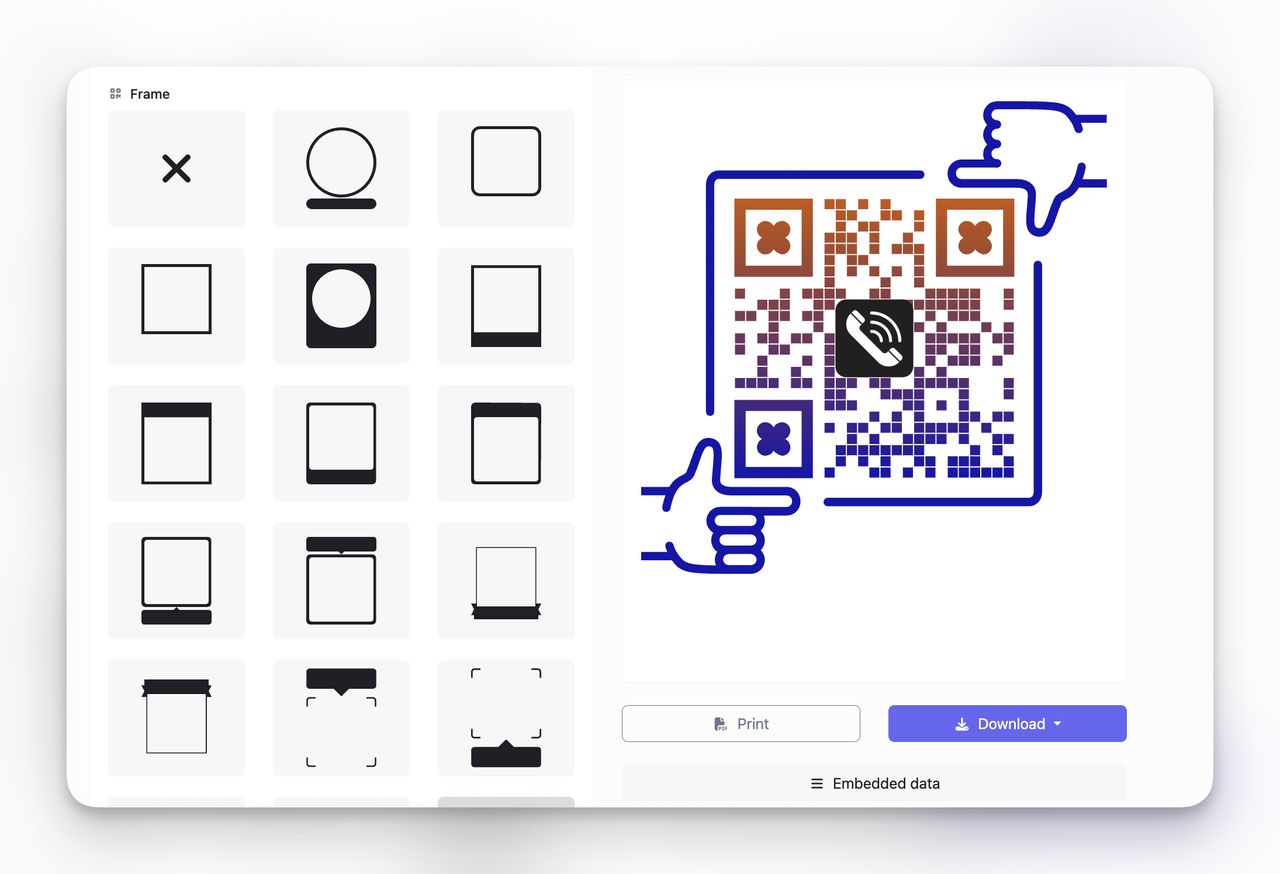
QR codes with a call-to-action frame see up to 34% more scans than plain ones (Uniqode, 2025). A simple "Scan to Call" frame is worth the 10 seconds it takes to add.
Step 4: Test Your QR on Both iOS & Android
Before printing or sharing, scan your code on:
- An iPhone
- An Android device
- Multiple camera apps (built-in, Snapchat, etc.)
It should always open the dial screen with your number ready to call. If any device shows the number incorrectly or fails to open the dialer, double-check your formatting — a missing country code or a stray space is usually the culprit.
Step 5: Download and Use
Once you're happy, download your QR code as a:
- PNG (for web & print)
- SVG (for high-res signage)
- PDF (for easy editing)
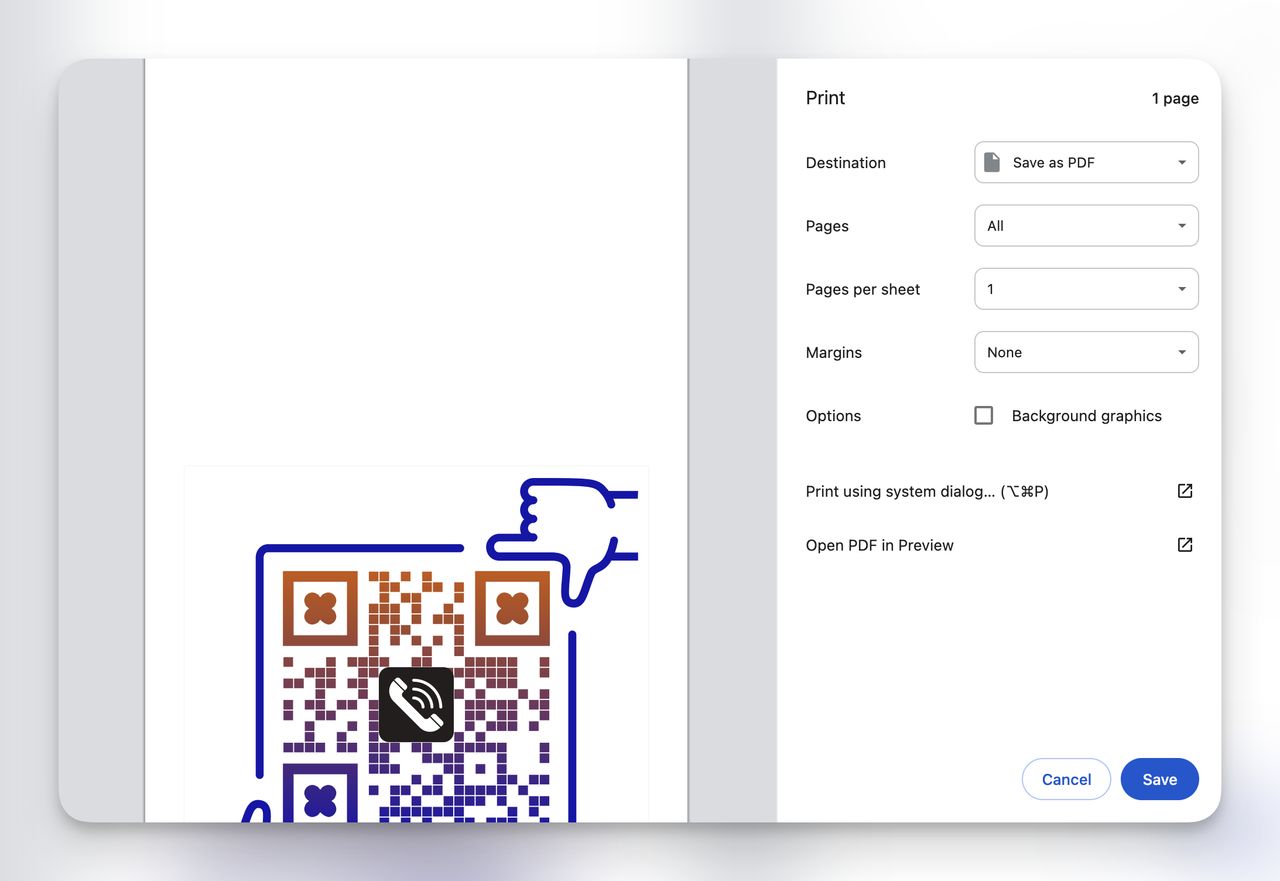
You're done. Print, embed, or share it digitally, and start getting more calls without lifting a finger.
Tips to Make Your Phone Number QR Code Effective
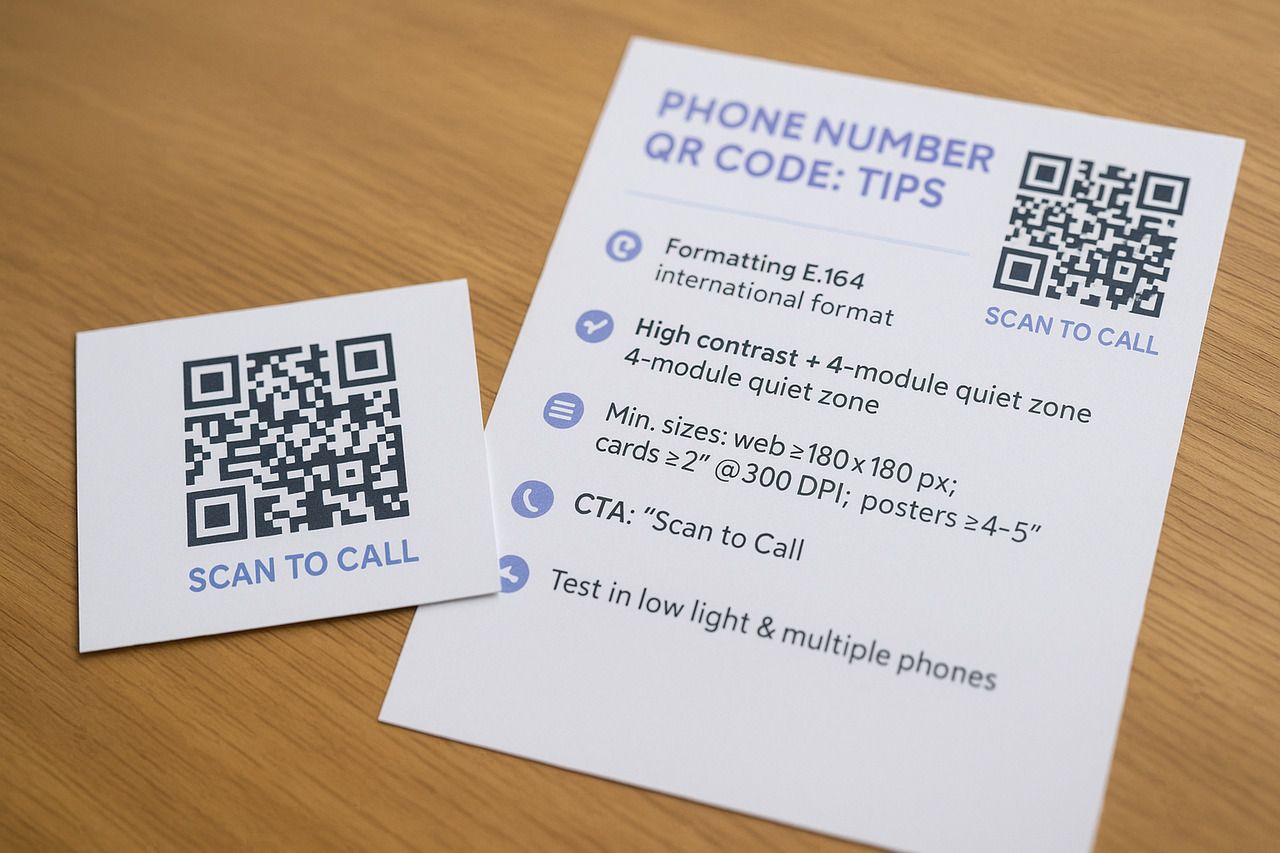
I've seen beautiful QR codes flop, and plain ones outperform them. The difference? It's not luck. It's how you format, design, and place the code. Below are the tips I always follow (and recommend to clients) when creating a QR code that gets scanned and called.
Formatting Your Number Correctly
Always use the international E.164 format. That means:
- No spaces, dashes, or parentheses
- Use a plus sign followed by country code
Example: tel:+14155552671
Even if your customers are local, formatting it this way guarantees it works across all mobile carriers and devices globally. I've seen QR codes fail internationally because someone encoded a local number like (415) 555-2671 without the country code.
Design Rules: Contrast, Logo Placement, Quiet Zone
Make it scannable before it's pretty. Follow these design basics:
- High contrast: Dark code on a light background
- Clear quiet zone: Leave margin around the QR code (at least 4 modules)
- Logo placement: Center logo is fine, but keep it under 30% of the code area
Sizing for Print vs. Digital
Size matters, especially in print. See our QR code size guide for deeper rules and distance tips.
| Use Case | Minimum Size | Notes |
| Digital (web, email) | 180 x 180 px | PNG format works well |
| Business cards | 2 x 2 cm (0.8 in) | At 300 DPI minimum |
| Flyers, menus | 3–4 cm (1.2–1.6 in) | SVG for crisp scaling |
| Posters, signage | 10+ cm (4+ in) | Scale up for scanning distance |
| Storefront windows | 30 cm (12 in) | Must scan from sidewalk distance |
The general rule: divide the expected scanning distance by 10 to get your minimum code width. A phone QR on a yard sign that people scan from 3 meters away needs to be at least 30 cm wide.
Add a Clear CTA
Never assume people know what a QR code does. Spell it out:
- "Scan to Call Us"
- "Tap to Connect"
- "Need help? Scan to Call"
This alone can increase scan rates dramatically. A code sitting by itself with no context gets ignored.
Test in Low Light, Across Devices
Many QR codes fail in real-life conditions. Always test for:
- Low lighting (try scanning in a dim room)
- Different apps (some open dialers, others show a preview)
- Phone models (old and new)
You're not just printing a QR code — you're building a bridge to a phone call. One scan should just work.
Use Cases: Where to Use QR Codes for Phone Calls
I've embedded phone call QR codes in more places than I can count, from restaurant menus to repair vans. Anywhere someone might need to reach you fast is the right spot for a scan-to-call QR code.
Here's where they work best:
Business Cards & Flyers
A classic. Add a small phone QR next to your printed number so your contact is instantly scannable — perfect for networking or field teams.
If you're designing from scratch, start with a business card QR template. Prefer going paper-light? Here's why digital business cards work. Promoting an offer or event? Follow placement and sizing tips for QR codes on flyers to increase scan rates.
If these touchpoints feed your funnel, dive into the complete guide to generating leads with QR codes.
Bonus tip: Print one version with your number, and another with a trackable dynamic QR so you can see which cards actually lead to calls.
Product Packaging & Tech Support
Put a "Need Help? Scan to Call" QR on the side of your box or manual. Customers don't need to search for support numbers — they just scan and connect. This tactic has reduced support friction for several of my clients, especially in consumer electronics and home appliances.
Healthcare & Professional Services
Clinics, law offices, and accounting firms print phone QR codes on appointment reminders, intake forms, and follow-up letters. Patients and clients can call to reschedule or ask questions without looking up the number. In healthcare especially, reducing the steps between "I need to call" and "I'm on the phone" matters — missed follow-ups lead to missed appointments.
Event Passes & Emergency Signage
Include QR codes that dial your info/help desk line directly. In crowded, time-sensitive environments like expos or festivals, scanning beats typing. For emergency use, these codes can connect to first aid, site security, or crisis hotlines in seconds.
Hospitality (Menus, Hotel Services)
Hotels and restaurants are embedding call QR codes in:
- Room directories ("Scan to call concierge")
- Table cards ("Scan to order" or call staff)
- Room service menus
It improves speed, reduces awkward wait times, and gives guests a direct line without fumbling through a hotel app.
Retail & Real Estate Signage
From storefronts to open house signs, adding a call QR code lets passersby connect instantly — no need to write anything down.
I've helped real estate teams replace their printed "Call Now" CTA with a QR code, and one agency reported a 41% bump in inbound calls within 3 weeks.
Service Vehicles & Field Equipment
Plumbers, electricians, HVAC technicians, and delivery services print phone QR codes on their vans, uniforms, and equipment labels. Someone who sees your van parked on their street can scan the code and call you before you've finished the current job. It's the lowest-friction way to turn a passing impression into a booked call.
Static vs. Dynamic Phone QR Codes: What's the Difference?
When you generate a phone number QR code, you'll see two options: static or dynamic. I've used both, and knowing when to choose each one can make or break your campaign, especially if you're printing materials in bulk.
Static QR Codes
A static phone QR code directly embeds the phone number (e.g., tel:+14155552671). It never changes, and it doesn't require internet access to work.
Pros:
- Free forever
- Works offline
- Great for simple, one-time print jobs
Cons:
- Can't be edited after printing
- No analytics or tracking
- Can't add advanced behaviors later
Use this if you're okay with the number being permanent and don't need scan data.
Dynamic QR Codes (Editable, Trackable)
Dynamic QR codes use a redirection layer. When scanned, users hit a short link that then redirects to the tel: link. This enables added functionality behind the scenes.
Benefits:
- Edit the number anytime, even after printing
- Track scans (location, device, time)
- Add future routing logic (e.g., route based on device or region)
When to Use Dynamic vs. Static
Choose static if:
- You're printing a few cards or stickers with a number that won't change
- You don't need scan tracking
Choose dynamic if:
- You're launching a campaign at scale
- The phone number may change (e.g., seasonal lines, rotating teams)
- You want to track scan behavior and tie it to call volume
One practical note: dynamic phone QR codes require an internet connection to resolve the redirect before opening the dialer. In most real-world situations this isn't an issue, but if you're placing codes in basements, warehouses, or areas with poor signal, static codes are the safer bet.
Frequently Asked Questions About Phone QR Codes
Do phone QR codes need internet?
Static phone QR codes using the tel: format don't require an internet connection. The code opens the phone's native dialer directly. Dynamic phone QR codes need a brief internet connection to resolve the redirect, but the call itself works over the cellular network as usual.
Are phone number QR codes safe and legal?
Yes, generating a QR code that points to a phone number is legal and generally safe. However:
- Never use it for unsolicited robocalls or spam
- Avoid disguising the destination (e.g., a QR code that looks like a web link but dials a phone number)
- Always label the code clearly — "Scan to Call" — so the user knows what will happen
Misleading phone QR codes can erode trust and trigger legal issues in regulated industries like finance and healthcare.
Can one QR code link to multiple numbers?
Not directly. The tel: protocol only supports one number per code.
However, if you use a dynamic QR code, you can:
- Redirect users to a landing page with clickable numbers for different departments
- Route based on device, language, or location
- Offer a prompt with multiple call options
This is a common workaround I've used for support teams with different regional lines or departments.
What's the difference between a phone QR code and an SMS QR code?
The difference is in what action happens when the code is scanned:
- Phone QR Code (
tel:) — Opens the phone's dialer with a number ready to call. The user just taps the call button. - SMS QR Code (
sms:) — Opens the texting app with the number prefilled, and optionally a ready-to-send message in the body. The user just taps send.
Use a phone QR when you want an immediate voice call. Use an SMS QR when you want the user to send you a text — for opt-ins, appointment confirmations, or feedback.
Can I include a phone extension in the QR code?
Yes, but support varies by device. The tel: protocol supports pause and wait characters for extensions. For example, tel:+14155552671;ext=205 or tel:+14155552671,,205 (commas insert pauses). Most modern smartphones handle this correctly, but older devices or third-party dialer apps may ignore the extension. Always test on multiple devices before printing.
What if my phone number changes after I've printed the QR codes?
If you used a static code, the old number is permanently encoded. You'd need to reprint with a new code. If you used a dynamic code, log in to QRCodeDynamic and update the destination number — every printed code will start dialing the new number immediately, no reprinting needed. This is the single biggest reason to use dynamic codes for anything printed in volume.
Do phone QR codes work with landlines and toll-free numbers?
Yes. The tel: protocol dials whatever number you encode, whether it's a mobile number, landline, toll-free (1-800), or international number. The only requirement is that the scanning device can place calls, which every smartphone can. The receiving end just needs to be a working phone line.
How do I know if people are actually calling after scanning?
Dynamic QR codes track scans (time, device, location), but they don't track whether the user completed the call after the dialer opened. To get full call data, pair your QR code with a call tracking number from a service like CallRail or Twilio. The tracking service logs every completed call, and you can cross-reference scan data with call data to measure your scan-to-call conversion rate.