URL QR code generator
Generate easy & customizable URL QR codes in seconds.
Free URL QR Code Generator: Create QR code for Website Link
A URL QR code is a machine-readable pattern that opens a specific web address when scanned with a phone's camera. It's faster and more reliable than pasting a long link, and with dynamic options, you can track scans and change destinations without reprinting.
Adoption is widespread, with 59% of consumers scanning QR codes on a daily basis (Uniqode, 2025).
In this guide, I'll break down exactly how to create a QR code for a website link, why it matters, and what best practices to follow if you want your codes to drive real engagement. From static vs. dynamic options to customization tips and creative use cases, we'll cover it all.
What Is a URL QR Code?
A URL QR code is exactly what it sounds like: a QR code that links directly to a web address. When someone scans it with their phone camera, it opens the associated website immediately. No typing, no app download required.
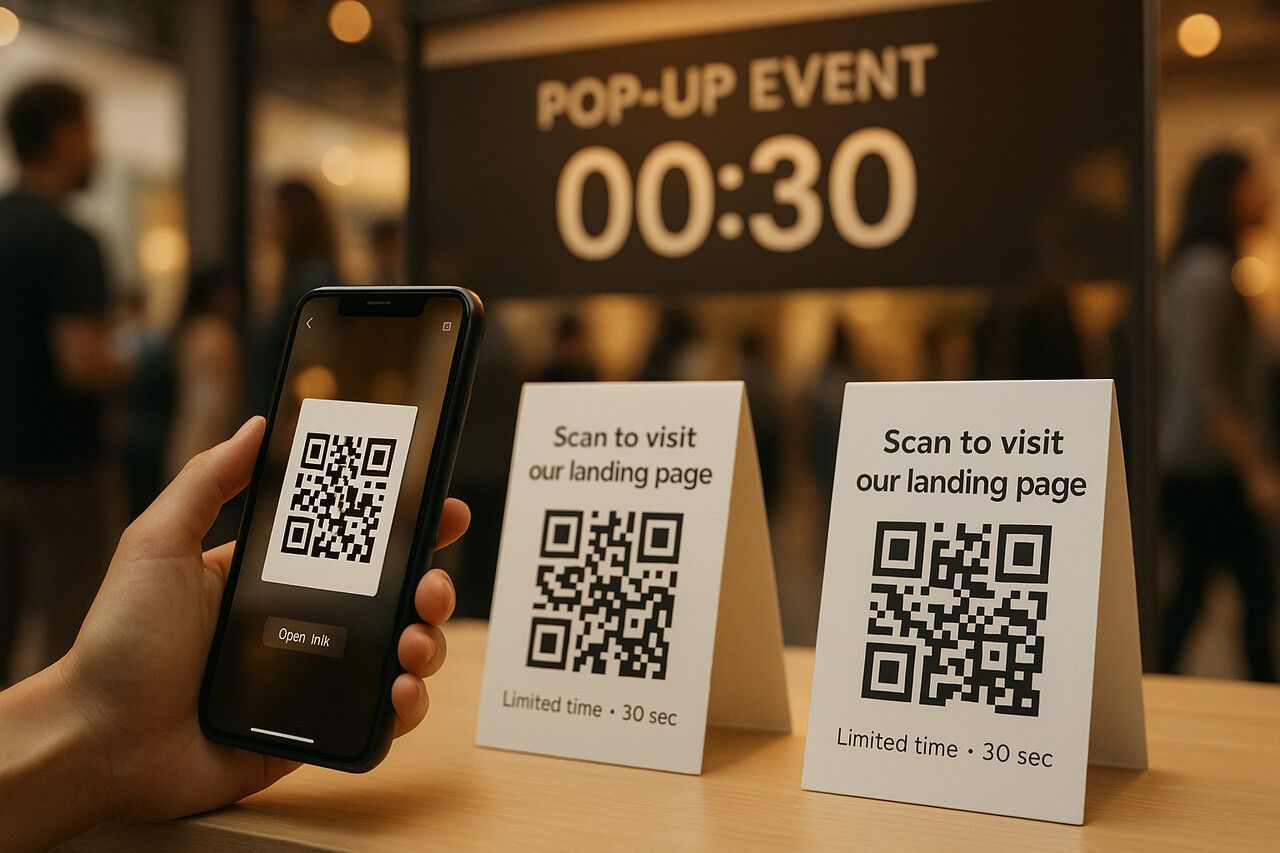
I've used these codes in everything from email signatures to offline flyers. But one time that stood out? A pop-up event where we had only 30 seconds to grab someone's attention. We printed QR codes linking to our landing page on table tents, and the scan-to-signup rate beat every other channel we tested that day.
URL QR Code vs. Other QR Types
QR codes can do more than just link to websites. You can create:
- Text QR codes: Show a message when scanned, great for Wi-Fi passwords or quick notes.
- vCard QR codes: Add a contact to your phone with one tap.
- Email/SMS QR codes: Launch a pre-filled message or email.
But among them all, URL QR codes are the most commonly used because they're universal. You can send someone to:
- A product page
- A YouTube video
- A signup form
- A PDF file
- A social media profile
How QR Codes for URLs Work
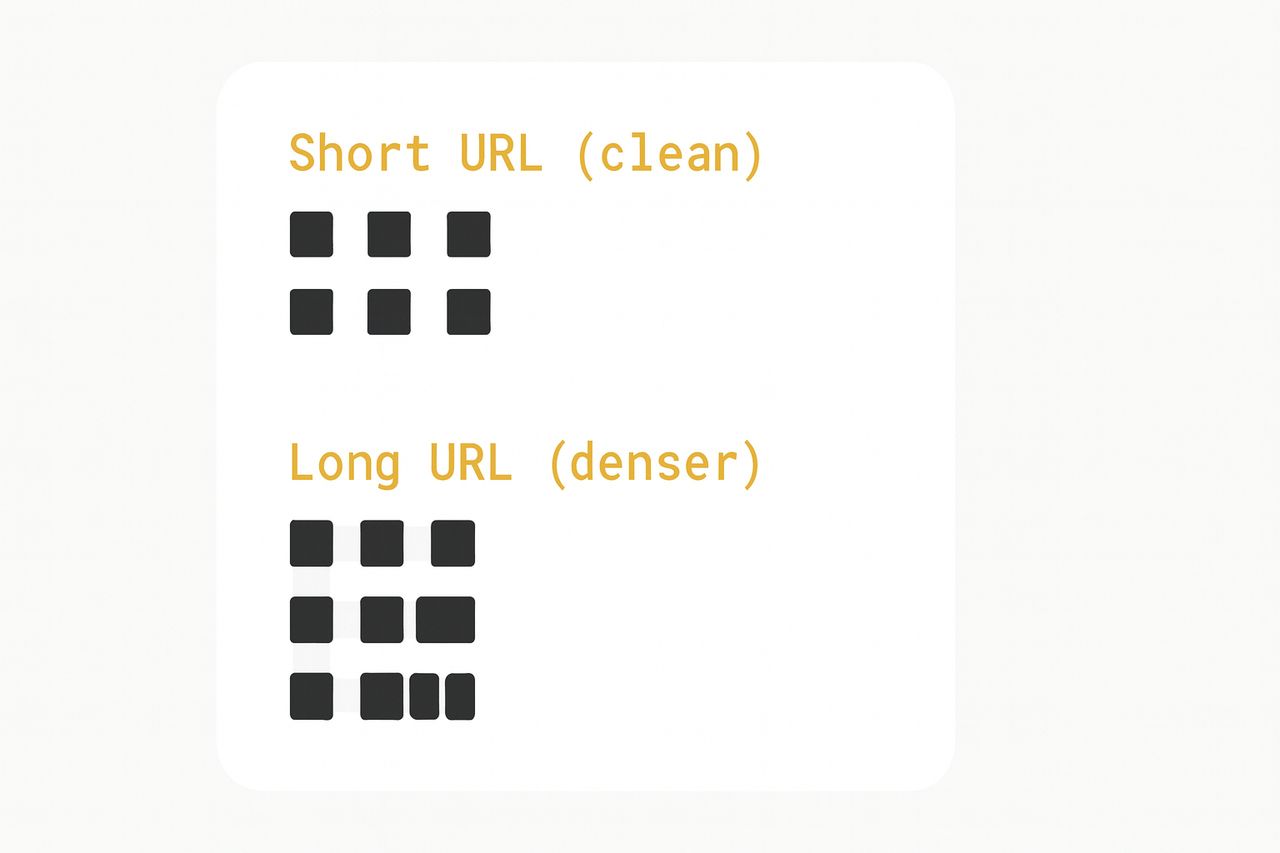
Behind the scenes, a URL QR code turns your link into a pattern of black and white squares. Here's what happens step by step:
Encoding: Your link is broken into tiny data bits and arranged inside the grid.
Shorter = Better: A short URL means fewer squares, which produces a cleaner design and faster scans.
Error correction: Extra data is added so the code still works even if part of it is scratched, smudged, or partially obscured.
Static vs. Dynamic URL QR Codes
This is the single most important decision you'll make when creating a URL QR code.
- Static QR codes are fixed. The URL is encoded directly into the pattern and can't be changed after creation. Free to generate, but permanent.
- Dynamic QR codes use a short redirect link. This gives you edit access, scan analytics, and versioning — you can change where the code points without generating a new one.
Want to track how many people scanned your flyer vs. your business card? Use two dynamic QR codes pointing to the same page. Compare the analytics by channel.
Learn more in our guide: Dynamic QR Code VS Static QR Code: Differences, Pros & Cons.
Why Create a QR Code for a Website Link?
I use URL QR codes whenever I need instant access from print to web. They remove typing, shorten paths, and make attribution possible.
Bridge Physical and Digital
A code on a flyer or package becomes a tap-free bridge to your page. People scan in the moment, right where attention is highest. Restaurants proved the model: 75% use QR menus, driving about 40% engagement (G2, 2025).
Cards, flyers, stickers, packaging, receipts, trade show banners — any physical surface where you'd normally print a URL is a better candidate for a QR code.
Eliminate Typing Errors and Increase Conversion Speed
Every extra keystroke risks a bounce. A QR sends users to a mobile-optimized landing page in one scan. No misspellings, no "was that .com or .co?" confusion. Organizations already use QR codes for payments and transactions, so scanning for links feels natural to most users.
For small prints like stickers, use a short URL before encoding. You'll get a cleaner pattern and better scan rates, especially under low light or on curved surfaces.
Track Performance with Scan Analytics
With dynamic codes, I can see scans by time, device, and location and attribute print ROI. This keeps creatives honest: if a poster underperforms, I swap the destination or offer without reprinting.
Add UTM Parameters for Granular Attribution
Beyond built-in scan analytics, you can append UTM parameters to the URL before encoding. A link with a UTM like "/promo?utm_source=flyer&utm_medium=qr&utm_campaign=summer" lets you see QR-driven traffic inside Google Analytics alongside all your other channels. Dynamic codes make this even more flexible — you can update the UTM tags after printing if your campaign naming changes.
Enable Post-Print Edits (No Reprinting Needed)
Campaign changed? Landing page moved? A dynamic QR code allows you to change the destination behind the same printed code. I've swapped URLs on live campaigns three or four times without reprinting a single sticker. That alone pays for a dynamic plan.
How to Create a QR Code for a Website Link (Step-by-Step Guide)
Here's the exact flow I use to turn any website URL into a QR code you can print, share, and track.
Step 1: Copy Your Website Link
Start with the full URL of the page you want to share. Whether it's:
- Your homepage
- A product page
- A Google Form
- A downloadable PDF
- Or a social profile
Make sure it's correct and live. Broken links mean lost trust. Open the URL in an incognito window to confirm it loads without login requirements or redirects that might confuse a first-time visitor.
Step 2: Paste into a QR Code Generator
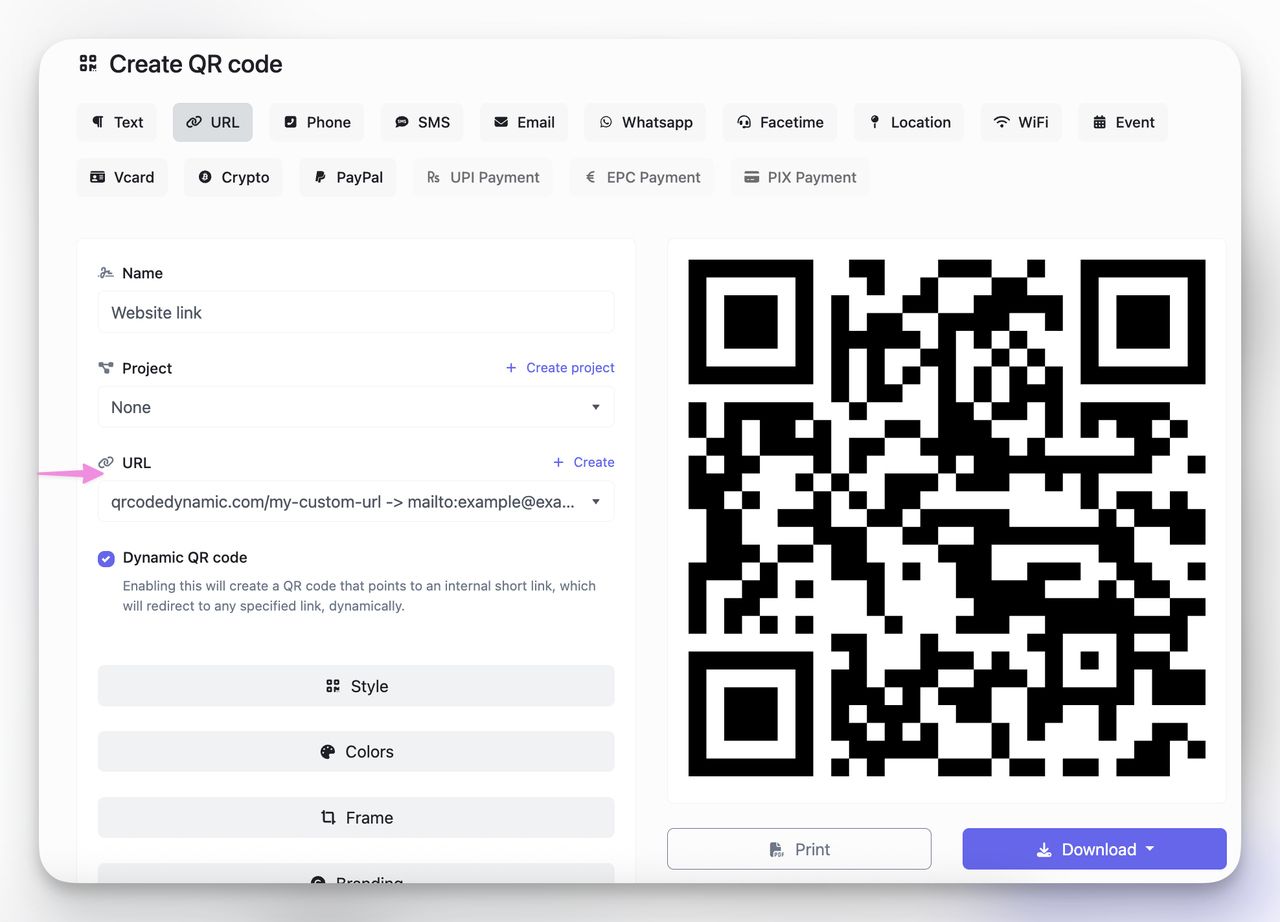
Go to QRCodeDynamic.com and choose "URL" as the QR type.
Then paste your full link into the input box. The system will auto-generate a preview of your code.
Tools like QRCodeDynamic automatically shorten long URLs and encode them cleanly. This makes the code easier to scan, especially when printed small.
Step 3: Choose Static or Dynamic
Here's where the real decision happens:
- Static: Free, permanent, non-editable. Good for basic personal use or one-off sharing.
- Dynamic: Editable, trackable, redirectable. Ideal for anything printed, long-term, or campaign-driven.
I always choose dynamic if the code is going on anything printed or long-term. The ability to track scans and update URLs later has saved me from expensive reprints more than once.
Step 4: Customize Colors, Logo & CTA
Before downloading, take a minute to brand it:
- Add your logo in the center
- Use brand colors for the foreground and background
- Choose a frame with a CTA like "Scan to Buy" or "See Demo"
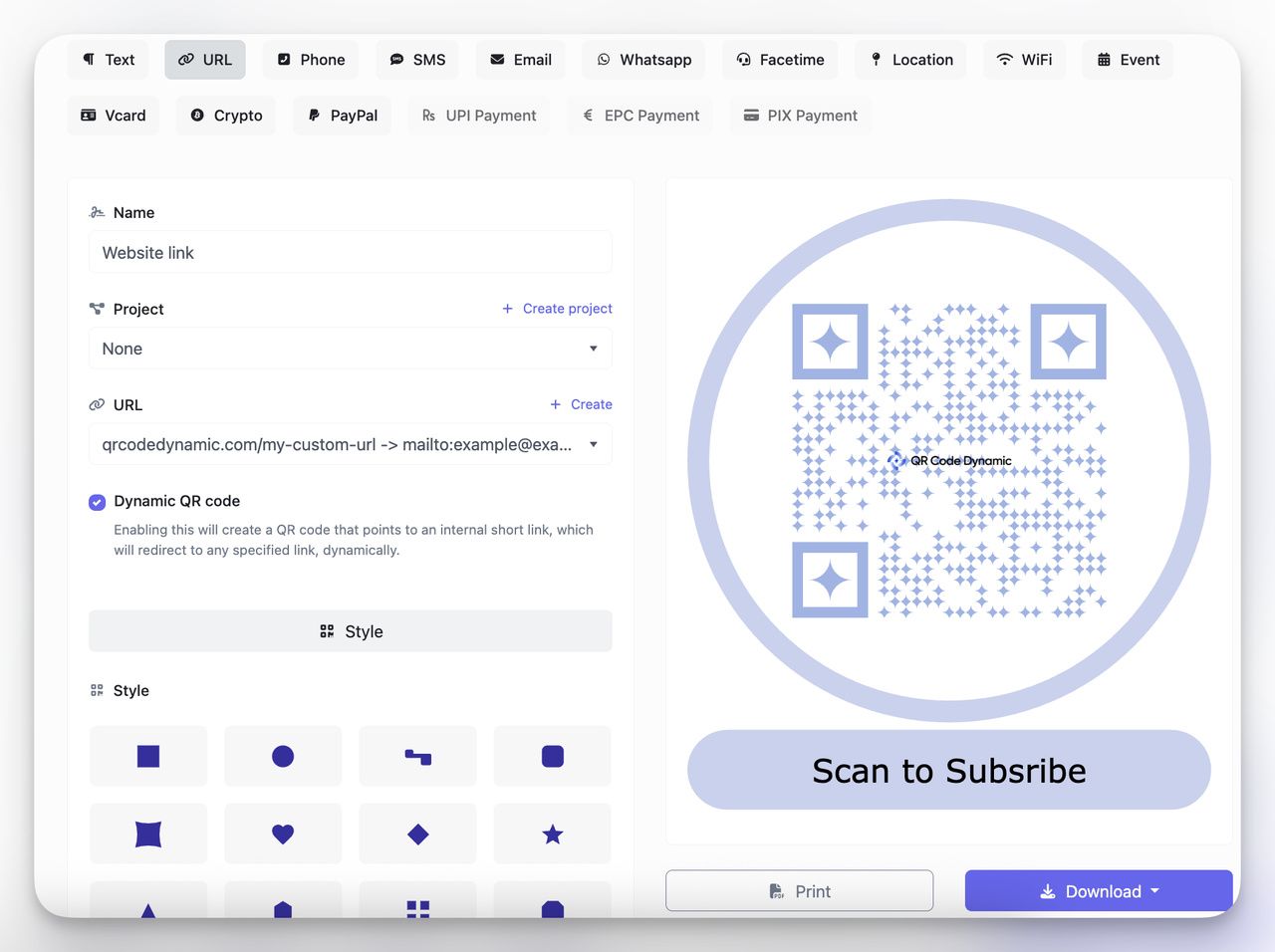
Don't go too wild with color. Keep a solid contrast between background and foreground for scanability. Dark on light works best. Light-on-light or neon-on-neon will cause scan failures.
Step 5: Download & Test
Finally:
- Download your QR code in PNG or SVG (use SVG for print)
- Test the QR code with multiple phones (iOS, Android)
- Check loading time and mobile friendliness of the target page
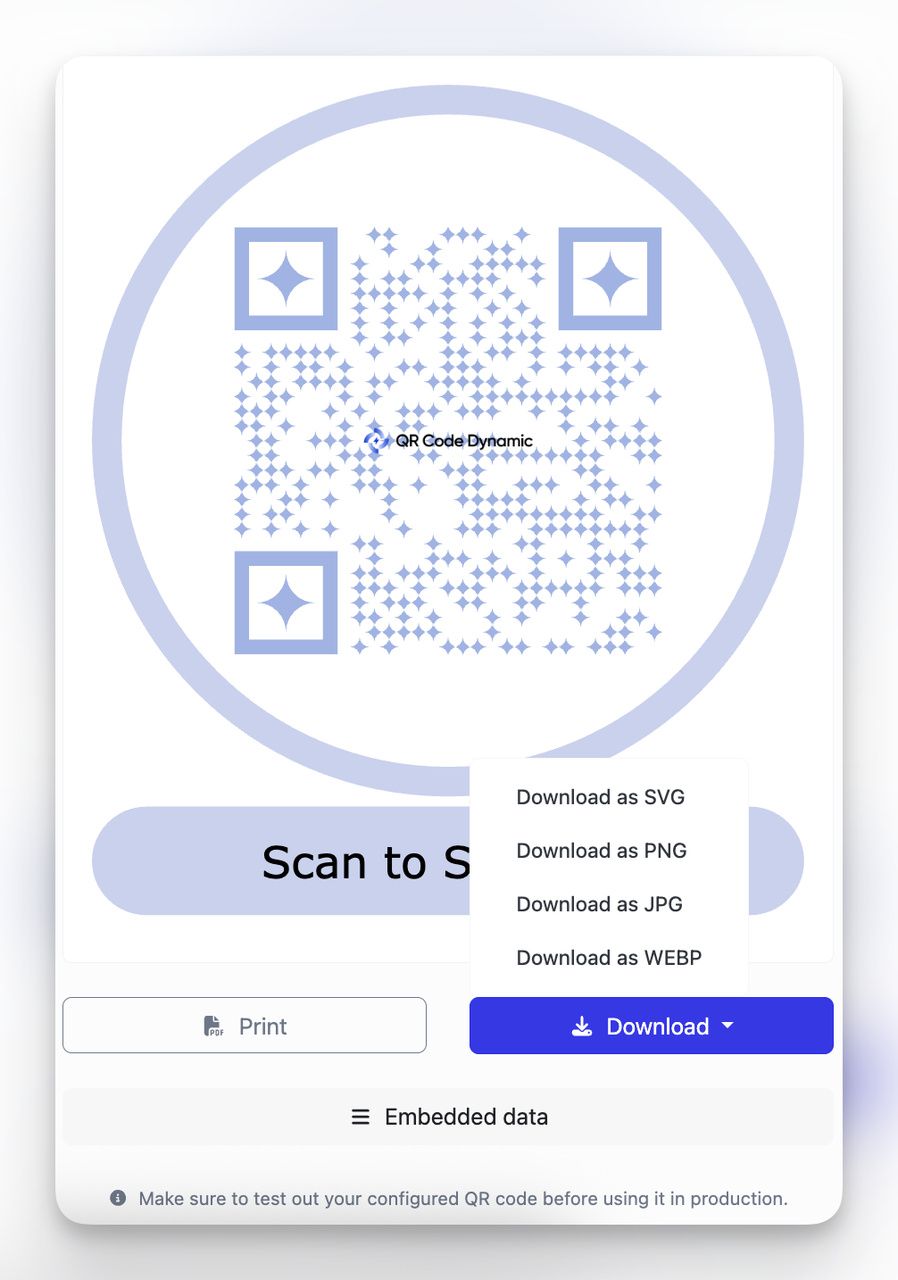
Testing prevents broken links, poor scans, and mobile rendering issues. Always scan before distributing.
Pre-Launch Checklist
Print this before you ship:
- Short link encoded for clean modules
- Dynamic selected if you need edits or analytics
- High contrast + quiet zone intact
- QR code CTA visible near the code ("Scan for…")
- Logo doesn't obscure finder patterns
- Tested across devices and lighting conditions
- Landing page loads under 3 seconds on mobile
- UTM parameters appended (if tracking in Google Analytics)
For packaging, use vector formats (SVG/PDF) to avoid blurriness at scale. For social or email, PNG works well. If you're tracking performance from print, enable scan analytics in QRCodeDynamic so you can see location, device, and time.
Best Practices for Making a URL QR Code
Creating a URL QR code is easy. Making one that performs well across real-world scenarios is a craft. I've optimized dozens of codes for retail campaigns, trade shows, packaging, and email footers. And I've seen what works and what doesn't.
If you want your code to look professional, scan reliably, and drive results, follow these practices.
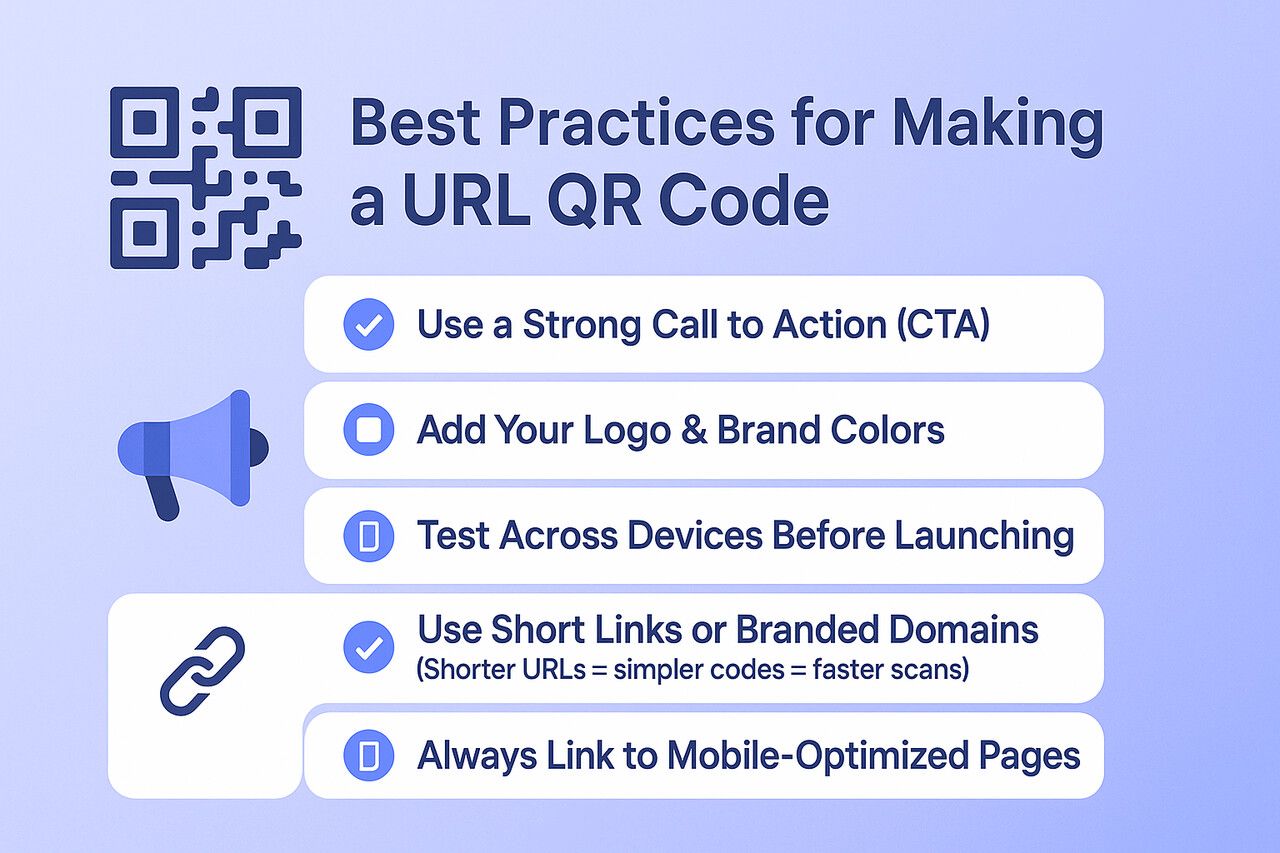
Use a Strong Call to Action (CTA)
QR codes don't drive scans on their own. You need to tell people why to scan.
- "Scan to Get 15% Off"
- "View Menu"
- "Watch Demo"
- "Download Free Guide"
Whatever it is, spell it out clearly near the code. This can be in a caption, button frame, or even a sticker next to it.
Add Your Logo and Brand Colors
Want trust at first glance? Include your logo in the center of the QR code and use your brand's primary colors for the frame and background. This builds familiarity and makes your code stand out, especially on cluttered materials like event booths or retail shelves.
Don't sacrifice scanability for aesthetics. Avoid light foreground colors or busy backgrounds that compete with the QR pattern.
Test Across Devices Before Launching
Different cameras and lighting conditions can impact scan success. Test your QR code:
- Indoors and outdoors
- On both Android and iOS
- At close and far distances
- On glossy and matte surfaces (if printed)
If it takes more than 2 seconds to scan, it needs a redesign.
Use Short Links or Branded Domains
Shorter URLs = simpler codes = faster scans. If you're using dynamic codes, QRCodeDynamic auto-shortens them. But you can also:
- Use branded links like
go.yoursite.com/promo - Set up custom redirects (great for analytics tagging)
This improves both the visual density and the trust factor of your QR code. A branded short link looks intentional; a raw 200-character URL with query strings looks suspicious.
Always Link to Mobile-Optimized Pages
Your code might scan perfectly, but if it loads a clunky desktop page on mobile, people bounce. Make sure:
- Page loads in under 3 seconds
- No intrusive pop-ups on first visit
- Clear CTA is above the fold
- Responsive design is in place
A fast-loading mobile landing page is as important as the QR code itself. I've seen campaigns where the code worked flawlessly but the landing page killed the conversion rate.
Watch for Link Rot
Static QR codes are permanent, which means a dead link lives forever on your printed materials. If you're using static codes, make sure the destination URL is one you control and plan to maintain long-term. For anything time-sensitive or hosted on a third-party platform (Google Docs, Typeform, event pages), use dynamic codes so you can redirect to a working URL if the original dies.
Avoid Redirect Chains
Every redirect between the scan and the final page adds latency. A single hop (dynamic QR short link → your page) is fine. But stacking a QR redirect through a URL shortener, then a marketing redirect, then a CMS redirect, can add 2–4 seconds of load time. Some browsers will also flag multi-hop redirects with security warnings, which kills trust.
Keep the chain to one redirect maximum. If you're using a dynamic QR code, point it directly to the final destination. Don't layer a Bitly link inside a dynamic QR — the QR platform already handles the redirect.
URL QR Code Sizing Guide
Print size is the most common reason a URL QR code fails in the field. Too small and scanners can't read it. Too large and you waste space that could be used for your CTA or design. The general rule: divide the expected scanning distance by 10 to get the minimum code width.
| Scanning Distance | Minimum QR Size | Typical Use Case |
| 15 cm (6 in) | 1.5 cm | Product tags, jewelry labels |
| 30 cm (12 in) | 3 cm | Business cards, receipts |
| 1 m (3.3 ft) | 10 cm | Flyers, posters, table tents |
| 3 m (10 ft) | 30 cm | Banners, storefront windows |
| 10 m (33 ft) | 1 m | Billboards, stadium signage |
These are minimums. Long URLs produce denser patterns that need to be printed larger. A dynamic QR code encoding a short redirect link will scan at smaller sizes than a static code encoding a 150-character URL.
Always maintain a quiet zone (clear margin) of at least 4 modules around the code. Cutting into this margin is the second most common reason codes fail, especially on packaging where trim lines are tight.
URL QR Codes for App Deep Links
URL QR codes aren't limited to opening websites. You can encode deep links that open a specific screen inside a mobile app — a product page in your e-commerce app, a menu in a food delivery app, or an account screen in a banking app.
The standard approach uses Universal Links (iOS) or App Links (Android). These are regular HTTPS URLs that the operating system intercepts and routes to the app if it's installed. If the app isn't installed, the link falls back to the website. This makes them safe to encode in a QR code — the user gets the best available experience either way.
A few things to keep in mind:
- Test both scenarios. Scan the code on a phone with the app installed and one without. Make sure the web fallback makes sense and doesn't show a confusing error or empty state.
- Avoid custom URI schemes (like
myapp://product/123) in QR codes. If the app isn't installed, scanning opens nothing — or worse, an error. Universal Links and App Links are the safer bet. - Dynamic codes give you flexibility. If you update the deep link path structure in a future app version, you can redirect the QR code without reprinting.
I've seen e-commerce brands use this at trade shows: scan the code on a booth display, and it opens the product directly in the brand's app with one-tap checkout. The conversion rate was noticeably higher than sending people to a mobile website where they had to create an account first.
Accessibility Considerations for QR Codes
QR codes are visual by nature, which means they exclude people who can't see or scan them. A few adjustments make your codes usable for a wider audience without adding much effort.
Always provide a text fallback. Print a short URL or a "visit yoursite.com/promo" line near the code. This helps users with vision impairments, broken phone cameras, or older devices that don't support QR scanning natively.
Use high-contrast colors. Not just for scan reliability — approximately 8% of men and 0.5% of women have some form of color vision deficiency. Avoid red/green combinations. Stick to dark foreground on light background, and test your code in grayscale to confirm it still reads clearly.
Add context around the code. A QR code sitting alone on a poster without explanation is useless to someone using a screen reader or anyone unfamiliar with QR scanning. A clear label ("Scan this code or visit yoursite.com/offer to get 15% off") serves both accessibility and conversion.
Mind the physical placement. Codes placed too high on a wall, on the floor, or behind glass at an angle are hard to scan for people in wheelchairs or with limited mobility. Place codes at chest height on flat, non-reflective surfaces whenever possible.
Creative Use Cases for URL QR Codes
I lean on URL QR codes whenever I need to push people from real-world touchpoints to digital destinations. Scanning is already habit — 59% of consumers scan daily — so placement and intent do the heavy lifting.
Retail: Product Tags, Discount Codes, Promo Cards
Put a small QR code on product packaging to drive reviews, how-to videos, or warranty forms. On shelf talkers, pair a bold offer — "Scan for 15% off" — with a short link for cleaner modules.
- Product tags: Specs, tutorials, care guides.
- Receipts & bags: Loyalty signup, reorder pages.
- Stickers: Time-bound promos you can swap via dynamic links without reprinting.
Events: Name Badges, Scavenger Hunts, Booth Signage
Badge QR codes can open a LinkedIn profile or lead form instantly. Booth signage should prompt action: "Scan to demo," "Scan to win." It works because scanning in public is normalized — 75% of restaurants use QR menus with ~40% engagement (G2, 2025).
Avoid printing codes on glossy or reflective surfaces. Glare breaks scans. Use matte stock, keep a 4-module quiet zone, and test at arm's length before committing to a print run.
Business: Cards, Resumes, Portfolios
A business card QR should land on a fast, mobile page — a vCard, portfolio, or calendaring link. For sales kits, put a dynamic code on one-pagers so you can swap the destination post-meeting without reprinting. Clean attribution and less waste.
Real Estate: Property Listings and Open House Signs
Agents print QR codes on yard signs, brochures, and window flyers linking to the full listing page with photos, virtual tours, and contact forms. Dynamic codes are a natural fit here — when the property sells, update the code to point to similar available listings instead of leaving a dead link on a sign that's still standing.
Education: Syllabi, Resources, E-Books
Teachers can point to a living syllabus, reading lists, or lab safety docs. Nonprofits can route supporters to donation pages or event registrations. Dynamic links let you localize content by campus or city without printing separate materials.
When to use dynamic: Any time the content may change (seasonal offers, rotating menus, A/B tests) or you need scan analytics for channel ROI.
If you're ready to build, paste your link into the URL QR Code Generator, choose Dynamic, add a clear CTA, then export SVG for crisp print.
Can I Use a URL QR Code Without a Website?
I remember working with a nonprofit that didn't have a proper website yet, but they still wanted to use QR codes at events. At first, I thought it wouldn't be possible. How do you create a URL QR code if you don't have a website link? It turns out you don't need a full website to make it work.
Use Hosted Landing Pages from QRCodeDynamic
Tools like QRCodeDynamic let you generate a hosted landing page without needing your own domain. You can link to event details, forms, or digital brochures, all while keeping tracking enabled.
Link to Social Profiles or Multi-Link Hubs
Another option I've tried is creating a QR code for social media links. Instead of directing people to a website, I linked a code to my LinkedIn profile for networking. You can also set it up like a Linktree, where one QR code opens multiple links — perfect for creators and educators who want one scannable hub for all their platforms.
Add HTML or Business QR Templates
Some generators provide business QR templates where you can add your contact info, location, and a short description. Scanning the code displays all details in one screen. No traditional website required.
Tools to Turn a URL into a QR Code (Free & Paid)
At QRCodeDynamic.com, I've tested and written about dozens of generators, but when it comes to creating a URL QR code, not all tools are equal.
QRCodeDynamic (Our Core Solution)
At QRCodeDynamic, our generator makes it simple: paste your link, choose static or dynamic QR, and create a scannable code in seconds. What sets it apart is flexibility. You can add logos, brand colors, and CTAs, but more importantly, you can track scans in real time and update destinations after printing.
QRCodeDynamic vs. QR TIGER vs. QRCodeChimp vs. ME-QR
People ask how we compare with others. Here's a quick breakdown I often share:
| Tool | Best For | Strengths | Weaknesses |
| QRCodeDynamic | SMBs, marketers, growth teams | Dynamic editing, analytics, branding | Paid tiers for advanced campaigns |
| QR TIGER | Marketing agencies | Custom designs, bulk creation | Limited free usage |
| QRCodeChimp | Small businesses | Simple setup, some analytics | Fewer branding options |
| ME-QR | General users | Free basic QR codes | Ads on free tier |
From my experience at QRCodeDynamic, the best tools always include:
- Dynamic QR support (edit links after publishing)
- Scan analytics (location, device, time of scan)
- Customization (logos, brand colors, CTAs)
- Integrations (CRM, email, and automation tools)
FAQ About URL QR Codes
Are URL QR codes safe to use?
Yes, as long as they're generated from a trusted platform. Always use HTTPS links and branded domains to reduce phishing risks. Adding your logo also reassures users that the code is legitimate and not a random redirect.
Do URL QR codes work without internet access?
Scanning works offline — your phone can read the pattern. But to open the website, internet access is required. If you need fully offline functionality, consider a Text QR Code, which displays plain text like Wi-Fi passwords or instructions directly on screen.
How can I track performance from a URL QR code?
Dynamic QR codes include analytics dashboards that show scan counts, time, location, and device types. This helps you measure ROI across flyers, business cards, and packaging campaigns. For deeper attribution, append UTM parameters to your URL so the data also appears in Google Analytics.
What happens if I delete the landing page my QR code points to?
If the code is static, scanners will hit a 404 error and there's nothing you can do without reprinting. If it's dynamic, you can log in and redirect the code to a new URL. This is one of the strongest reasons to use dynamic codes for anything printed with a long shelf life.
Is there a character limit for the URL I encode?
QR codes can technically hold up to 4,296 alphanumeric characters, but long URLs produce dense patterns that are harder to scan. Keep your URL under 100 characters for the cleanest code. If the original URL is longer, use a URL shortener or let the dynamic code system handle the redirect — the encoded link stays short regardless of how long the final destination URL is.
Do URL QR codes expire?
Static QR codes never expire — the URL is encoded in the image permanently. Dynamic QR codes depend on the platform and your plan. On QRCodeDynamic, active plans keep your dynamic codes working indefinitely. If a plan lapses, the redirect may stop functioning, but the code itself doesn't disappear. You can reactivate it by renewing your plan.
Can I use the same QR code for A/B testing?
With a dynamic code, yes. Point the code to version A of your landing page, run it for a set period, then swap the destination to version B. Compare scan analytics and on-page conversion data between the two periods. It's not a perfect split test (the audiences are sequential, not simultaneous), but it's a practical way to iterate on print campaigns without reprinting.
Can I password-protect a URL QR code?
Some dynamic QR platforms, including QRCodeDynamic, let you add a password gate. When someone scans the code, they're prompted to enter a password before the redirect happens. This is useful for internal documents, employee-only resources, or gated event content. Keep in mind that adding friction reduces scan completion rates, so only use passwords when access control is genuinely needed.