Airbnb QR Code: How to Create, Use, and Improve Guest Experience


On this page
- What Is an Airbnb QR Code?
- Why Use QR Codes for Airbnb Properties?
- Simplify Guest Communication
- Share Information Instantly
- Increase Guest Reviews
- Create a Better Guest Experience
- Types of Airbnb QR Codes
- Airbnb Listing QR Code
- Airbnb WiFi QR Code
- Airbnb Guest Guide QR Code
- Airbnb Review QR Code
- How to Create an Airbnb QR Code with QR Code Dynamic
- Step 1: Decide What You Want Guests to Access
- Step 2: Copy the Relevant Link or Information
- Step 3: Open QR Code Dynamic
- Step 4: Generate Your Airbnb QR Code
- Step 5: Customize the Design
- Step 6: Test Before Printing
- Step 7: Place Your QR Code Where Guests Need It
- Best Use Cases for Airbnb QR Codes
- Welcome Books and House Manuals
- Check-In Instructions
- Local Recommendations
- Review Collection
- Static vs Dynamic Airbnb QR Codes
- Static QR Codes
- Dynamic QR Codes
- Which One Is Better for Airbnb Hosts?
- Conclusion
- Frequently Asked Questions
An Airbnb QR code allows guests to instantly access your Airbnb listing, WiFi credentials, digital guidebook, check-in instructions, reviews page, or house manual with a simple scan. Using an Airbnb QR code generator, hosts can create QR codes for Airbnb properties in minutes and improve guest communication while reducing repetitive questions.
What Is an Airbnb QR Code?
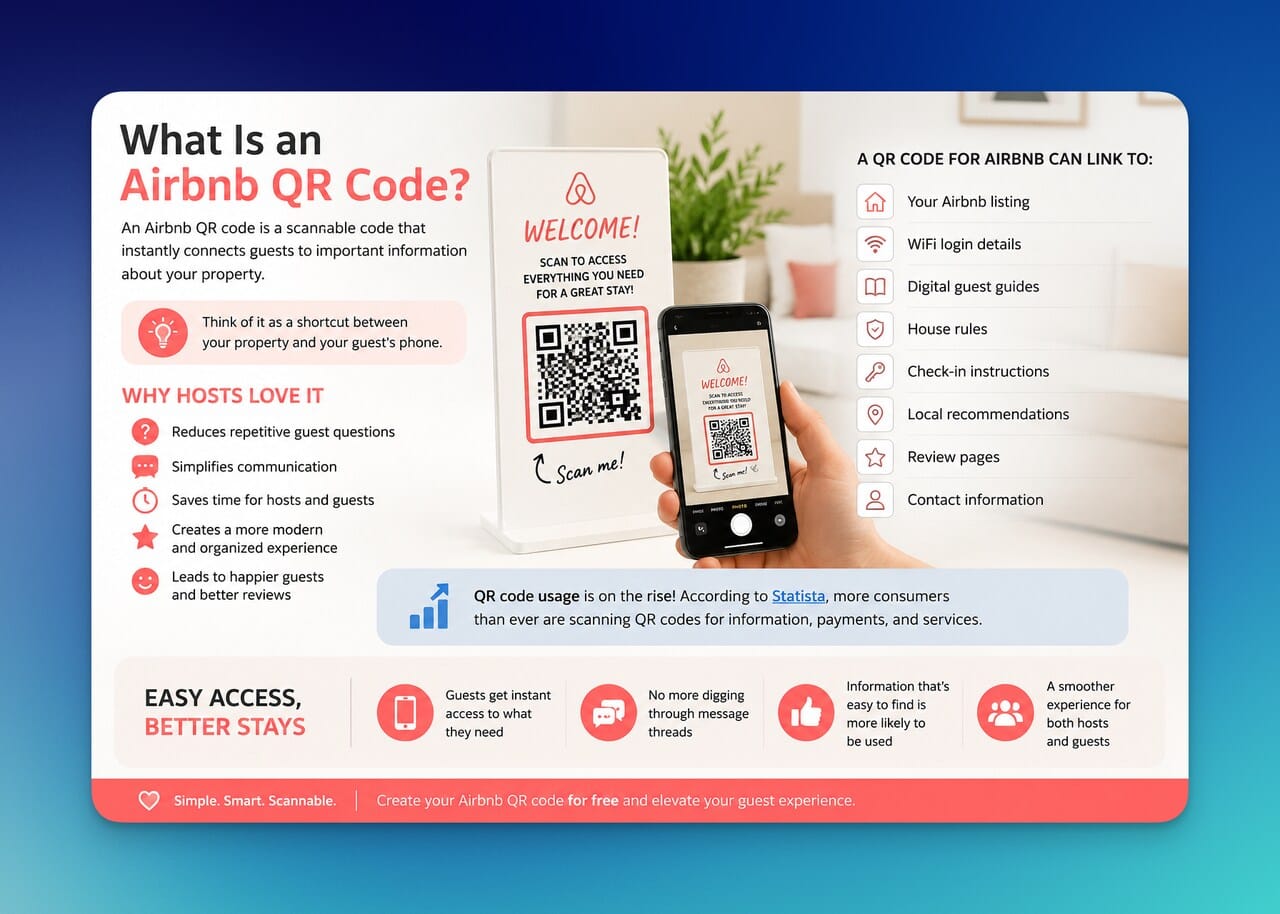
An Airbnb QR code is a scannable code that instantly directs guests to digital information related to your Airbnb property.
Instead of manually sending links, passwords, instructions, or recommendations, hosts can simply place a QR code somewhere guests can easily access. After scanning it with their phone camera, guests are taken directly to the information they need.
Think of it as a shortcut between your property and your guest's phone.
Depending on your needs, a QR code for Airbnb can link to:
- Your Airbnb listing
- WiFi login details
- Digital guest guides
- House rules
- Check-in instructions
- Local recommendations
- Review pages
- Contact information
This flexibility is one of the reasons QR codes have become so common across hospitality and travel industries.
For Airbnb hosts, the benefits go beyond convenience.
A well-placed Airbnb QR code can reduce repetitive guest questions, simplify communication, and make the entire stay feel more modern and organized. Instead of searching through messages to find instructions, guests can simply scan and access what they need within seconds.
I have also noticed that guests are more likely to use information when it is easy to access. A detailed guidebook hidden inside a message thread might never get opened. A QR code displayed on the kitchen counter or inside a welcome book is much harder to ignore.
The result is a smoother experience for both hosts and guests.
And the best part? Creating an Airbnb QR code free of charge is easier than most hosts expect.
Why Use QR Codes for Airbnb Properties?
When people first hear about QR codes for Airbnb, they often think they are just a convenient way to share links.
That's true.
But in my experience, the real value comes from improving the guest experience while reducing the amount of manual communication hosts have to handle every day.
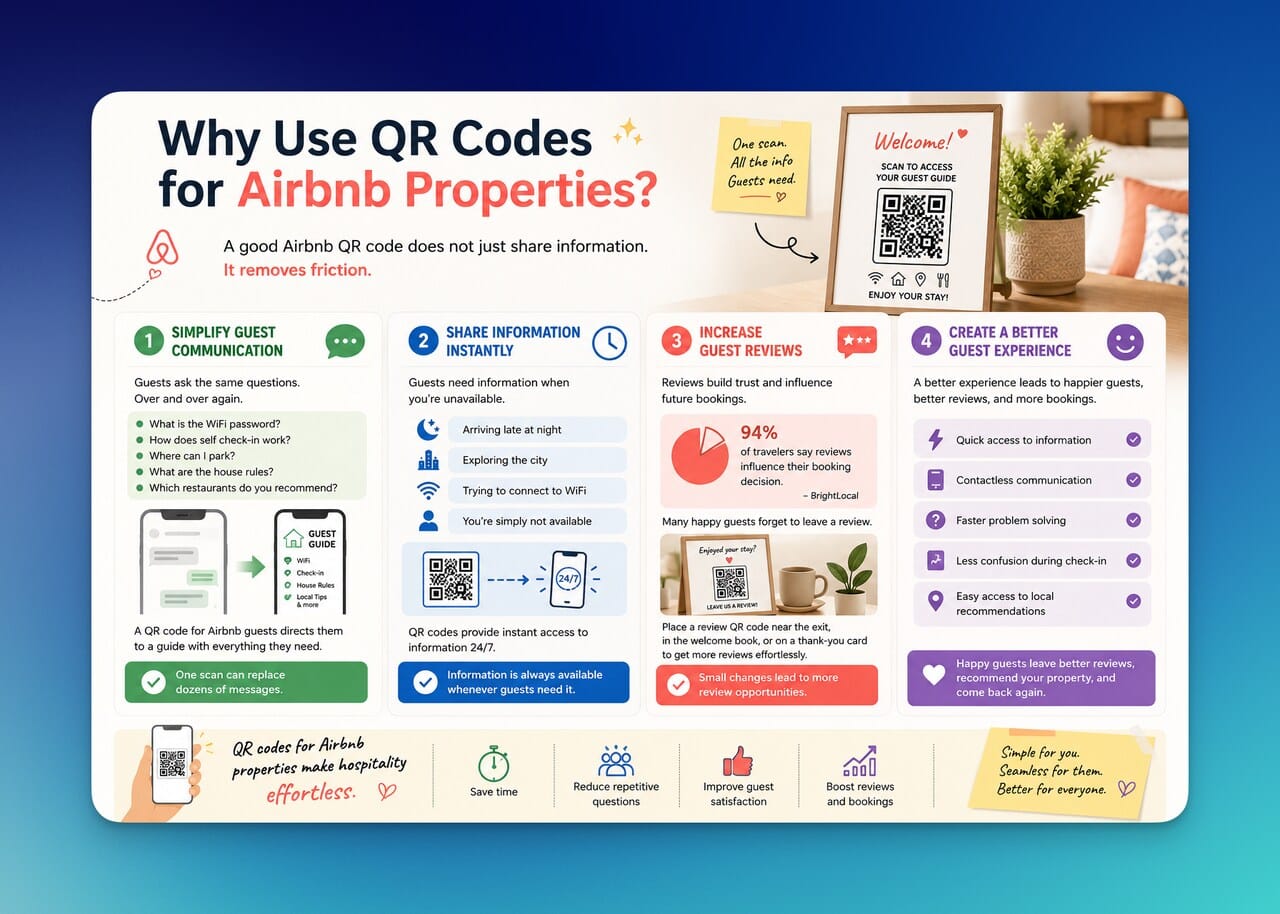
A good Airbnb QR code does not just share information.
It removes friction.
Simplify Guest Communication
Every Airbnb host eventually notices a pattern.
Guests tend to ask the same questions repeatedly:
- What is the WiFi password?
- How does self check-in work?
- Where can I park?
- What are the house rules?
- Which restaurants do you recommend?
Instead of answering these questions individually, you can create a QR code for Airbnb guests that directs them to a guide containing all of this information.
One scan can replace dozens of messages.
That saves time for you while helping guests get answers immediately.
Share Information Instantly
Guests often need information when you're unavailable.
Maybe they're arriving late at night.
Maybe they're exploring the city while you're asleep.
Maybe they're simply trying to connect to the WiFi.
A QR code solves this problem by providing instant access to information 24/7.
Whether you create an Airbnb WiFi QR code, a digital house manual, or a complete guest guide, the information is always available whenever guests need it.
Increase Guest Reviews
Reviews play a major role in Airbnb success.
According to Airbnb's own host resources, positive reviews help build trust and can influence booking decisions for future guests.
The challenge is that many satisfied guests simply forget to leave one.
A dedicated Airbnb review QR code makes the process easier.
By placing a review QR code near the exit, inside a welcome book, or on a thank-you card, you can gently remind guests to share their experience before they leave.
Small changes like this can lead to more review opportunities over time.
Create a Better Guest Experience
At the end of the day, guest experience is what ties everything together.
An Airbnb QR code generator helps hosts create a more organized and professional environment without investing in expensive technology.
Guests appreciate:
✅ Quick access to information
✅ Contactless communication
✅ Faster problem solving
✅ Less confusion during check-in
✅ Easy access to local recommendations
The easier you make their stay, the more likely they are to leave happy.
And happy guests tend to leave better reviews, recommend your property, and come back in the future.
That's why I see QR codes for Airbnb properties as more than a convenience tool.
They're a simple way to make hospitality feel effortless. ✨
Types of Airbnb QR Codes
One thing I like about Airbnb QR codes is that they are incredibly flexible.
Many hosts start with a single QR code and quickly realize they can use them throughout the entire guest journey, from the moment someone books the property to the moment they leave a review after checkout.
The best approach is not creating QR codes just because you can. It's creating QR codes that solve specific guest needs.
Here are the most useful types of QR codes for Airbnb hosts.
Airbnb Listing QR Code
An Airbnb listing QR code sends users directly to your property page.
This is particularly useful if you promote your rental offline or through social media. Instead of asking people to search for your property manually, they can scan the code and view your listing immediately.
Many hosts place listing QR codes on:
- Business cards
- Flyers
- Local partnership materials
- Property signage
- Social media graphics
If your goal is increasing visibility and making your listing easier to share, this is usually the first QR code I recommend creating.
Airbnb WiFi QR Code
If there is one QR code every Airbnb should have, it's probably this one. 📶
Guests ask for WiFi information constantly.
An Airbnb WiFi QR code allows guests to connect to your network by simply scanning a code rather than typing a long password manually.
Benefits include:
- Faster guest setup
- Fewer support messages
- Better guest satisfaction
- Reduced password entry errors
Many hosts display WiFi QR codes in:
- Living rooms
- Bedrooms
- Welcome books
- Kitchen areas
It's a small improvement that immediately makes the property feel more guest-friendly.
Airbnb Guest Guide QR Code
A guest guide QR code acts as a digital welcome book.
Instead of printing dozens of pages, you can create a mobile-friendly guide that includes everything guests need during their stay.
A typical digital guide may contain:
Information | Examples |
Property details | House rules, appliance instructions |
Check-in information | Access codes, lockbox instructions |
Local recommendations | Restaurants, cafés, attractions |
Emergency contacts | Hospitals, pharmacies, local services |
Transportation tips | Parking, public transit, taxi services |
I think this is where QR codes provide the biggest value because they centralize information in one convenient place.
Airbnb Review QR Code
Reviews can significantly influence future bookings.
According to Airbnb's hosting resources, reviews help guests evaluate trust and quality before making a reservation. That's why making the review process easier can be beneficial for hosts.
An Airbnb review QR code directs guests to the page where they can leave feedback after their stay.
You can place it:
- Near the exit door
- Inside a thank-you note
- In your guest guide
- On checkout instructions
The key is keeping it helpful rather than pushy.
Something as simple as:
often works better than aggressively asking for reviews.
The easier the process becomes, the more likely guests are to follow through.
By combining these QR code types, hosts can create a smoother, more connected experience from check-in to checkout.
How to Create an Airbnb QR Code with QR Code Dynamic
Creating an Airbnb QR code is much easier than most hosts expect.
Whether you want to share your Airbnb listing, provide WiFi access, distribute a digital guest guide, or collect reviews, the process only takes a few minutes.
Here's how I usually do it.
Step 1: Decide What You Want Guests to Access
Before generating a QR code, think about the destination.
Do you want guests to open:
- Your Airbnb listing?
- A digital guidebook?
- A review page?
- WiFi credentials?
- Check-in instructions?
The destination determines which type of QR code you'll create.
Step 2: Copy the Relevant Link or Information
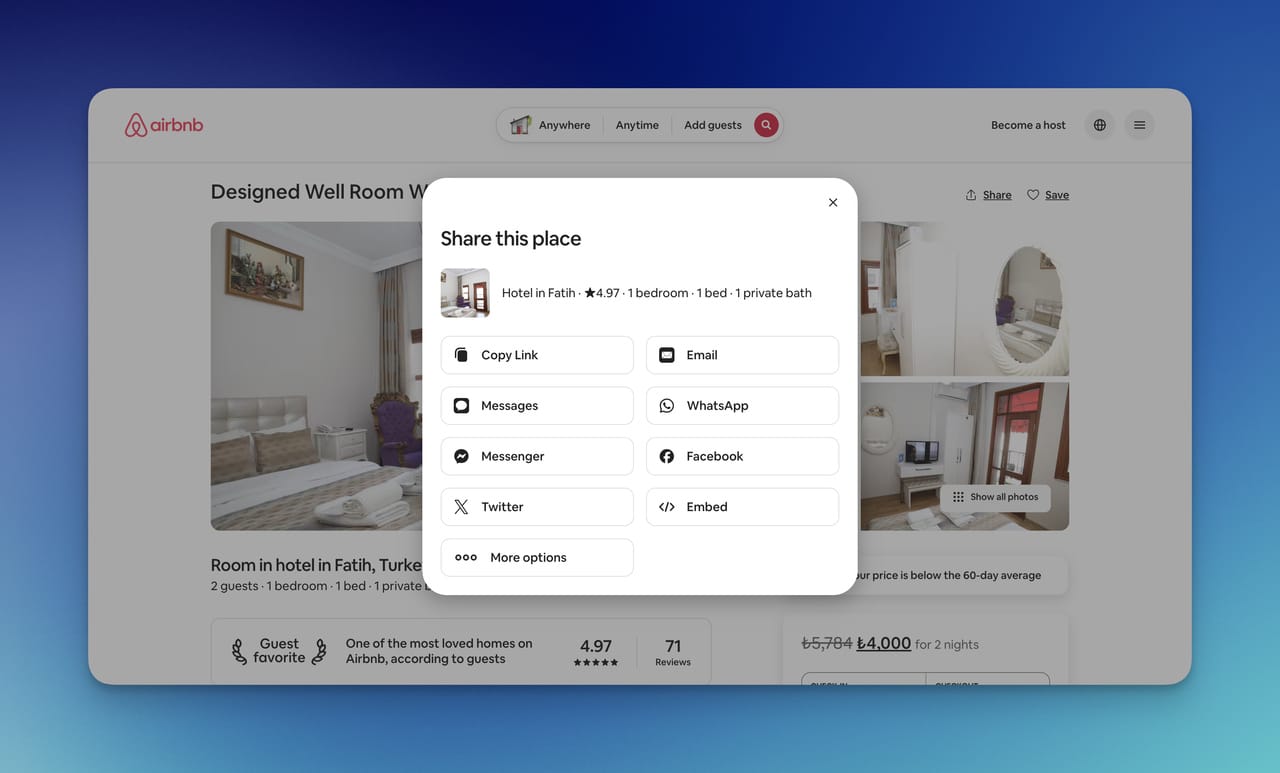
Next, gather the content you want the QR code to deliver.
For example:
- Airbnb listing URL
- Guest guide URL
- Review link
- Check-in page
- Contact information
Having everything prepared beforehand makes the setup process much faster.
Step 3: Open QR Code Dynamic
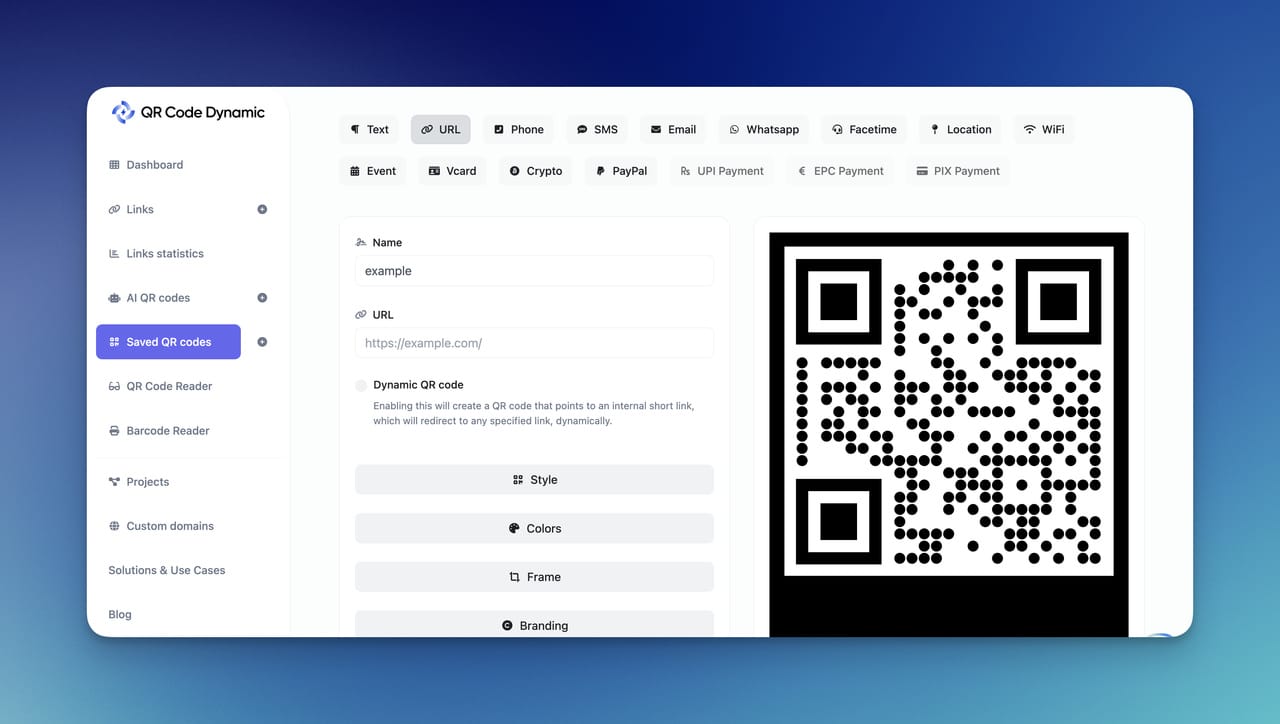
Visit QR Code Dynamic and choose the QR code type that best matches your goal.
For most Airbnb hosts, a URL QR code is the most practical option because it can connect guests directly to online resources such as guidebooks, listings, or review pages.
Step 4: Generate Your Airbnb QR Code
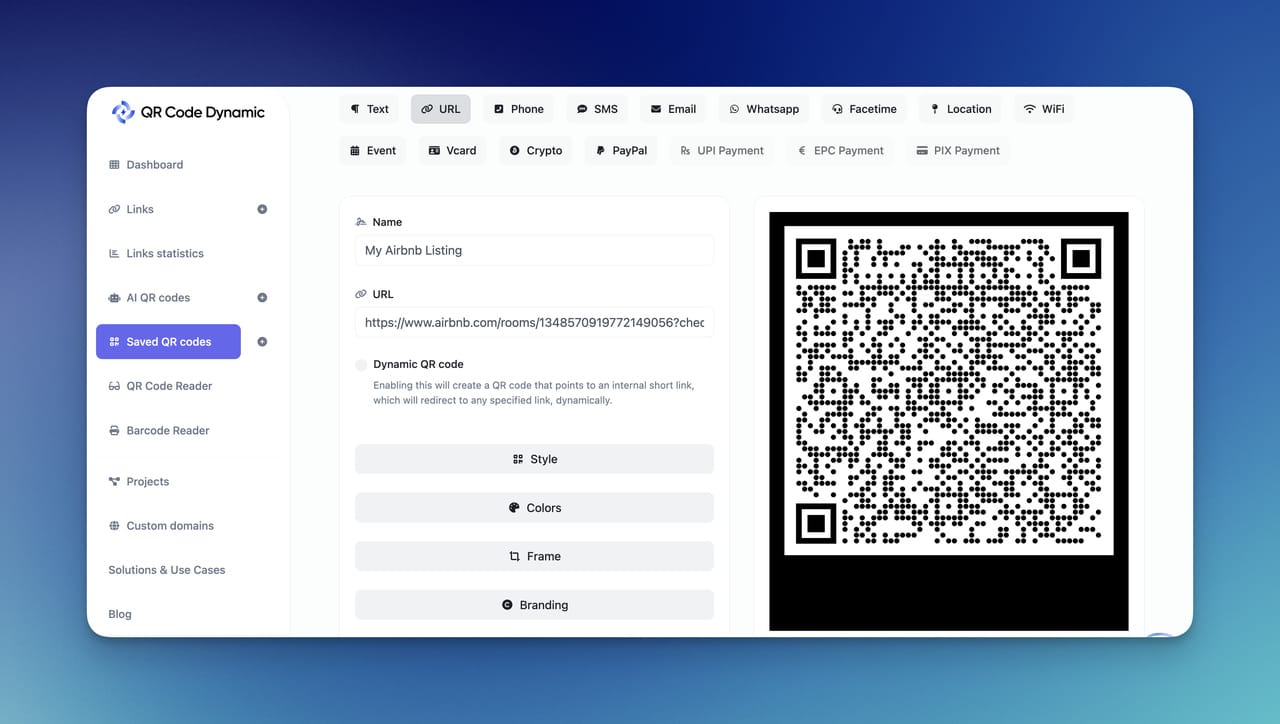
Paste your link and generate the QR code.
Within seconds, you'll have a scannable QR code ready to use.
If you're looking for an Airbnb QR code free solution, you can start with a static QR code. However, many hosts eventually upgrade to dynamic QR codes because they offer greater flexibility.
Step 5: Customize the Design
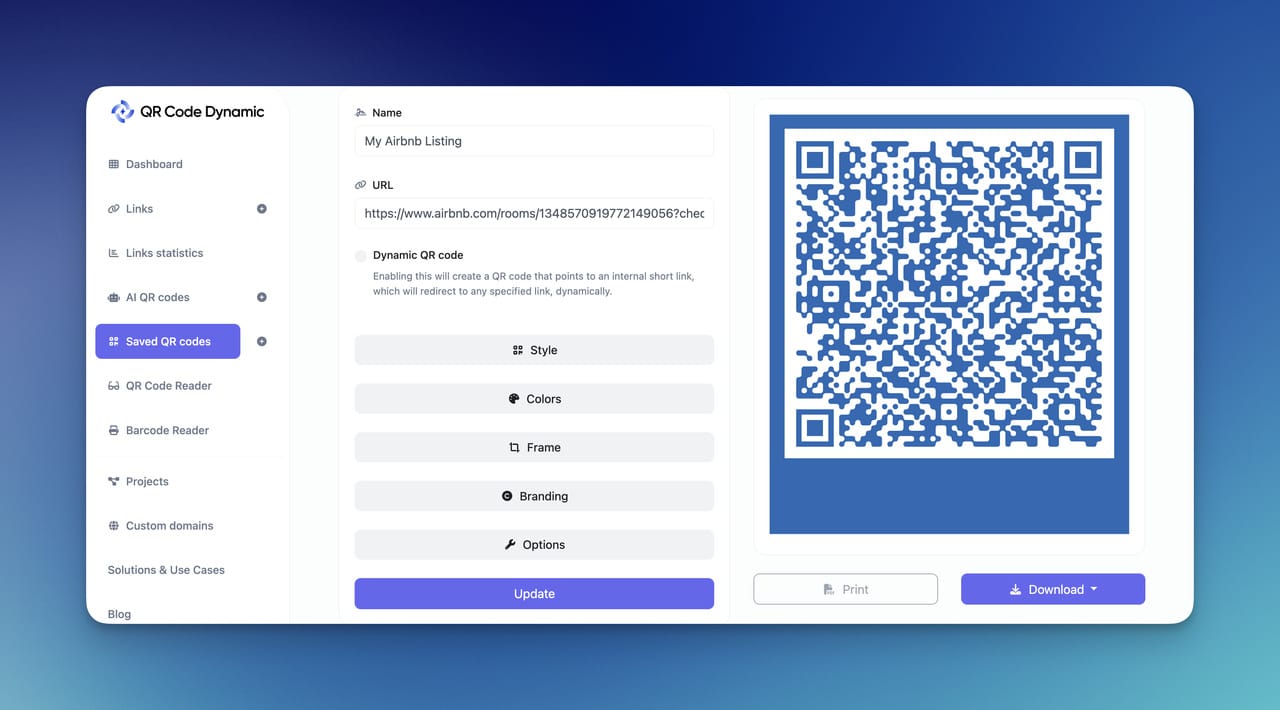
A QR code does not have to look generic.
You can customize:
- Colors
- Frames
- Call-to-action text
- Logo placement
- Overall design
I usually recommend keeping customization simple.
A clean QR code with a clear instruction such as:
or
often performs better than an overly designed code.
Step 6: Test Before Printing
This step is easy to skip and surprisingly important.
Always test your QR code using:
- iPhone devices
- Android devices
- Different lighting conditions
- Different distances
A few seconds of testing can prevent guest frustration later.
Step 7: Place Your QR Code Where Guests Need It
The best QR codes appear exactly when guests need information.
Common placement locations include:
Location | Purpose |
Welcome book | General guest information |
Entry area | Check-in instructions |
Living room | Guest guide access |
Bedroom | WiFi information |
Checkout area | Review requests |
The goal is not to place QR codes everywhere.
The goal is to place them where they naturally support the guest experience.
That's what makes an Airbnb QR code genuinely useful rather than just another piece of technology sitting in the property.
Best Use Cases for Airbnb QR Codes
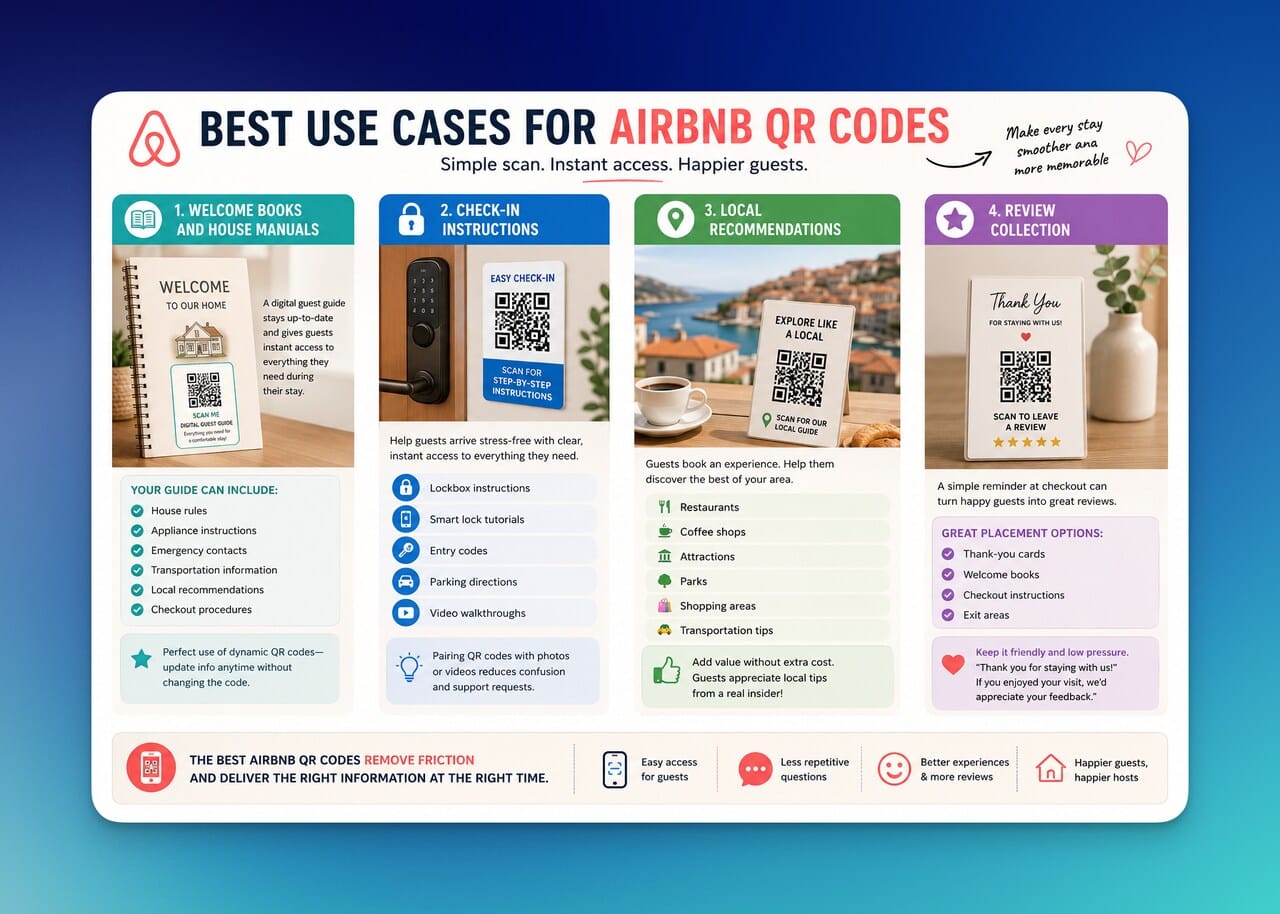
One reason I think Airbnb QR codes work so well is that they fit naturally into the guest journey.
Guests are already using their phones to book accommodations, communicate with hosts, find directions, and explore local attractions. Scanning a QR code feels like a natural extension of that behavior.
The challenge is knowing where QR codes create the most value.
After looking at how vacation rentals and hospitality businesses use QR technology, I've noticed a few use cases consistently stand out.
Welcome Books and House Manuals
Traditional welcome books are helpful.
The problem is that they become outdated quickly.
Maybe you change the WiFi password. Maybe a recommended restaurant closes. Maybe your check-in process changes.
A digital guest guide connected to an Airbnb QR code solves this issue.
Instead of reprinting materials every time something changes, you can update the information online while keeping the same QR code available for guests.
A digital guide can include:
- House rules
- Appliance instructions
- Emergency contacts
- Transportation information
- Local recommendations
- Checkout procedures
This is one of the strongest use cases for a dynamic QR code for Airbnb because the information can evolve over time.
Check-In Instructions
Check-in is one of the most important moments of any stay.
If guests arrive confused, stressed, or unable to access the property, the experience starts negatively.
An Airbnb check-in QR code can direct guests to:
- Lockbox instructions
- Smart lock tutorials
- Entry codes
- Parking directions
- Video walkthroughs
I particularly like using QR codes alongside visual instructions because some guests prefer reading while others prefer watching a quick video.
Providing both options helps reduce confusion and support requests.
Local Recommendations
Guests don't just book a property.
They book an experience.
According to Airbnb's hosting resources, creating memorable guest experiences can contribute to stronger reviews and repeat bookings.
A QR code for Airbnb guests can become a local travel guide that includes:
🍽️ Restaurants
☕ Coffee shops
🏛️ Attractions
🌳 Parks
🛍️ Shopping areas
🚕 Transportation tips
I think this is one of the easiest ways to add value without spending additional money.
Most guests appreciate recommendations from someone who knows the area better than Google does.
Review Collection
Many guests are willing to leave feedback.
They simply forget.
That's why review collection is one of the most practical applications of an Airbnb review QR code.
Instead of relying on memory, you can provide a simple opportunity to leave feedback at checkout.
Some effective placement options include:
- Thank-you cards
- Welcome books
- Checkout instructions
- Exit areas
The key is keeping the request friendly and low pressure.
For example:
A small reminder combined with a quick scanning experience can make the review process feel effortless.
The best Airbnb QR codes aren't necessarily the most advanced ones.
They're the ones that remove friction and help guests find what they need exactly when they need it.
Static vs Dynamic Airbnb QR Codes
If you've been researching Airbnb QR code generators, you've probably come across two different types of QR codes:
- Static QR codes
- Dynamic QR codes
At first glance, they look identical.
The difference appears after the QR code has already been created.
Understanding the distinction between dynamic and static QR codes can save hosts a lot of time later.
Feature | Static QR Code | Dynamic QR Code |
Editable after creation | ❌ No | ✅ Yes |
Scan tracking | ❌ No | ✅ Yes |
Destination updates | ❌ No | ✅ Yes |
Best for permanent information | ✅ Yes | ✅ Yes |
Best for changing information | ❌ No | ✅ Yes |
Static QR Codes
A static QR code permanently stores information.
Once it's generated, the destination cannot be changed.
For example, if you create an Airbnb QR code free version that links to a guidebook and later move that guidebook to a new URL, the QR code will stop serving its intended purpose.
You'll need to create and print a completely new code.
Static QR codes work best for information that rarely changes, such as:
- Contact details
- Permanent URLs
- Basic information pages
For some hosts, that's perfectly sufficient.
Dynamic QR Codes
Dynamic QR codes offer much more flexibility.
Instead of permanently embedding the destination, they allow you to update the content later without replacing the QR code itself.
Imagine you've printed QR codes on:
- Welcome books
- Framed signs
- Guest information cards
A month later, you update your guidebook.
With a dynamic QR code, you simply change the destination behind the scenes.
Guests continue scanning the same code while receiving the updated information.
Many dynamic QR code platforms also provide analytics that show:
- Number of scans
- Device types
- Scan locations
- Usage trends
According to GS1, QR codes are becoming increasingly important for delivering digital information and improving customer interactions across industries. Hospitality is no exception.
Which One Is Better for Airbnb Hosts?
In my experience, dynamic QR codes are usually the better long-term option for Airbnb hosts.
Guest information changes.
Recommendations change.
WiFi details change.
Check-in procedures change.
A dynamic Airbnb QR code allows you to adapt without reprinting materials every time something is updated.
That flexibility becomes especially valuable when you're managing multiple properties or regularly updating guest resources.
For hosts who want the simplest possible solution, static QR codes can still work.
But if you're building a system designed to improve guest experience over time, dynamic QR codes generally provide far more room to grow.
Conclusion
An Airbnb QR code may seem like a small addition to your property, but it can have a surprisingly large impact on the guest experience.
From sharing WiFi credentials and check-in instructions to distributing digital guidebooks and collecting reviews, QR codes for Airbnb properties help eliminate friction at every stage of the guest journey. Guests get faster access to information, hosts spend less time answering repetitive questions, and the overall experience feels more organized and professional.
What I like most about QR codes is their simplicity. You don't need expensive software or complicated systems to improve communication. Sometimes a single scan is enough to solve a problem before it becomes a question.
If you're ready to create your own Airbnb QR code, an Airbnb listing QR code, or a complete guest guide, QR Code Dynamic makes the process quick and straightforward. You can generate, customize, and manage QR codes designed to help guests access the information they need, exactly when they need it.
Start creating your Airbnb QR code today and turn every guest interaction into a smoother, more memorable experience. 🏡📱
Frequently Asked Questions
Do Airbnb QR codes work without an app?
Yes. Most modern smartphones can scan QR codes directly through their built-in camera apps. Guests simply open their camera, point it at the QR code, and tap the notification that appears. No additional app is usually required.
Can I create a QR code for my Airbnb listing?
Absolutely. You can generate an Airbnb listing QR code that directs users straight to your property page. This makes it easier to share your listing on printed materials, social media posts, business cards, or local marketing campaigns without requiring people to manually search for your property.
What is the best type of QR code for Airbnb hosts?
In my experience, dynamic QR codes are the best option for most Airbnb hosts. They allow you to update the destination link, guest guide, or property information without replacing the QR code itself. This flexibility is especially useful when check-in instructions, recommendations, or guest resources change over time.
Are Airbnb QR codes safe to use?
Yes, as long as they direct guests to trusted and relevant information. Many hosts use QR codes to provide WiFi access, digital guidebooks, local recommendations, and check-in instructions. To maintain trust, it's a good idea to clearly explain what guests will access before they scan the code.

I work as a Growth Marketer at Popupsmart, using my 3+ years of SaaS experience to create clear, useful marketing content that helps brands grow, reach the right audiences, and improve their results.