Clickable QR Code: How It Works & Tips

On this page
- What Exactly Is a Clickable QR Code?
- Click vs Scan: When On-Screen QRs Behave Differently From Printed Ones
- Static vs Dynamic Clickable QR Codes
- How to Make a QR Code Clickable?
- Choose a QR Code Generator
- Select the Type of QR Code
- Enter the URL
- Design Your QR Code
- Test Your QR Code
- Download Your QR Code
- Add a Link to Your Image
- Distribute and Track
- How to Embed a Clickable QR Code in PDFs, Emails, and Websites
- PDFs
- HTML emails
- Word and Google Docs
- Websites
- Social posts
- Deep Links and App-First QR Codes
- Benefits of Using Clickable QR Codes
- Improved User Experience
- Streamlining Business Operations
- Potential Challenges and Solutions When Creating Clickable QR Codes
- Challenge 1: QR Code Scanning Issues
- Challenge 2: Redirection to Broken Links
- Challenge 3: Lack of Mobile-Optimized Landing Pages
- Challenge 4: User Unawareness
- Challenge 5: Data Privacy Concerns
- Best Practices & Tips for Trouble-Free QR Code Creation
- 1. Prioritize Scan Reliability Over Data Density
- 2. Aim for Accessibility and Reach
- 3. Test, Track, and Update
- 4. Invest in Design — Within Limits
- 5. Educate the Reader Briefly
- 6. Make Every Scan Worthwhile
- 7. Plan for Safety and Trust
- The Bottom Line on Clickable QR Codes
- Frequently Asked Questions
- Are all QR codes clickable?
- How do I create a clickable QR code for free?
- Can I add a hyperlink to a QR code image?
- How to track scans on a clickable QR code?
- What are best practices for using clickable QR codes in marketing?
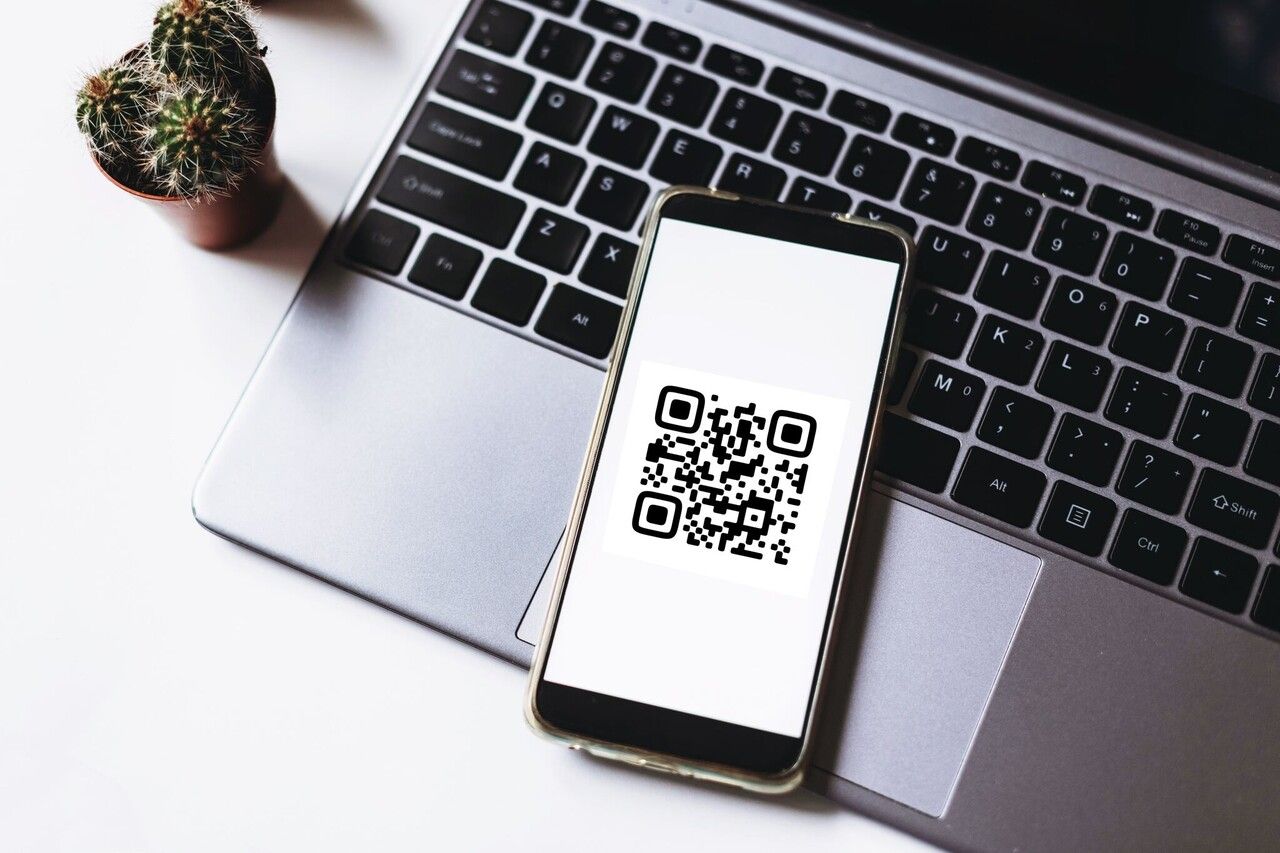
A clickable QR code is a QR image that does double duty: scan it with a phone camera AND tap it with a mouse to open the encoded URL. Printed QRs are scan-only — only on-screen QRs in PDFs, emails, websites, or social posts behave as clickable. The trick is hyperlinking the image to the same URL the code encodes.
What Exactly Is a Clickable QR Code?
"Clickable QR code" isn't a new format. It's a usage pattern. The QR pattern itself only stores data — whether that data becomes "clickable" depends on where the image lives, not how it was generated.
Two layers do the work:
- The encoded payload. Every QR stores a string. For URL QRs, that string is the destination link. A phone camera reads the pattern, decodes the string, and offers to open it.
- The image wrapper. When you place the QR image inside an
<a href="...">tag, clicking or tapping opens that same link — no camera needed.
That second layer is what people mean by "clickable." The image becomes a button pointing at the same URL the pattern encodes. One graphic, two ways in. If the destination might change, encode a redirect from a trackable QR codes service so you can repoint without reprinting.
Click vs Scan: When On-Screen QRs Behave Differently From Printed Ones
A printed QR can never be "clicked." Paper doesn't fire JavaScript. A reader looking at a flyer must use a second device — usually their phone camera — to read the pattern.
An on-screen QR lives in two worlds at once:
- Scannable by another device's camera (phone reading a QR on your laptop screen).
- Clickable by the same device displaying it (tap on mobile, click on desktop), if the image is wrapped in a hyperlink.
Why this matters: the reason "clickable QR codes" became a query is single-device readers. A prospect opens a marketing PDF on their laptop. They cannot scan it — there's no second screen. If the QR is hyperlinked, they tap and land on the page. If it isn't, the QR is dead weight on desktop. Same logic for HTML emails on desktop, social posts in a phone's in-app browser, and Slack messages.
Static vs Dynamic Clickable QR Codes
Both can be made clickable. What differs is what the encoded URL points to and what you can do once the code is out in the world.
| Feature | Static | Dynamic |
|---|---|---|
| Editable destination | No — hardcoded into the pattern | Yes — change anytime without reprinting |
| Scan tracking | None | Scan count, time, location, device |
| Payload location | Final URL inside the pattern | Short redirect inside the pattern; resolves to the real destination |
| Ideal use case | Permanent links — homepage, Wi-Fi, vCard | Campaigns, menus, events, A/B tests |
| Cost | Free on most generators | Free tier or paid plan |
Practical rule: if the URL might change, pick dynamic. The cost of reprinting 5,000 flyers because a campaign URL moved dwarfs whatever a dynamic plan costs.
How to Make a QR Code Clickable?
Eight steps from a raw URL to a code that works in print and on screen. Allow about 15 minutes.
Choose a QR Code Generator
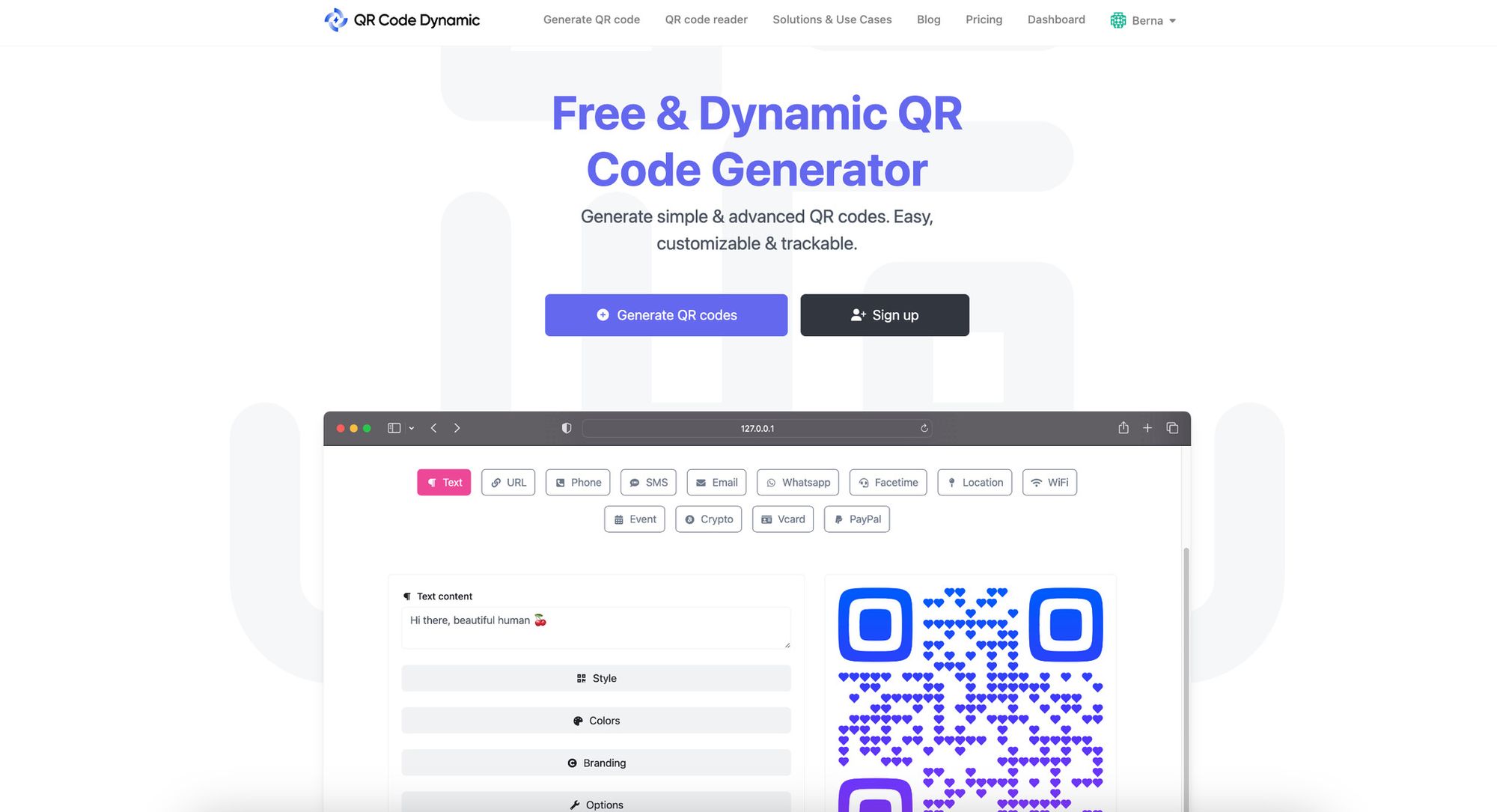
Pick a generator that supports both static and dynamic URL QRs, exports PNG and SVG, and doesn't require an account for static codes. QR Code Dynamic covers all three. Avoid generators that quietly rewrite your URL through their own redirect — those redirects can disappear when the trial ends, killing every code you printed.
Select the Type of QR Code
You want the URL type. Other types — text, Wi-Fi, vCard, SMS, geolocation — encode raw data into the pattern, so there's no URL to "click" on screen even if you wrap the image in a link. URL is the only type where scan and click point at the same destination.
Enter the URL
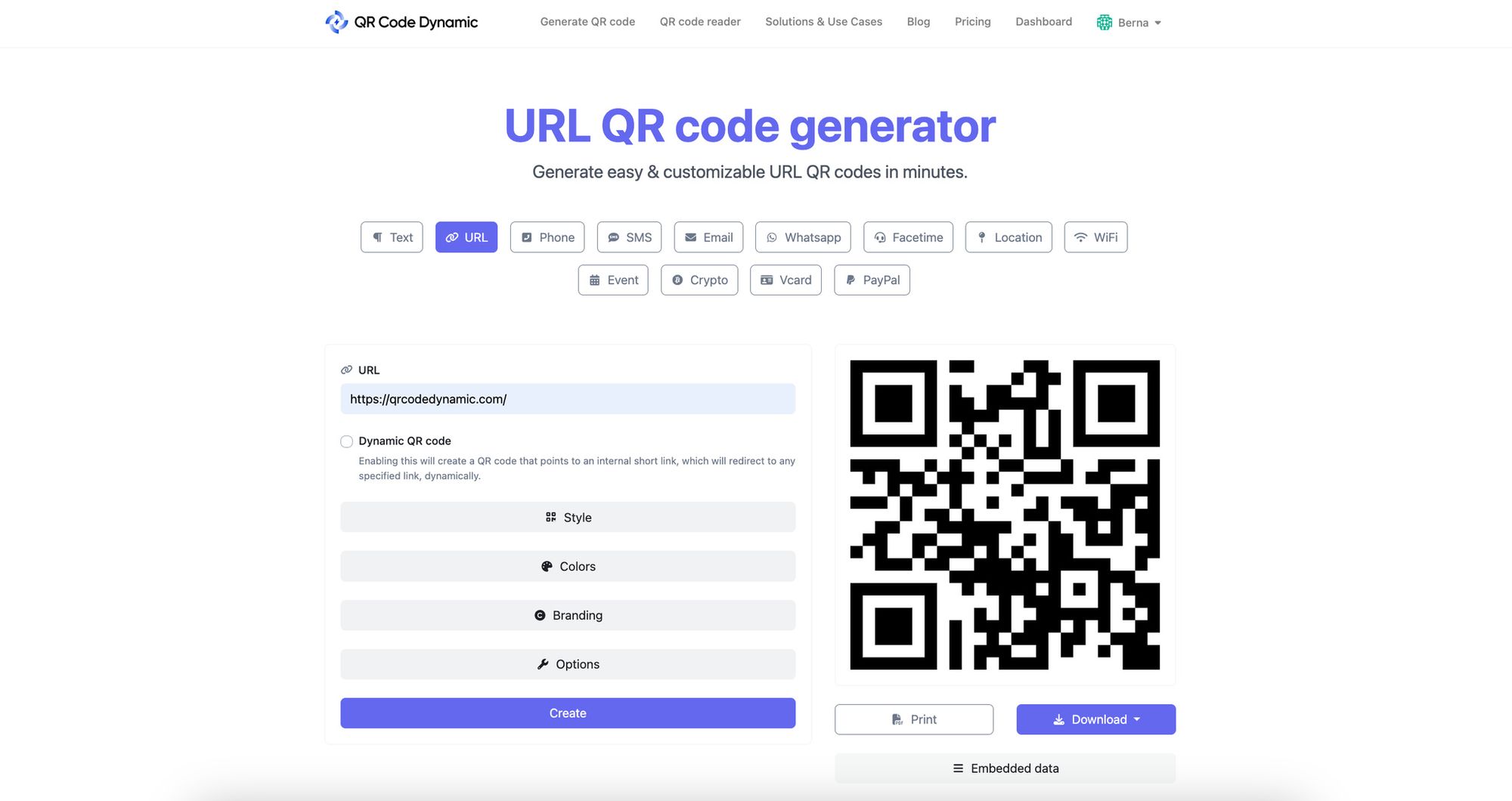
Paste the full destination, including https://. Test the link in a private browser tab first — if the page loads only when you're already signed in, the QR fails for everyone else.
Design Your QR Code
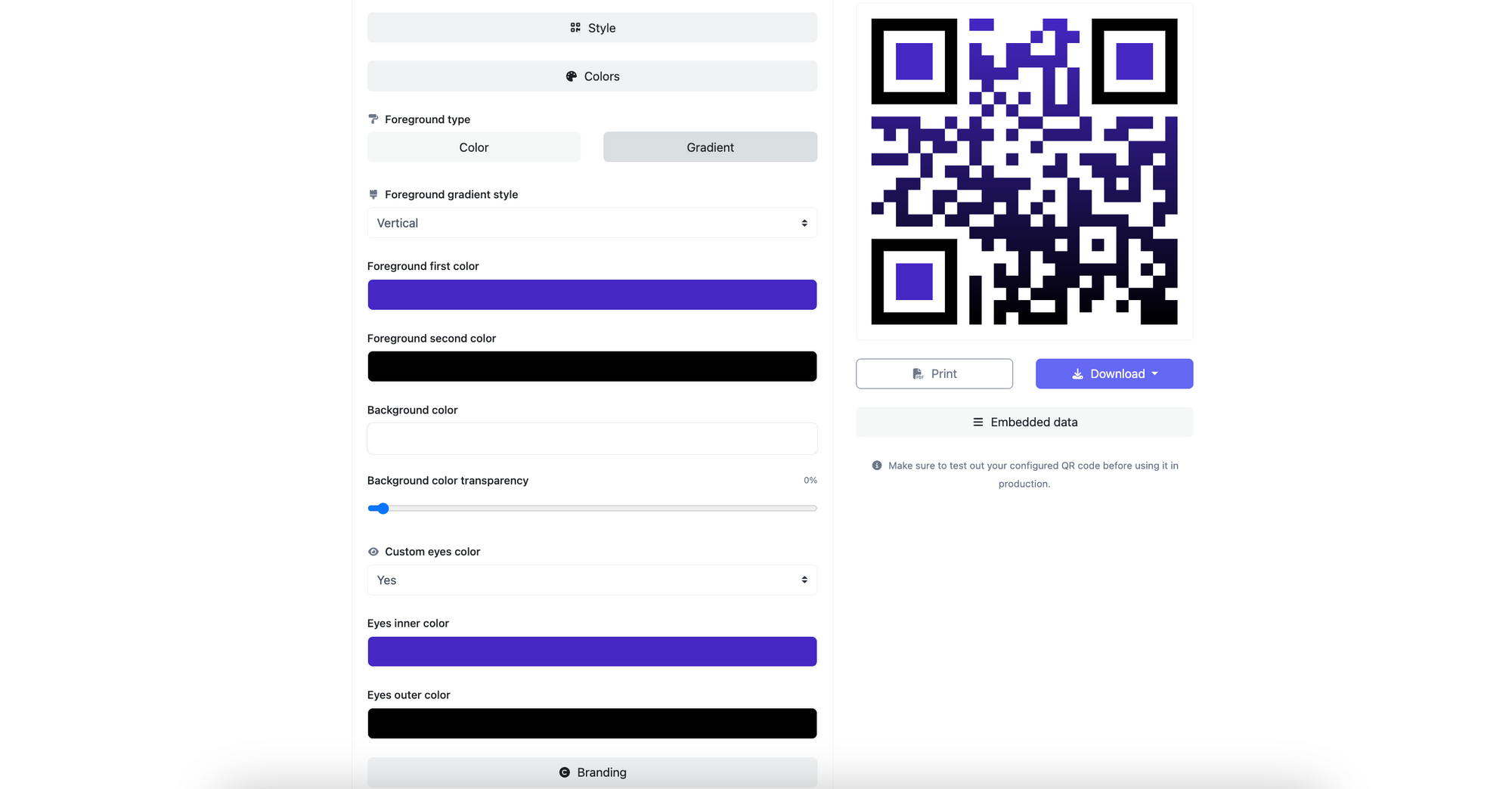
Use enough contrast — dark code on light background, never the reverse. Keep any embedded logo under 20% of the code's area. Error correction can rebuild a code with up to 30% missing data, but past that range you'll see random scan failures on cheaper phones.
Worth noting for 2025-2026: AI-generated QR designs render the modules as part of a full illustration — branches, building windows, fabric patterns. They look stunning and scan reliably about half the time. Use as supplementary art, never the only path to your URL.
Test Your QR Code
Scan the code from the screen with at least two phones — one iOS, one Android. Then scale to print size and scan from a printed sheet. About 1 in 20 codes that scan fine on screen fail in print because contrast or quiet zone collapses at smaller sizes.
Download Your QR Code
Export PNG for embedded use (emails, social, decks) and SVG for print or any resize. SVGs stay sharp at any scale; PNGs blur the moment a designer enlarges them past export size.
Add a Link to Your Image
This step turns a scannable code into a clickable one. Wrap the image in an anchor tag pointing at the exact URL you encoded:
<a href="https://your-destination-url.com">
  <img alt="QR code for your destination" src="qr-image.png">
</a>
The href and encoded URL must match. If they drift apart, your scan and click analytics diverge — and you'll spend an afternoon figuring out why.
Distribute and Track
Place the code where the audience already is: a printed handout for live events, an email signature for outbound, a PDF footer for evergreen content. Watch the dynamic dashboard for the first 48 hours to catch URL typos, redirect loops, or platforms that strip your image. For the analytics side, see how QR code tracking works.
How to Embed a Clickable QR Code in PDFs, Emails, and Websites
The concept is identical across formats. Implementation differs.
PDFs
In Adobe Acrobat, choose Tools > Edit PDF > Link > Add or Edit. Draw a rectangle over the QR image, set the action to Open a web page, paste the URL. The QR is now scannable from print and clickable on screen.
HTML emails
Use a plain anchor wrapping the image. Most clients respect <a><img></a>; Outlook on Windows sometimes adds a thin blue border — strip it with inline border:0 on the img tag.
Word and Google Docs
Insert the image, right-click, choose Link > Insert Link, paste the URL. The QR stays clickable when exported as PDF — Docs preserves anchor tags during PDF export.
Websites
The HTML pattern from Step 7 works on landing pages, blog posts, and CMS rich-text fields. If your CMS strips raw HTML, look for a "Custom HTML" or "Embed" block. Set the alt attribute to describe the destination, not just "QR code" — search engines treat alt text as the link's anchor text.
Social posts
Instagram, X, LinkedIn, and TikTok strip outbound links from images in the post body. The workaround: paste the destination URL into the caption alongside the QR image. Platforms auto-link URLs in captions, the QR stays scannable as art, and readers get a tap-friendly path on every device.
Deep Links and App-First QR Codes
Some campaigns aren't trying to open a webpage. They're trying to open a native app — Spotify to a playlist, YouTube to a video, a banking app to a payment screen. The pattern is a deep link with an app-store fallback.
The encoded URL points at a redirect server that checks the user agent. App installed on iOS or Android: it fires the custom URL scheme (spotify://) and the OS hands the request to the native app. App not installed: it falls through to the App Store or Play Store. Desktop: it loads the web version. One QR, three behaviors.
The cleaner modern alternative is Universal Links (iOS) and App Links (Android). Both let a regular https:// URL open directly in the native app when installed, and in the browser when not. They need a small verification file hosted on your domain.
Smart-link platforms (link aggregators) sit on top with a UI for managing per-platform fallback rules. They help when running campaigns across many destinations. They hurt when they add a branded interstitial page between scan and destination — every extra hop costs 10-15% of your scans. Look for a "direct redirect" setting if your platform shows its logo before redirecting.
Benefits of Using Clickable QR Codes
Improved User Experience
- One CTA, every device. Desktop readers tap the image; print readers scan it. The QR is the link — no separate "click here" needed.
- No typing required. URLs with UTM parameters are unreadable typed by hand. The QR removes that friction whether the entry is scan or click.
- Mobile-first by default. Phones account for most reader sessions. A QR clickable on mobile is essentially a button styled as a graphic.
Streamlining Business Operations
- First-party data. Dynamic QRs return scan count, time, country, device class, and referring channel. With UTMs layered on, you can attribute revenue to specific print runs.
- Direct-response CTAs. A clickable QR on a product page turns "interested" into "completed action" without a URL-typing detour.
- Cheap to revise. One dynamic QR replaces a folder of campaign-specific short links. Change the destination once; every printed asset points at the new page.
Potential Challenges and Solutions When Creating Clickable QR Codes
Challenge 1: QR Code Scanning Issues
Codes that refuse to scan have one of three problems: too small, too low contrast, or too crowded with logo or design elements.
Solution: Print at 2x2 inches minimum (5x5 cm) for handheld scans. Keep the foreground darker than the background. Leave a quiet zone of at least four modules around the code. Shrink any embedded logo to under 20% of the code's surface.
Challenge 2: Redirection to Broken Links
The code scans, but the destination is dead — a 404, redirect loop, or moved page.
Solution: Use dynamic QRs for any URL that might change. Test every active code monthly. For evergreen codes on permanent signage, point them at a stable URL on a domain you control and redirect from there.
Challenge 3: Lack of Mobile-Optimized Landing Pages
The QR scans, the link loads, but the page is unreadable on mobile.
Solution: Open every QR destination in Chrome's mobile device emulator before launch. The Lighthouse audit catches viewport, font-size, and tap-target issues in under a minute.
Challenge 4: User Unawareness
QR literacy is high in 2026 but not universal. Older audiences may not realize on-screen QRs are also tappable.
Solution: Add a short caption. "Scan or tap" works for digital; "Scan with your camera" works for print. Skip app-name instructions unless you actually require an app.
Challenge 5: Data Privacy Concerns
Some readers hesitate to scan codes from sources they don't trust, especially after the rise of "quishing" — phishing that hides malicious URLs behind legitimate-looking QR images.
Solution: Encode the destination URL or a redirect on a domain you own — never a generator's anonymous short URL. Display the destination domain near the code if context allows.
Best Practices & Tips for Trouble-Free QR Code Creation
1. Prioritize Scan Reliability Over Data Density
QR codes can encode about 4,000 characters, but past 100-150 the pattern gets dense enough that cheaper phone cameras struggle. For URL QRs that ceiling is rarely a problem — but if you encode long redirect strings, switch to a dynamic QR with a short redirect URL inside.
2. Aim for Accessibility and Reach
Place codes at eye level on print, never below knee height. On screen, give the code at least 200x200 pixels — smaller and phone cameras need to be too close to focus.
3. Test, Track, and Update
Run a pre-launch test on at least one iPhone and one Android. Check the dashboard daily for the first week.
4. Invest in Design — Within Limits
Brand colors, rounded modules, and embedded logos all work, provided contrast and quiet zone stay intact. AI-generated artistic codes look striking but should never be the sole path to a critical URL.
5. Educate the Reader Briefly
A two-word instruction ("Scan here" or "Tap or scan") closes the gap for readers unfamiliar with the format. Long captions get ignored.
6. Make Every Scan Worthwhile
A QR landing on a generic homepage instead of the campaign-specific page is the digital equivalent of a vague slogan. Build a destination tied to the code's context.
7. Plan for Safety and Trust
Use HTTPS destinations only. Avoid URL shorteners that obscure the domain — readers can preview the decoded URL on most modern phones, and a cryptic short URL triggers caution.
The Bottom Line on Clickable QR Codes
"Clickable QR code" hides a simple idea: an image that works whether the reader scans it or taps it. The pattern always encodes a URL. When the image lives on screen wrapped in an anchor tag, the same URL also opens on tap. That's the entire trick.
The decisions worth getting right are everything around that pattern: static or dynamic, where the code lives, whether the destination opens a webpage or a native app, and what the landing page delivers. Generate one dynamic URL QR, place it on three surfaces, and watch the dashboard for two weeks. For larger rollouts, scale to dozens of QR codes in bulk.
Frequently Asked Questions
Are all QR codes clickable?
No. A QR is "clickable" only when the image is wrapped in a hyperlink and lives on a digital surface — webpage, PDF, email, document. Printed QRs can never be clicked. The same image becomes clickable when you place it inside an <a href> tag.
How do I create a clickable QR code for free?
Generate a free static URL QR, download the PNG or SVG, then wrap the image in an anchor tag pointing at the same URL you encoded: <a href="URL"><img src="qr.png" alt="..."></a>. Free static QRs work indefinitely. You only need a paid plan for editable destinations or scan analytics.
Can I add a hyperlink to a QR code image?
Yes — that's what makes it "clickable." On a webpage, wrap the <img> in an <a href>. In Acrobat, use the Edit PDF link tool. In Word or Google Docs, right-click the image and choose Insert Link. The href should match the URL the QR encodes.
How to track scans on a clickable QR code?
Use a dynamic QR generator. Every scan or click hits the redirect first, gets logged, and forwards to your real destination. The dashboard reports count, geography, device, and time. Append UTM parameters so traffic shows up tagged in Google Analytics.
What are best practices for using clickable QR codes in marketing?
Place the code where readers already are. Pair it with a short "Scan or tap" caption. Send each code to a campaign-specific landing page, not a generic homepage. Use dynamic codes for anything you might revise. Keep contrast strong, quiet zone at least four modules, logo under 20% of the code's area.
Visit our latest blog posts before you go:

I work as a Growth Marketer at Popupsmart, using my 3+ years of SaaS experience to create clear, useful marketing content that helps brands grow, reach the right audiences, and improve their results.