How to Create a QR Code That Opens Netflix in 2026


On this page
- TL;DR Quick Start
- What Is a QR Code That Opens Netflix?
- How Netflix's Official TV Sign-In QR Code Works
- How to Create a QR Code That Opens Netflix with QR Code Dynamic
- 1. Get your Netflix link
- 2. Log in to QR Code Dynamic
- 3. Create a New Link
- 4. Enable App Linking
- 5. (Optional) Add Advanced Settings
- 6. Create and Download Your QR Code
- 7. Style Your QR Code (Optional, but Recommended)
- 8. Test Before You Share
- Best Use Cases of QR Code for Netflix
- 🎬 Movie Posters & Billboards
- 🛒 In-Store Displays & Product Packaging
- 📺 Event Screens & CTV Trailers
- ✈️ Hotels, Airlines & Lounges
- 📧 Email, Social Bios & Creator Content
- Deep-Link URL Patterns: Show, Movie, Profile, Search
- Common Mistakes to Avoid with QR Codes for Netflix & How to Fix Them
- Smart Fallbacks (So Your QR Always Works)
- Netflix QR Scams to Watch For
- The Bottom Line on QR Codes That Open Netflix
- FAQ
To make a QR code that opens Netflix, encode a universal Netflix link — https://www.netflix.com/title/<id> for a specific show, or https://www.netflix.com/ for the home — into a dynamic QR code. Modern phones with the Netflix app installed open the show natively; phones without it fall back to the web. The old nflx:// scheme is deprecated.
TL;DR Quick Start
- Use an official Netflix URL as your Destination URL, e.g.
https://www.netflix.com/title/123456(replace with your title ID). - In App linking, turn on Auto open app on mobile.
- Under Supported operating systems, select Apple and Android.
- Create the short link, generate the QR, and test on iPhone, Android, and desktop.
- Always keep a useful fallback (the Netflix web page) so a scan never dead-ends.
What you'll need:
- A QR Code Dynamic account on the PRO plan ($29/month)
- The Netflix title ID for the show or movie you want
- An iPhone and an Android phone for testing (5–10 minutes)
- Beginner-friendly — no code required
What Is a QR Code That Opens Netflix?
A QR code that opens Netflix is a scannable code that takes someone straight to Netflix — the app if it's installed, the website if not. There's no Netflix-only API; the trick is the URL you encode.
- You build a QR from a valid Netflix link like
https://www.netflix.com/title/81231974. - iOS or Android checks whether the Netflix app is registered to handle netflix.com URLs.
- If installed, the app opens directly to that title. If not, the same URL loads in the browser.
The technical layer doing the work is called Universal Links on iOS and App Links on Android. Both replaced the older nflx:// scheme, which didn't degrade gracefully on devices without the app. Universal Links sit on standard HTTPS URLs — the same link works on a phone, a laptop, or pasted into Slack.
The audience is large and growing. Netflix passed 325 million subscribers at the end of 2025, and Business of Apps reports $39 billion in 2024 revenue, up 15.7% year over year. Same URL pattern works whether you're driving viewers to a Netflix original, a brand collab, or a kid-profile show on a museum kiosk.
How Netflix's Official TV Sign-In QR Code Works
Before building a custom QR, it's worth knowing the QR Netflix already shows you on a TV. People search "Netflix QR code login" expecting a tool to download — it's actually a built-in pairing flow you can't generate yourself.
When you open Netflix on a smart TV, Roku, Apple TV, Fire TV, PlayStation, or Xbox and tap Sign In, Netflix renders a QR with a short URL:
- The TV shows a QR pointing at
netflix.com/tv/activatewith a one-time code in the URL. - Point your phone camera at the TV; iOS or Android offers to open the URL.
- The phone opens Netflix, confirms you're logged in, and asks you to "Sign in to TV".
- The TV refreshes within a second or two and lands on your profile.
The same flow lives at netflix.com/tv2, netflix.com/tv8, and netflix.com/atv — variants Netflix uses for different device families. If the scan fails, type the short URL and enter the on-screen code instead. The Netflix Help Center sign-in guide documents the full flow. You can't generate this QR — what you can build is a QR that opens a specific show, profile, or campaign page.
How to Create a QR Code That Opens Netflix with QR Code Dynamic
1. Get your Netflix link
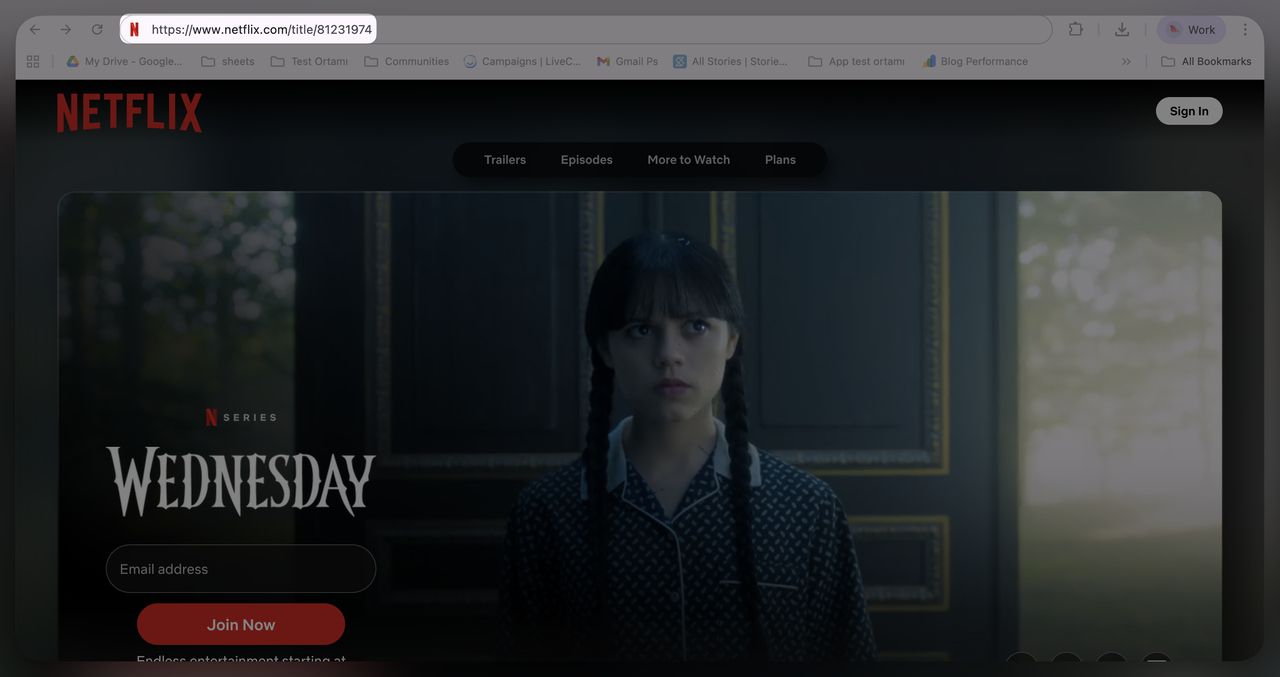
Every Netflix title has a unique ID in its URL. Open the title in your browser and copy the URL. Wednesday uses https://www.netflix.com/title/81231974 — the trailing 81231974 is the title ID.
2. Log in to QR Code Dynamic
Go to QR Code Dynamic and confirm you're on the PRO plan ($29/month). App linking is a PRO feature — the free tier won't expose the toggle you need in step 4.
3. Create a New Link
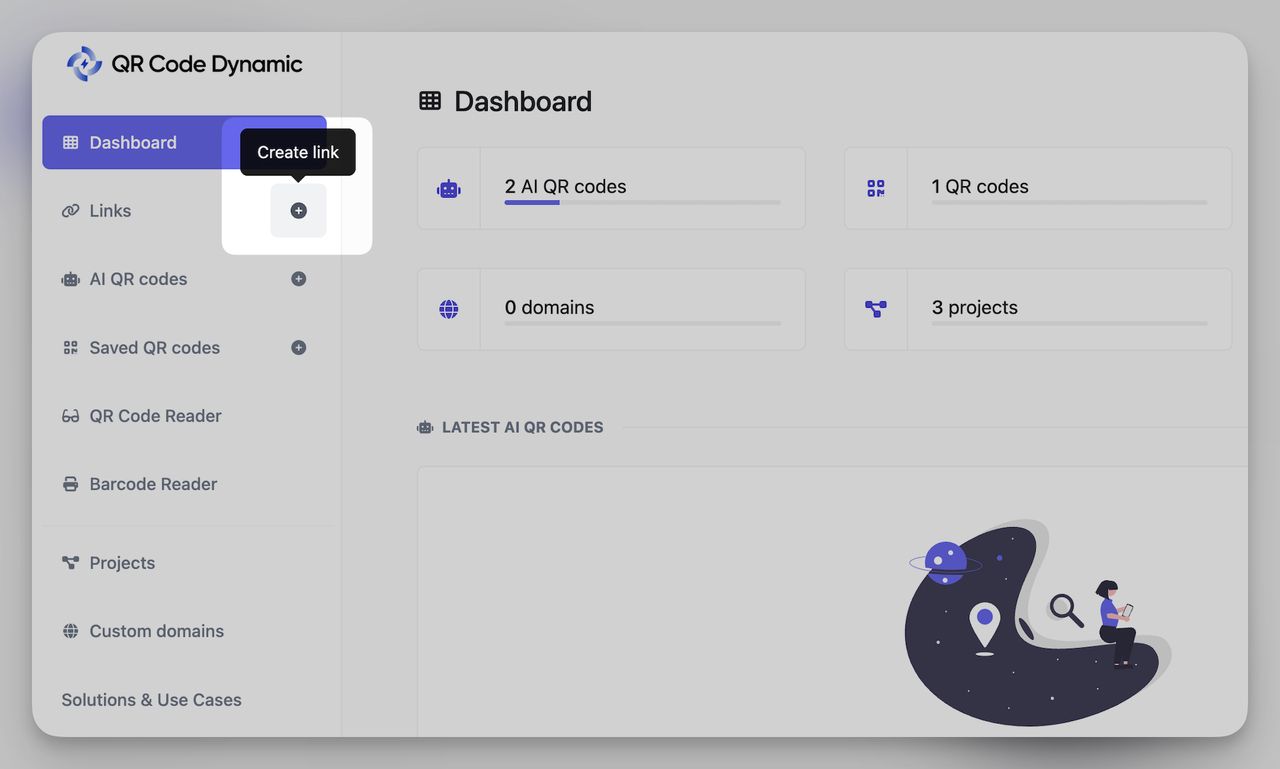
From your dashboard, click Links, then Create new link.
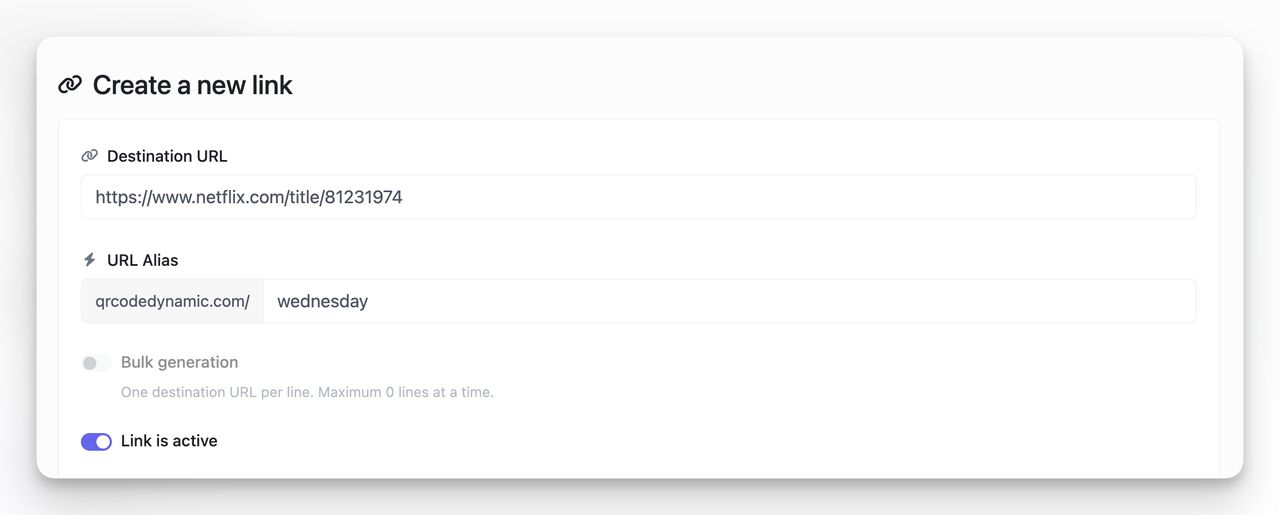
Paste your Netflix link into Destination URL: https://www.netflix.com/title/81231974. Optionally add a URL Alias like qrcodedynamic.com/wednesday for a clean short link, and keep "Link is active" switched on.
4. Enable App Linking
This toggle makes the QR smart. Without it, the link opens in the mobile browser even when the Netflix app is installed.
- Scroll to App Linking.
- Turn on Auto open app on mobile. Installed app opens directly; no app falls back to the web page.
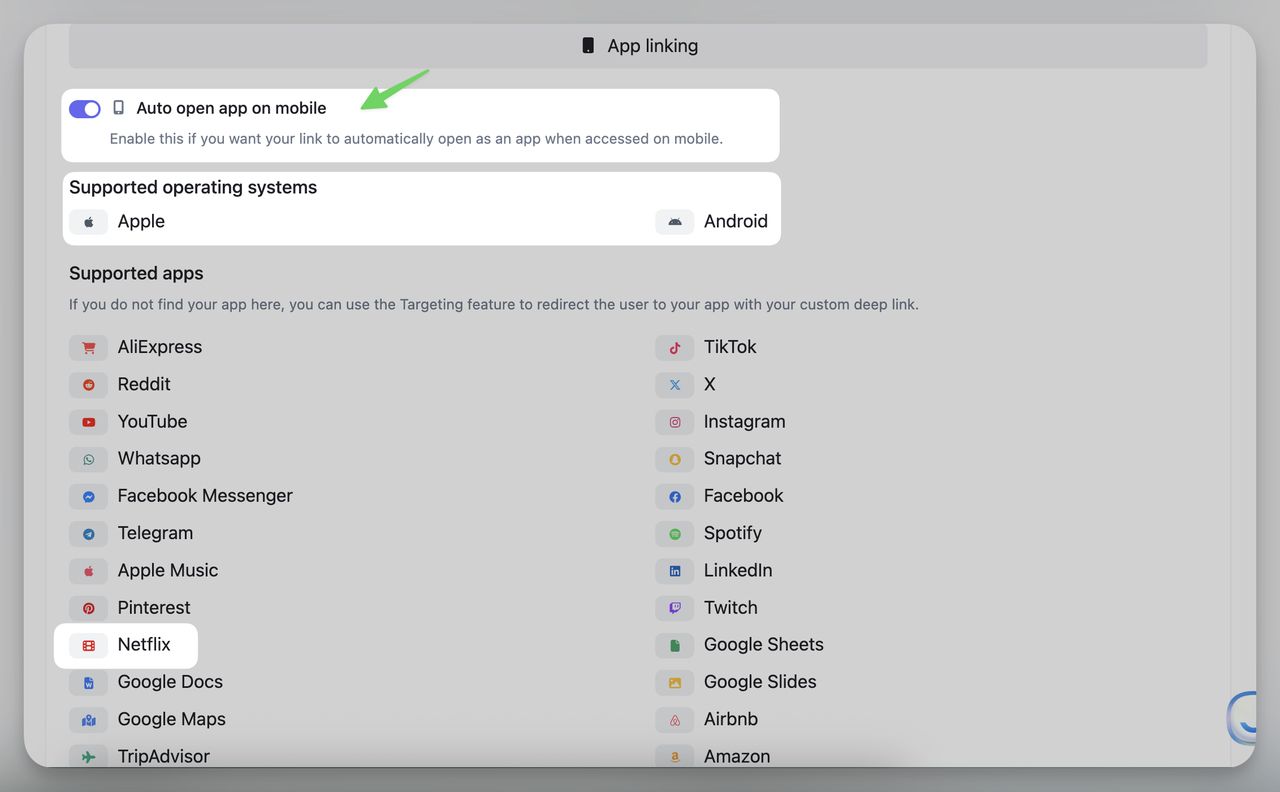
Under Supported operating systems, you'll see Apple and Android checkboxes and a supported-apps list that includes Netflix.
If you see a "Your destination URL is not matching any supported apps" banner, the URL pattern hasn't been recognised. Use https://www.netflix.com/title/<ID> and drop region prefixes like /tr-en/ — the matcher reads the bare path.
5. (Optional) Add Advanced Settings
Extras you'll want for paid campaigns:
- Temporary URL: expire the link on a date or pageview limit.
- UTM parameters: tag the scan source so analytics shows which channel converted.
- Password / content gate: useful for screener links and private Q&A nights.
- Cloaking: hide the long Netflix URL behind your short link in the address bar.
- 301 redirect: recommended for SEO continuity if you change the destination.
Skip these on a basic Netflix QR. They matter the moment you're tracking spend.
6. Create and Download Your QR Code
Once your link is active and app linking is on, head back to the Links list.
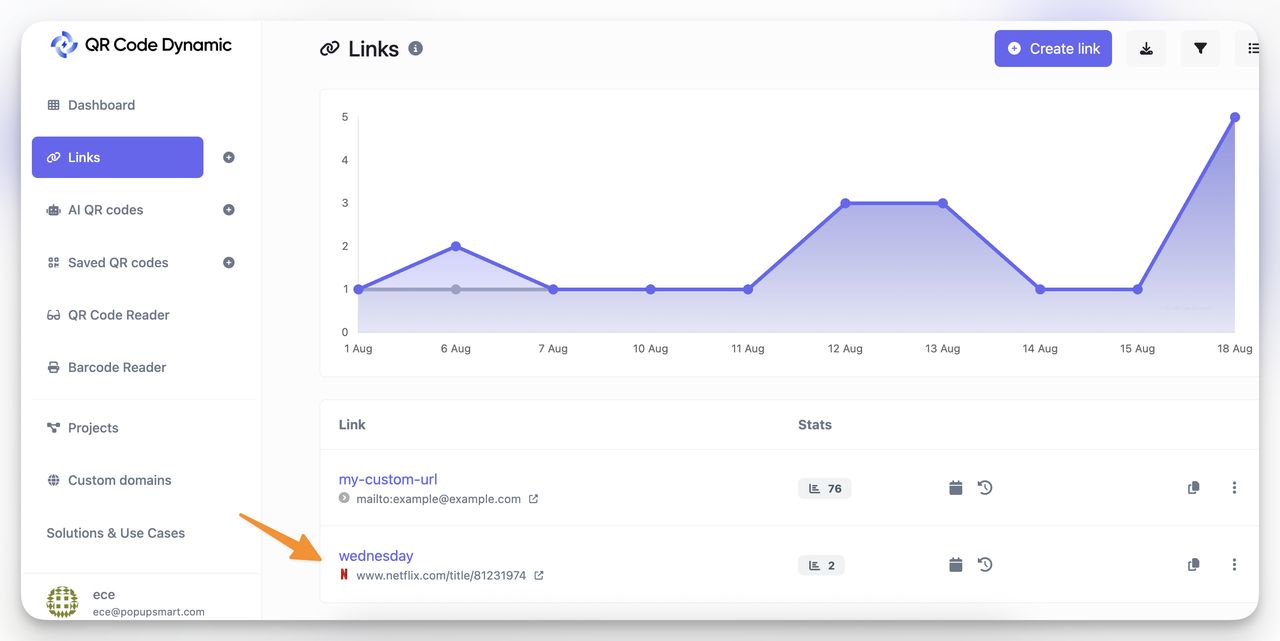
Click the three-dot menu (⋮) next to your Netflix link, then Create QR.
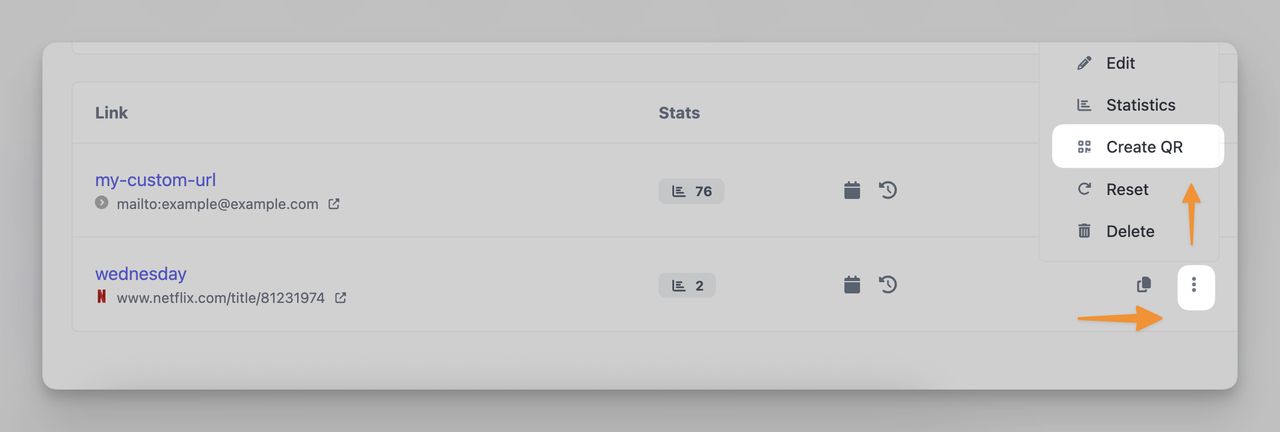
Your short link (e.g. qrcodedynamic.com/wednesday) is pre-filled with a preview on the right. Confirm Dynamic QR code is enabled — that's what lets you swap the destination later if Netflix changes the URL or you want to repoint the same printed QR at a sequel.
7. Style Your QR Code (Optional, but Recommended)
A naked black-and-white QR works, but a styled one converts better:
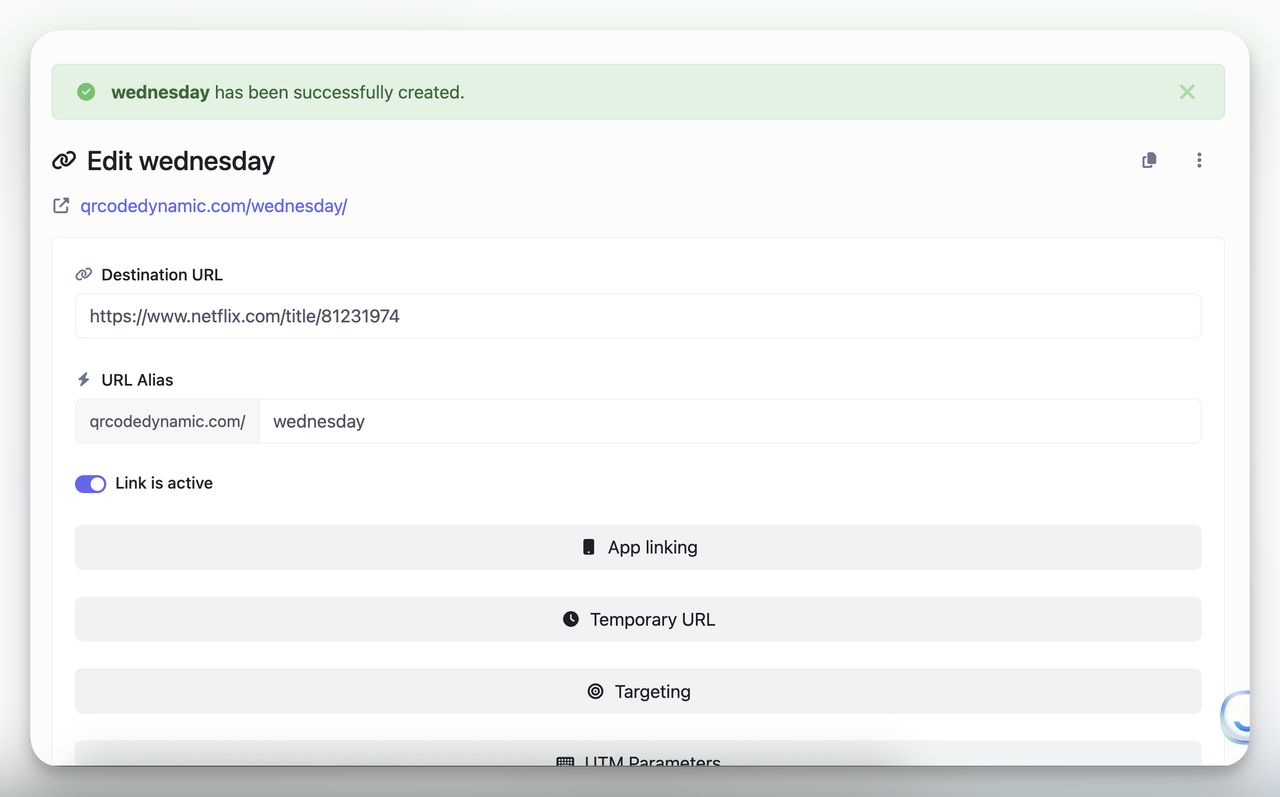
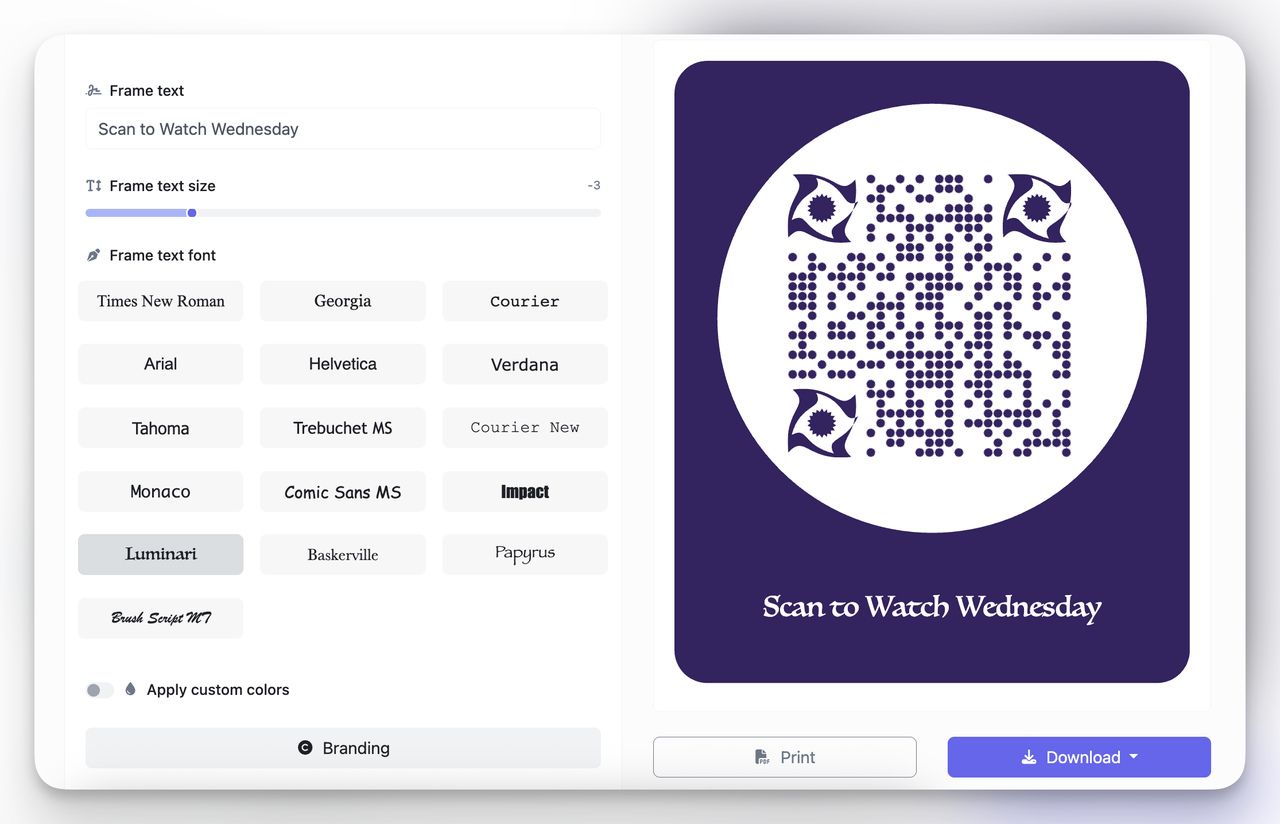
- Colors: match the show's palette (deep purple for Wednesday, neon yellow for Stranger Things).
- Frames: add a CTA like "Scan to Watch Wednesday".
- Logos: drop in the Netflix N or your campaign mark for brand recognition.
8. Test Before You Share
Before printing, run a real-device check using the QR code test guide:
- iPhone & Android: scan with the native camera. The Netflix app should open to the title.
- Desktop: a webcam-based reader should open the Netflix website.
- Airplane mode: a phone with the app but no internet should still launch the app shell.
Best Use Cases of QR Code for Netflix
Someone sees your poster, packaging, or trailer, and within one quick scan they're already inside Netflix watching exactly what you wanted. Five places that payoff lands hardest.
🎬 Movie Posters & Billboards
Without a QR, someone walking past your poster has to remember the title, open Netflix, and search later — if they remember at all. With a QR, they scan and they're inside.
- What I'd do: add one line under the code — "Scan to Watch on Netflix".
- Pro tip: keep the QR at 5–7 cm on a poster. On a billboard, oversize it — people scan from 10+ metres away.
- Fallback: if no app, route to the Netflix title page rather than a dead screen.
Related: QR codes on billboards and QR codes on posters.
🛒 In-Store Displays & Product Packaging
Brand collabs live here. Someone holds your product, flips it over, sees the QR, and watches the collab episode that night. Gecko Engage documents a similar campaign that drew 20 million hits from a single QR placement.
- What I'd do: keep the QR at 2 cm minimum with white space around it.
- Pro tip: print a typed short URL underneath as a manual fallback.
Related: QR codes on product packaging.
📺 Event Screens & CTV Trailers
At events and on CTV, attention windows are short. EMARKETER notes shoppable overlays let viewers scan or click to act, capturing bottom-funnel conversions standard video can't deliver. Same logic for Netflix QRs in trailers and event screens.
- What I'd do: hold the QR on screen for 7–10 seconds with copy like "Scan to watch on Netflix".
- Pro tip: test from the back of the room. If it doesn't scan there, it's too small.
Related: dynamic QR codes for events.
✈️ Hotels, Airlines & Lounges
Hotel guests flipping through an in-room guide respond to a QR captioned "Tonight's Picks on Netflix — scan here" better than a printed list, and you can swap the destination weekly because the QR is dynamic. Put it on tent cards, menus, and in-flight guides; QR codes for hotels covers the placement playbook.
📧 Email, Social Bios & Creator Content
My favorite for digital creators. Instead of "search for this on Netflix," give your audience a one-tap entry — useful in YouTube end-cards, Instagram bio links, and email footers. Tag UTMs so you know whether Instagram, YouTube, or email is doing the work; trackable QR codes walks through the full setup.
The strategic backdrop: Variety reports Netflix is forecasting $50.7–$51.7 billion in 2026 revenue with content spend rising 10% to about $20 billion. Every dollar fights for attention. A QR that takes a viewer from a poster or trailer into the show in one tap is one of the cheapest discovery shortcuts on a campaign.
Deep-Link URL Patterns: Show, Movie, Profile, Search
Most guides stop at /title/<id>. Netflix exposes other URL patterns that work as Universal Links and unlock different campaign ideas:
| Goal | URL pattern | What opens |
|---|---|---|
| Specific show or movie | https://www.netflix.com/title/81231974 | Title page, app or web |
| Search results for a term | https://www.netflix.com/search?q=wednesday | Search page pre-filled with the query |
| Browse a genre or hub | https://www.netflix.com/browse/genre/1819 | Genre row (action, comedy, etc.) |
| Profile selector | https://www.netflix.com/profiles/manage | "Who's watching" picker |
| Kids profile entry | https://www.netflix.com/Kids | Kids-mode home (age-gated content) |
| Netflix Games shortcut | https://www.netflix.com/games | Games hub on mobile and TV |
| Trailer / preview | https://www.netflix.com/watch/<id> | Direct watch page (auto-plays where supported) |
A few notes:
- Search deep links save you when you don't know the title ID at print time —
/search?q=<term>drops viewers into the right place. URL-encode spaces as%20. - Kids profile QRs route into Kids mode and honour the account's parental filters — useful on kid-targeted packaging and museum kiosks.
- Games shortcut matters more every quarter; Netflix has added 100+ mobile games since launch.
Avoid the deprecated nflx:// scheme. It still works on a few old Android builds, but on iOS it produces a "Cannot Open Page" error on devices without the app.
Common Mistakes to Avoid with QR Codes for Netflix & How to Fix Them
Five mistakes I see over and over.
1. Using only the nflx:// scheme. Desktop hits a dead end and some mobile setups ignore it. Keep an HTTPS Netflix URL as the Destination; add deep-link variants only under Targeting for specific OS edge cases.
2. Wrong or incomplete Netflix URL. The matcher can't detect the app and you'll see the "not matching" banner. Use https://www.netflix.com/title/123456 and verify the title ID by opening it in your own browser first.
3. App linking left off. Mobile opens the website even when the app is installed. Turn on App linking > Auto open app on mobile and select Apple and Android.
4. UTMs that disappear at the redirect. Tags drop on the hop from short link to Netflix and attribution breaks. Add UTMs in QR Code Dynamic and enable Forward query parameters so they survive.
5. Tiny or busy QR placement. Low scan rates because the code is too small or low-contrast. Respect a 4–5 mm quiet zone, keep contrast above 50%, and test from real viewing distance before printing.
Smart Fallbacks (So Your QR Always Works)
A smart fallback is the safety net behind the scan:
- Primary: a Netflix HTTPS URL pointing at the title or collection.
- Mobile: app linking launches the Netflix app on iOS and Android.
- Desktop: the same URL opens Netflix.com.
- Optional: route mobile users without the app to an "Install Netflix" page with App Store and Google Play links; route by geo if your platform supports it.
- Always: attach UTMs and forward them so analytics survives.
Netflix QR Scams to Watch For
The same Universal Link mechanics that make Netflix QRs useful also make them a phishing surface. McAfee's scam advisory, citing Fox News reporting, describes attacks that send emails with QR codes redirecting to fake login pages or malware sites — often dressed up as Netflix billing alerts. Patterns to flag:
- "Free month" or "billing failed" emails with a QR. Netflix never asks you to scan a QR from an email to fix billing. That flow lives inside your Netflix account.
- QR stickers placed over real posters. A fake sticker on top of a real Netflix poster at a bus stop is a common physical attack. Check the sticker hasn't been replaced.
- Short URLs that don't resolve to
netflix.com. Long-press the link in your camera preview before tapping; if the unfurled domain isn'tnetflix.com, don't open it. - Fake "Sign in to TV" prompts asking for your password. The real flow at
netflix.com/tv/activatenever asks you to type your password into the TV.
If you run your own Netflix QR campaigns, use a custom branded short domain (so audiences see yourbrand.com/show) and rotate dynamic destinations if a print run gets cloned.
The Bottom Line on QR Codes That Open Netflix
For real views, a QR code that opens Netflix is one of the easiest wins on print and on-screen. The formula:
- Start with an official Netflix URL for the exact title or collection.
- Enable App linking with Auto open app on mobile.
- Keep Apple and Android selected; watch the matcher banner.
- Add OS-specific deep links under Targeting only for real edge cases — never remove the web fallback.
- Attach UTMs, turn on Forward query parameters, and test on real iPhones and Android phones before you print.
This gives you the most reliable cross-device experience with the least effort. Because you're generating a dynamic QR through QR Code Dynamic, you can change the destination and track scans without reprinting. The sister guides for AliExpress and Reddit use the same pattern, and clickable QR codes covers the desktop-tap angle.
FAQ
Can I make a QR code that opens Netflix directly?
Yes. Use a Netflix HTTPS URL like https://www.netflix.com/title/123456 as your Destination and turn on App linking. On mobile it opens the Netflix app first; if the app isn't installed it falls back to the website. For OS edge cases, add platform-specific deep links under Targeting, but always keep the HTTPS URL as the fallback.
Do I need the Netflix app installed?
No. If the app isn't installed, the link loads the Netflix website. Landing users on the web watch page is the least disruptive path — they can sign in there and start watching without leaving the flow.
Will it work on both iPhone and Android?
Yes — when you use app-compatible Netflix URLs and turn on Auto open app on mobile. iOS shows a banner; Android shows a chooser if multiple apps claim the URL. Test on at least one iPhone and one popular Android phone before you print.
What is Netflix QR code login on TV?
It's the pairing flow Netflix shows when you launch the app on a TV, console, or streaming stick. The TV displays a QR pointing at netflix.com/tv/activate with a one-time code embedded. You scan with the phone you're already logged into, tap "Sign in to TV," and the TV signs in within seconds. Netflix issues the QR and the code rotates for security.
I work as a Growth Marketer at Popupsmart, using my 3+ years of SaaS experience to create clear, useful marketing content that helps brands grow, reach the right audiences, and improve their results.