Fahlo QR Code: How to Track Your Animal?

On this page
- What are Fahlo QR Codes?
- How Fahlo QR Codes Work in Animal Tracking
- How to Get Your Fahlo QR Code?
- Step 1: Choose Your Fahlo Companion
- Step 2: Find Your QR Code in the Box
- Step 3: Gifting the Bracelet (Optional)
- Step 4: No QR Code? Email Fahlo Support
- How to Track Your Animal with Fahlo QR Codes
- Step 1: Download the Fahlo App
- Step 2: Scan Your QR Code
- Step 3: Meet Your Animal
- Step 4: Explore the Interactive Map
- Fahlo Conservation Partners and Featured Animals
- Bracelet Care: Keeping Your Fahlo Wearable Looking Good
- Cleaning
- Water Resistance
- Sliding Beads and Loose Knots
- Replacement Cord
- A Few Quick Tips for the Best Tracking Experience with Fahlo QR Codes:
- Fahlo QR Code Troubleshooting and Account Recovery
- "This code has already been used"
- App Won't Log You In
- Lost or Damaged QR Card
- Animal's Tracker Has Gone Quiet
- App Freezing on the Map Screen
- Sharing Fahlo QR Codes: One-Time Scan Rule
- The Bottom Line on Fahlo QR Codes
- FAQs about Fahlo QR Codes
- Can Multiple People Use a Fahlo QR Code?
- How to Scan Fahlo QR Code?
- How Long Does Fahlo Tracking Last?
- What Happens When My Fahlo Pet Passes Away?
- Can I Upgrade or Switch to Another Animal Mid-Tracking?
- Why Is My Fahlo QR Code Not Working?
- Does Each Code Represent a Different Animal?
A Fahlo QR code is a unique single-use code printed on the card inside every Fahlo animal-bracelet box. Scanning it in the Fahlo app pairs your bracelet with a real wild animal — turtle, elephant, polar bear, gorilla, or one of Fahlo's other conservation-partner species — and unlocks the tracking map showing where that animal has roamed.
What are Fahlo QR Codes?
A Fahlo QR code is a scannable code printed on the small card tucked inside every Fahlo bracelet or plush package. Once scanned through the Fahlo app, it pairs your purchase with a single, real wild animal — a sea turtle, elephant, polar bear, gorilla, cheetah, or one of the species Fahlo tracks with its conservation partners.
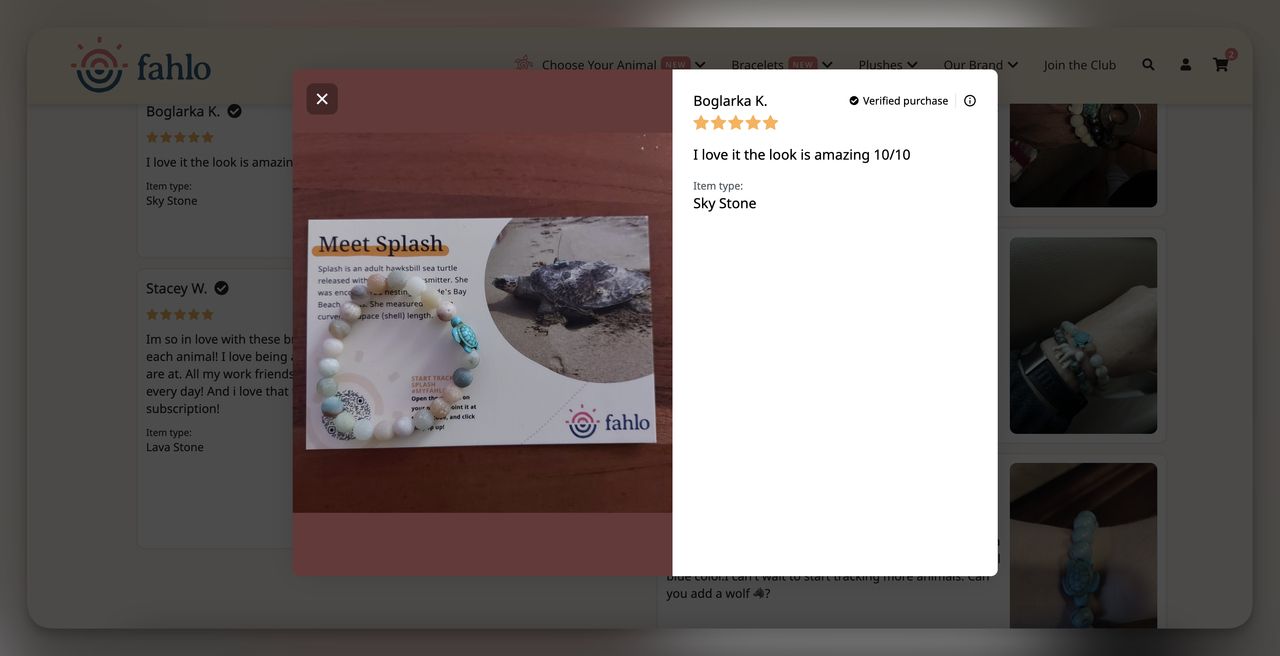
The point is to make wildlife tracking feel personal. Each code is tied to one animal, so the updates you see are about your turtle or your polar bear. The printed code never changes, but the destination URL refreshes as tracking data comes in. Per Fahlo's own statement, "Fahlo bracelets legitimately track real animals in the wild" — sourced from satellite-tagging projects run by recognized nonprofit partners.
It's the same idea behind a trackable QR code in marketing: static code, dynamic destination.
How Fahlo QR Codes Work in Animal Tracking
Fahlo partners with field-research nonprofits to put GPS or satellite tags on real animals, then routes that telemetry into the app you unlock with your code. Per Business Research Insights, the wildlife tracking system market is on track to reach USD 75.17 billion by 2035 from USD 31.47 billion in 2026, at 11.5% CAGR.
How the chain works:
- The animal gets a tracker. Field biologists fit a GPS, satellite, or acoustic tag during a routine research capture.
- The tracker pings a satellite or ground station. Marine animals ping when they surface; land animals ping on a schedule.
- Partners process the data. Conservation organizations clean the raw data and share it with Fahlo.
- Your QR code unlocks one specific feed. The app pulls the latest location data for the animal tied to your code.
- You see the route on a map. Recent positions, sometimes a 3D path, plus extras like dive depth or distance traveled.
Fahlo also throttles how live the data is, through what it calls Fahlo Protection Ping™. The map you're looking at can be:
- Live — where the animal is right now.
- Delayed — where it was a few hours or days ago.
- Historical — past movement patterns only.
Sharing real-time coordinates of an endangered animal can help poachers, so partner nonprofits set the delay window species by species.
How to Get Your Fahlo QR Code?
There's no separate registration or shipping wait beyond the bracelet itself. The code is in the box. Four steps from purchase to scan-ready:
Step 1: Choose Your Fahlo Companion
Pick the bracelet (or plush) that matches the species you want to follow. Buy from sources that guarantee authenticity:
- Fahlo's official website (myfahlo.com). Full catalog, every release, purchase routes directly to the conservation partner.
- Conservation partner websites. Save the Elephants, Sea Turtle Conservancy, and Polar Bears International run Fahlo special editions where a higher share goes to the cause.
- Zoos, aquariums, and wildlife park gift shops. Many license Fahlo for in-person retail.
Avoid third-party marketplace resellers. Fahlo itself confirms: "Fahlo is definitely not an animal tracking bracelet scam, but there are scam copies of our company to watch out for" (per the myfahlo.com partner statement). Counterfeits don't fund conservation and the codes inside often don't activate.
Step 2: Find Your QR Code in the Box
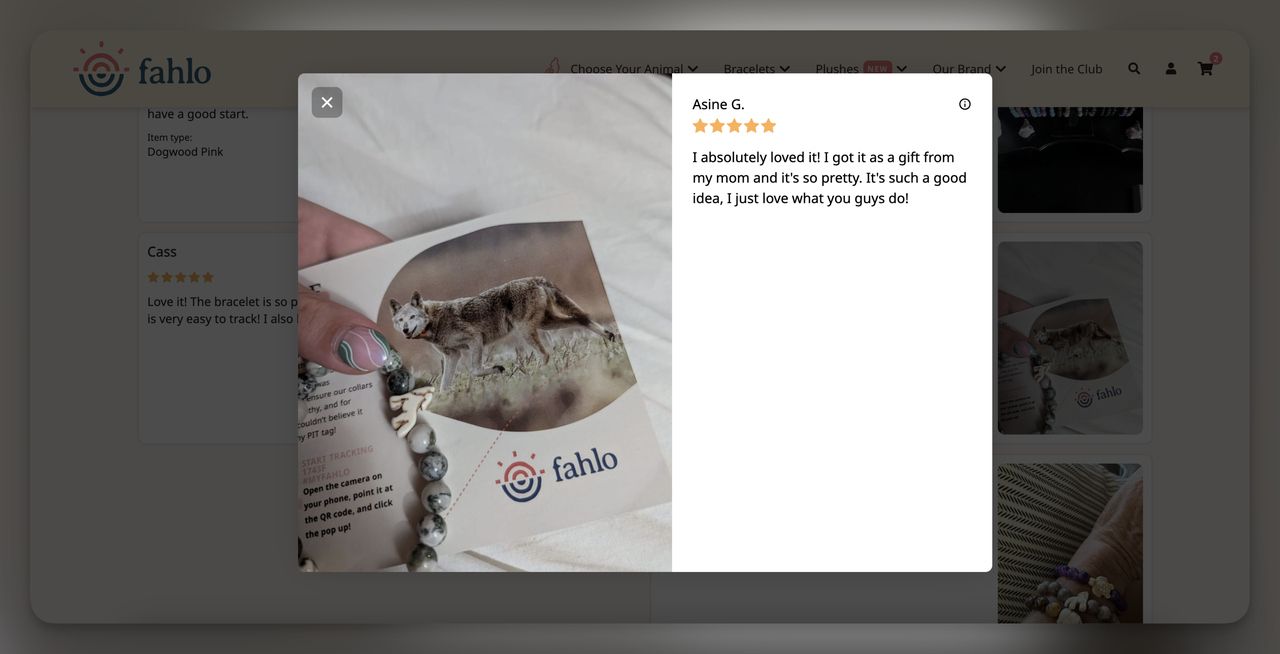
The QR code lives on a small printed card — folded with the animal's profile, name, and a note about the species. Keep this card. If you switch phones or reset the app, you'll want it for re-scanning.
Step 3: Gifting the Bracelet (Optional)
If you're giving the bracelet as a gift, leave the card inside the box and don't scan it yourself. The recipient activates it on their account — that way the animal lives in their app, not yours.
Also, you may want to take a look at: QR Codes on Gift Cards.
Step 4: No QR Code? Email Fahlo Support
If the card is missing or damaged, email support@myfahlo.com with your order number. Most users report a same-week turnaround on a re-linked code.
How to Track Your Animal with Fahlo QR Codes
Ready to start following your animal's journey? The setup takes about five minutes once you have the bracelet, the card, and a phone with a working camera. Here's the full flow.
Step 1: Download the Fahlo App
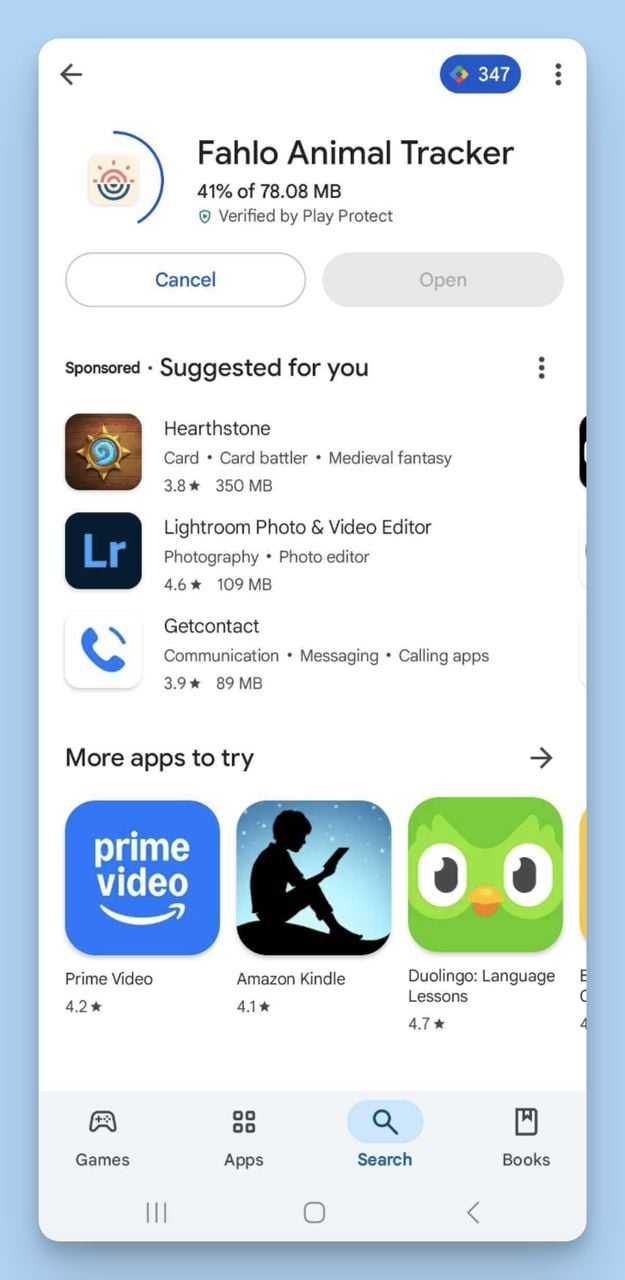
Open the App Store or Google Play and search "Fahlo Animal Tracker." It's free. Make sure the publisher is Fahlo, Inc. — copycat apps with similar names won't read Fahlo's codes.
Step 2: Scan Your QR Code
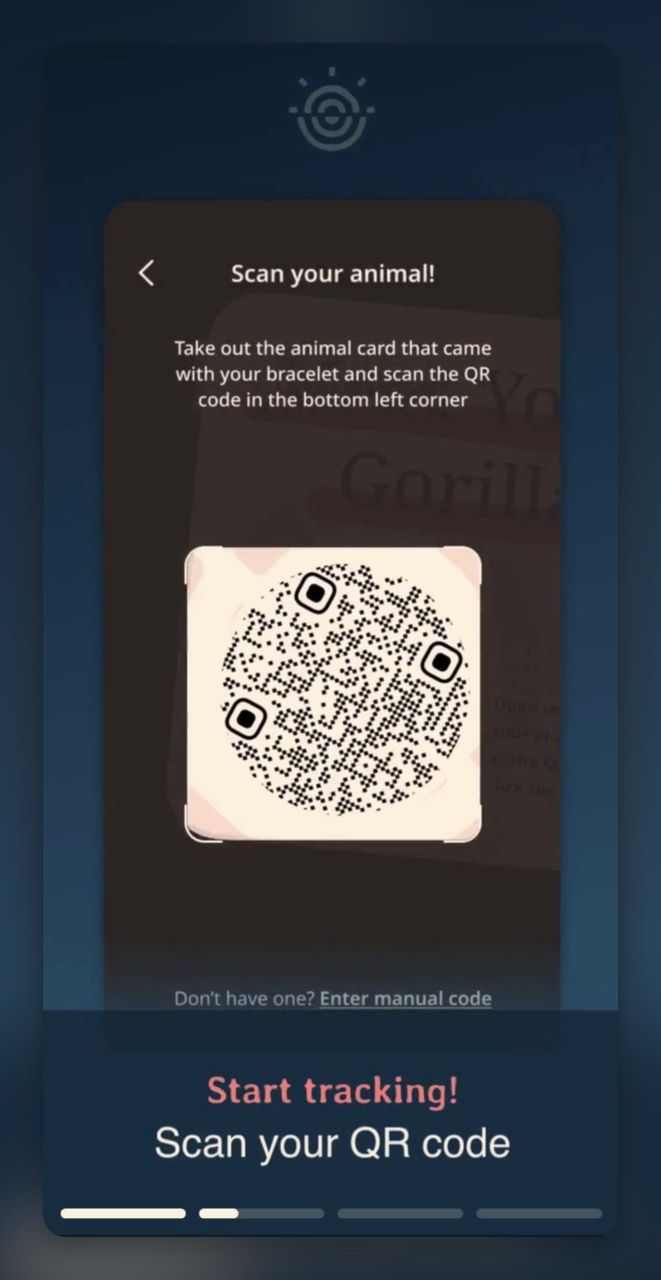
Sign into your account and tap "Add Animal." Hold your phone six to ten inches from the card under overhead light — direct sunlight throws glare. If the in-app scanner stalls, your phone's native camera will also read the code and offer to open the link.
If the print is faint or you only have a screenshot, the scan QR code from screenshot guide covers it.
Step 3: Meet Your Animal
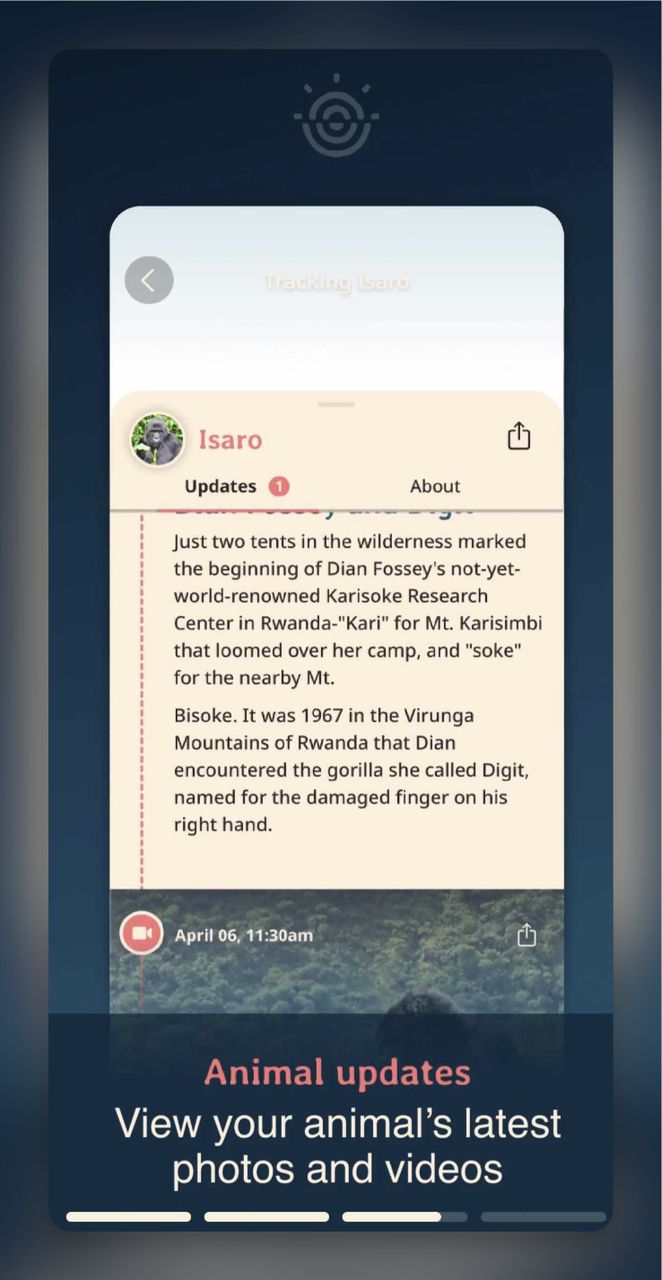
After the scan, you land on the animal's profile: name (something like "Isaro" or "Banks"), species, a field-team photograph when one exists, and a short story on how the animal was tagged.
Step 4: Explore the Interactive Map
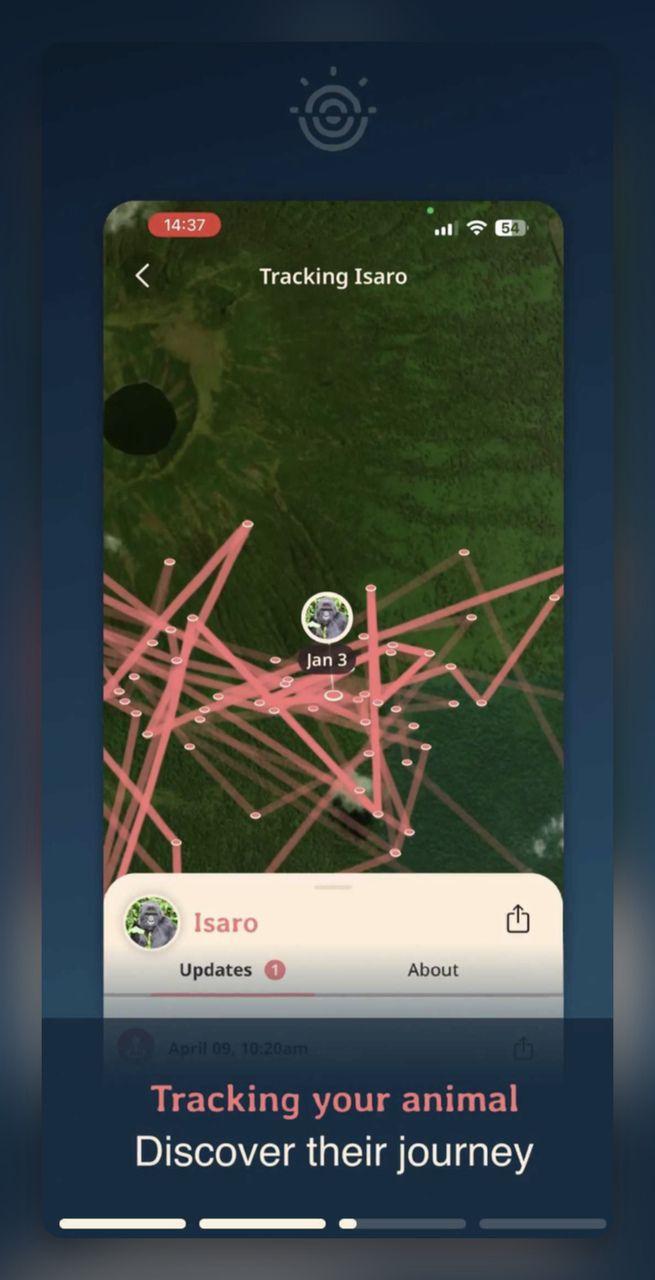
Tap the map view to see the animal's recent route. Pinch to zoom, swipe to follow the path, and tap a pin for timestamp and environmental data the partner shared.
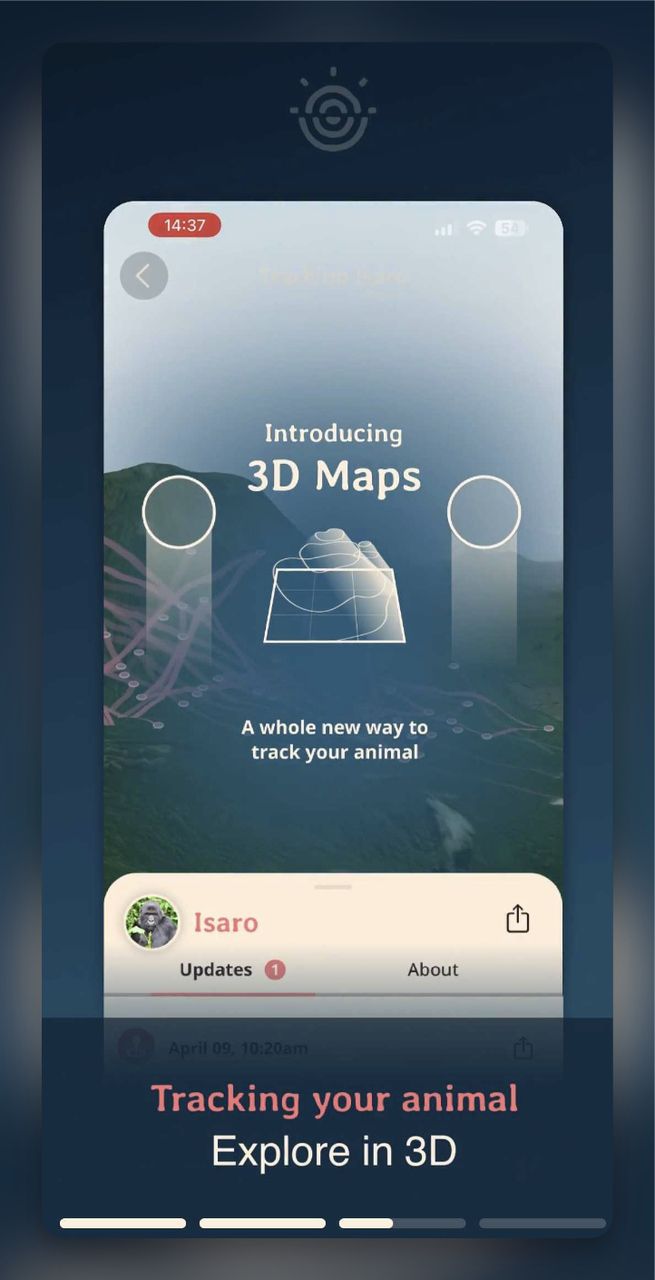
Want to follow your animal's journey in more detail? The newer 3D map view lets you tilt the terrain, watch elevation changes, and get a real sense of the terrain your animal moves through.
Fahlo Conservation Partners and Featured Animals
Each bracelet design ties to a specific nonprofit doing the field work. The roster covers four ecosystems — marine, polar, savannah, and forest:
| Animal | Conservation Partner | What Your Purchase Supports |
|---|---|---|
| Sea Turtle | Sea Turtle Conservancy | Satellite tagging, nesting beach protection, anti-poaching patrols |
| Elephant | Save the Elephants | Collar tracking in Kenya, human-elephant conflict mitigation |
| Polar Bear | Polar Bears International | Sea ice research, maternal den monitoring, climate work |
| Cheetah | Cheetah Conservation Fund | Habitat preservation, livestock-guarding dog programs |
| Gorilla | Dian Fossey Gorilla Fund | Daily ranger tracking, anti-snare patrols in Volcanoes NP |
| Shark (multiple species) | Saving the Blue and shark research collaboratives | Tagging studies, migration mapping, fishery policy work |
| Whale Shark, Walrus, Seal, Sloth | Newer 2025 partners | Marine biodiversity programs and Arctic monitoring |
Per a Lemon8 community post, Fahlo recently added "five new animals…the whale shark, walrus, seal, regular shark, and sloth!" in one rollout.
Bracelet Care: Keeping Your Fahlo Wearable Looking Good
The bracelet is meant to be worn — beach trips, showers, workouts. Most complaints aren't about the tracker; they're about beads sliding loose or the cord fraying after a year. A few habits prevent that.
Cleaning
- Daily: Wipe with a soft damp cloth.
- Weekly: Mild soap and lukewarm water. Avoid alcohol-based cleaners — they dull metal charm finishes.
- Drying: Pat dry, then air dry overnight. Wet cord weakens faster than dry cord.
Water Resistance
Fahlo bracelets handle handwashing, rain, and a quick swim. They aren't rated for prolonged saltwater exposure or hot tubs. Chlorine and salt accelerate cord wear and corrode the metal hardware. If you snorkel often, take it off first.
Sliding Beads and Loose Knots
If a bead drifts, slide it back and pinch the cord on either side firmly for a few seconds — the cord has memory and will hold. If the adjustable knot has loosened, a single drop of clear nail polish on the knot (dry overnight) will lock it without making the bracelet stiff.
Replacement Cord
If the cord eventually breaks, email support@myfahlo.com with your original order — Fahlo sometimes offers replacement bracelets at a discount. Re-stringing yourself is also doable; most styles use 1mm waxed cotton cord available at any craft store.
A Few Quick Tips for the Best Tracking Experience with Fahlo QR Codes:
- Reliable connection helps. A stable Wi-Fi or mobile signal stops the app from timing out while pulling new position data.
- Protect your QR card. A laminate or sleeve keeps the QR card safe for years. Wallet works; drawer with loose change does not.
- Turn on push notifications. The experience improves once your phone pings the moment your turtle surfaces or your polar bear shifts hunting grounds.
- Save your account credentials. Switch phones, sign back in, animals still there. Lose the login and you're re-creating from your QR cards.
Fahlo QR Code Troubleshooting and Account Recovery
Most Fahlo issues fall into a handful of patterns. The fixes are quick once you know which one you're hitting.
"This code has already been used"
Someone has paired the code with an account. If the bracelet was a gift and the giver scanned it to "check," it's now on their account. Two paths: have them transfer to you (Fahlo support can help if recent), or email support@myfahlo.com with your order number for a fresh code.
App Won't Log You In
If the password reset email isn't arriving, check spam — Outlook in particular sandboxes transactional emails. If still nothing after ten minutes, try from a different network (toggle Wi-Fi off, use mobile data). On iOS, fully closing and reopening the app clears a stuck login screen. Last resort: reinstall.
Lost or Damaged QR Card
The card is the only physical record of your code. If it's lost or faded past readability, email support@myfahlo.com with your order number and species. Support can look up the code and pair it directly to your account.
Animal's Tracker Has Gone Quiet
If the map hasn't updated in weeks: the animal moved into terrain that blocks satellite signal, the tracker battery has reached end of life, or the partner is processing data on delay. Fahlo guarantees tracking for at least six months — if you're inside that window with no updates, support will reassign you a new animal.
App Freezing on the Map Screen
The 3D map is GPU-heavy on older phones. Switch to 2D view in map settings. On iPhones older than the iPhone X and most three-year-old Androids, 2D is just smoother.
Sharing Fahlo QR Codes: One-Time Scan Rule
A question that comes up constantly: can my friend scan my QR code too? The short answer is no.
Each Fahlo QR code is single-use. Once scanned and paired to an account, a second scan from another phone hits the "already used" error. This is enforced server-side — sharing a screenshot of the card won't let a friend track the same animal independently.
Fahlo confirms this is intentional. Per myfahlo.com, "Fahlo bracelets legitimately track real animals in the wild" — and the funding model depends on each bracelet representing one contribution to the conservation partner. If 500 people share one code, the partner gets one bracelet's worth of funding for 500 trackers' worth of attention.
What you can do:
- Show your map in person. Hand them the phone, watch the journey together.
- Buy a bracelet as a gift. Same species, different code, different account, second contribution. This is what Fahlo encourages.
- Track different animals in the same household. Each person scans their own code on their own phone and you compare maps.
If you mainly want trackable QR codes for your own products — not Fahlo's animal program — QR Code Dynamic builds dynamic codes with scan analytics for marketing use. Different use case, same underlying mechanic.
The Bottom Line on Fahlo QR Codes
Fahlo QR codes bridge a piece of jewelry on your wrist to a satellite tag on a real animal halfway around the world. Scan the card, meet the animal, watch its actual route. Single-use by design — that's what makes the conservation funding model work.
If you're new, start with one species — turtle, elephant, or polar bear — buy from myfahlo.com or a partner site, scan the card, check the map once a week. Curious about the QR mechanics underneath? The QR code tracking guide breaks it down.
FAQs about Fahlo QR Codes
Can Multiple People Use a Fahlo QR Code?
No. Each code activates once and locks to the first account that scans it. Fahlo monitors and limits reuse server-side. A friend who wants to track the same species needs their own bracelet and code.
How to Scan Fahlo QR Code?
Download the Fahlo Animal Tracker app, sign in, tap "Add Animal," and point your phone's camera at the code on the card. The app picks it up automatically. If the in-app scanner stalls, your phone's native camera will also read it.
How Long Does Fahlo Tracking Last?
Most transmitters operate around a year. Some run up to two years on land animals; marine trackers in saltwater can run shorter. Fahlo guarantees at least six months — if your signal drops sooner, support reassigns a new animal at no cost.
What Happens When My Fahlo Pet Passes Away?
The transmitter stops sending fresh data, either suddenly or after irregular movement the partner confirms. You can request a new animal to keep tracking; the previous animal's historical data stays in your app as a memorial.
Can I Upgrade or Switch to Another Animal Mid-Tracking?
Yes. Each code locks to one animal, but you can buy a second bracelet for a different species. Plenty of users track a turtle, a polar bear, and an elephant in the same app to support several projects in parallel.
Why Is My Fahlo QR Code Not Working?
Common causes: the code was already scanned, the card print is faded, or the app is out of date. Try the native camera as backup. Update the app. If still stuck, email support@myfahlo.com to verify whether the code is defective or paired elsewhere.
Does Each Code Represent a Different Animal?
Yes. Each bracelet ships with a unique code mapped to one creature. Fahlo occasionally rotates animals if a transmitter goes offline, but the code stays valid and points to the new animal — you'll see an in-app notification.
You can also check out these contents:

I work as a Growth Marketer at Popupsmart, using my 3+ years of SaaS experience to create clear, useful marketing content that helps brands grow, reach the right audiences, and improve their results.