QR Codes on Posters: 14 Use Cases & Best Practices for 2026

On this page
- Why QR Codes Belong on Posters in 2026
- 14 Creative Use Cases for QR Codes on Posters
- 1. Event RSVP and Ticket Sales
- 2. Movie and Film Premiere Posters
- 3. Concert and Music Event Posters
- 4. Academic and Research Conference Posters
- 5. Charity and Awareness Campaigns
- 6. University and College Recruitment
- 7. Retail Promotions and Coupon Posters
- 8. Restaurant Menu and Order Flow
- 9. Real Estate Open House Posters
- 10. Conference and Trade Show Booths
- 11. Missing Persons and Community Alert Posters
- 12. Healthcare Information and Appointment Booking
- 13. Job Recruitment and Application Posters
- 14. Art Exhibition and Museum Interpretive Posters
- How to Add a QR Code to a Poster: 5 Steps
- Best Practices for Placement, Sizing, and Design
- Common Mistakes to Avoid
- Frequently Asked Questions
- How can I put a QR code on a poster?
- Do QR codes work on posters?
- How to create a QR code for a poster?
- What are the benefits of using QR codes on posters?
- What size QR code do I need for a poster?
- Pick the Poster Use Case That Drives Your Next Scan
To use a QR code on a poster, generate a dynamic code pointing to a mobile-friendly landing page, size it at least 3 cm for close viewing or 10 cm for back-of-room reads, place it with a quiet zone and a short CTA, then test on three phones before printing. Dynamic codes let you edit the destination post-print.
Why QR Codes Belong on Posters in 2026
Posters used to be a one-way pitch. You printed them, hung them, and hoped the right people read the right line. A QR code turns that pitch into a two-way conversation, and the audience for that conversation has gotten enormous.
According to Supercode, 93% of marketers now use QR codes in some part of their stack, and more than 99.5 million U.S. consumers scan a code each month. Posters are one of the cheapest places to put a scannable code in front of someone with a phone in their hand.
The print canvas is getting bigger too. Supercode projects the global out-of-home advertising market will grow from $31.89 billion in 2023 to $66.93 billion by 2032. More OOH spend means more posters competing for attention, which is when measurable scan data decides whether a campaign gets renewed or cut.
The performance lift is concrete. Marketing LTB reports that QR codes on out-of-home placements deliver 2x to 4x the response rate of print codes that ask people to type a URL. Typing kills intent. Scanning preserves it.
Broadsign estimates that over 94 million U.S. consumers will use smartphone QR scanners this year, projected to reach 102.6 million by 2026. Anyone with an iPhone or Android from the last seven years can scan without a separate app.
The post-scan intent is strong too. OAAA found that 46% of people use internet search and 38% visit a webpage after seeing OOH content. A QR code shortens that journey from "I'll look it up later" to a single tap.
My take after writing about QR codes for the last few years: posters without a code leave the entire measurement layer on the floor. You can't A/B test a printed phone number. You can A/B test two posters with two different dynamic codes pointing to two different landing pages, then kill the loser and reprint.
14 Creative Use Cases for QR Codes on Posters
The 14 use cases below cover the most common poster contexts I've seen work in 2026: events, retail, education, hospitality, public service, and the long tail of campus and community boards. Each one includes how to set it up, what destination URL works best, and which mistakes to avoid.
1. Event RSVP and Ticket Sales
The highest-converting use case for a poster QR code is selling event access. A reader looks at a poster for a meetup, a workshop, or a conference, decides in five seconds whether they want in, and either acts or forgets the event existed.
The destination should be the ticket page itself, not the event homepage. A homepage forces a second click and adds drop-off. If you're using Eventbrite, point the dynamic code directly at the event listing — see our guide on QR codes for Eventbrite for the exact setup.
Add a short CTA above the code: "Scan to RSVP" beats "Scan for more info" because it tells the brain what happens next. Track scans by location if you're hanging posters in multiple venues — one dynamic code per print location tells you whether the coffee shop or the co-working space is pulling traffic.
2. Movie and Film Premiere Posters
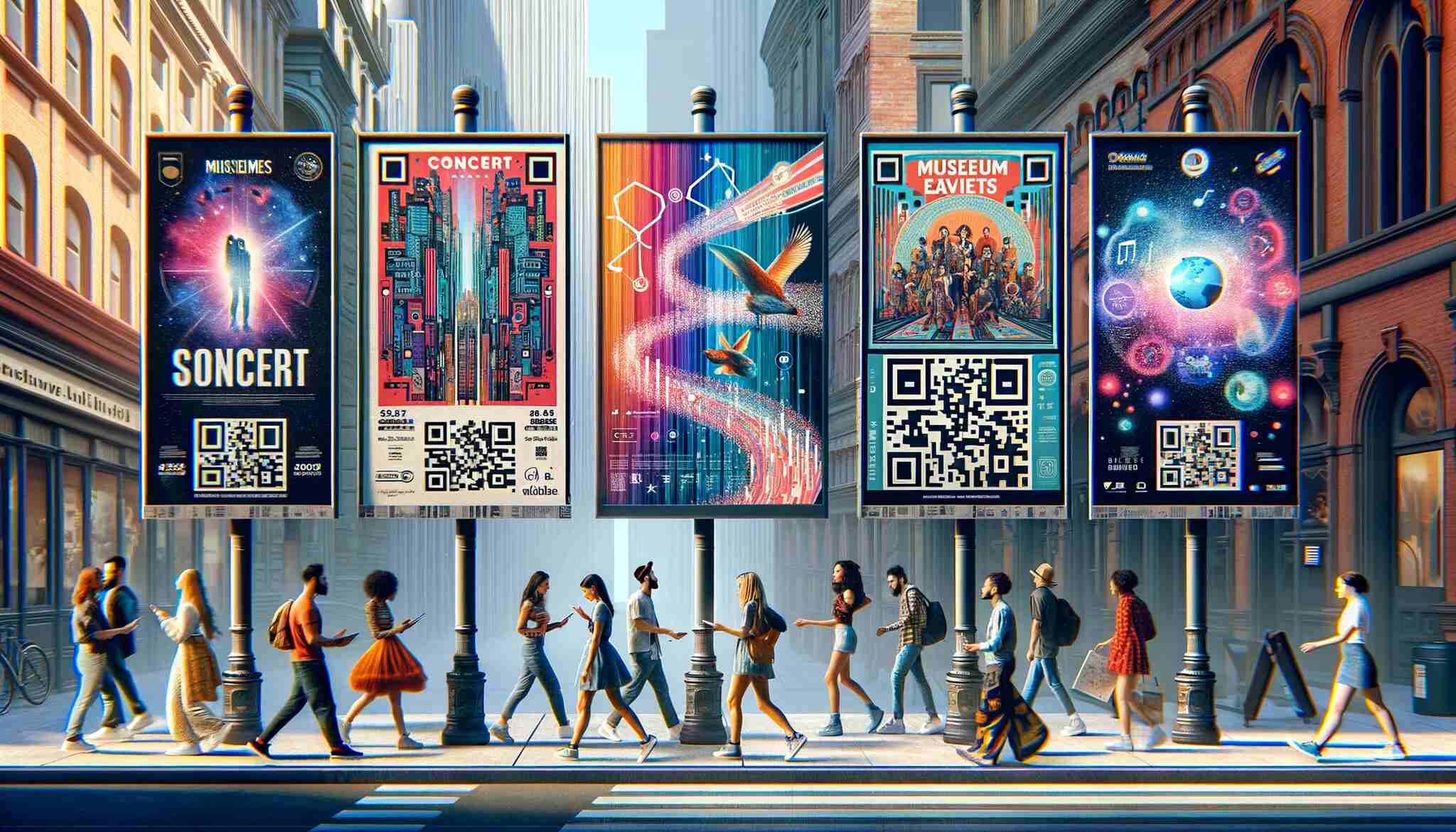
Film marketing has been one of the most aggressive adopters of QR codes on out-of-home placements. The poster on a bus shelter is the trailer's billboard, and the QR code is the trailer itself. Scan, and the trailer plays.
Studios use dynamic codes to swap destinations as the campaign matures. Six weeks before release: trailer plus theater locator. Two weeks out: ticket pre-sale page. Release week: showtimes near you. Post-release: streaming or sequel teaser. The poster never changes; the experience behind it evolves with the marketing calendar.
AR experiences are the upgrade path — point the code at a WebAR page that overlays the antagonist onto the poster art when the camera is held to it. This is the one use case where a custom branded code (with the film's logo in the center) earns its design time, because the poster is already a design object people are looking at closely.
3. Concert and Music Event Posters
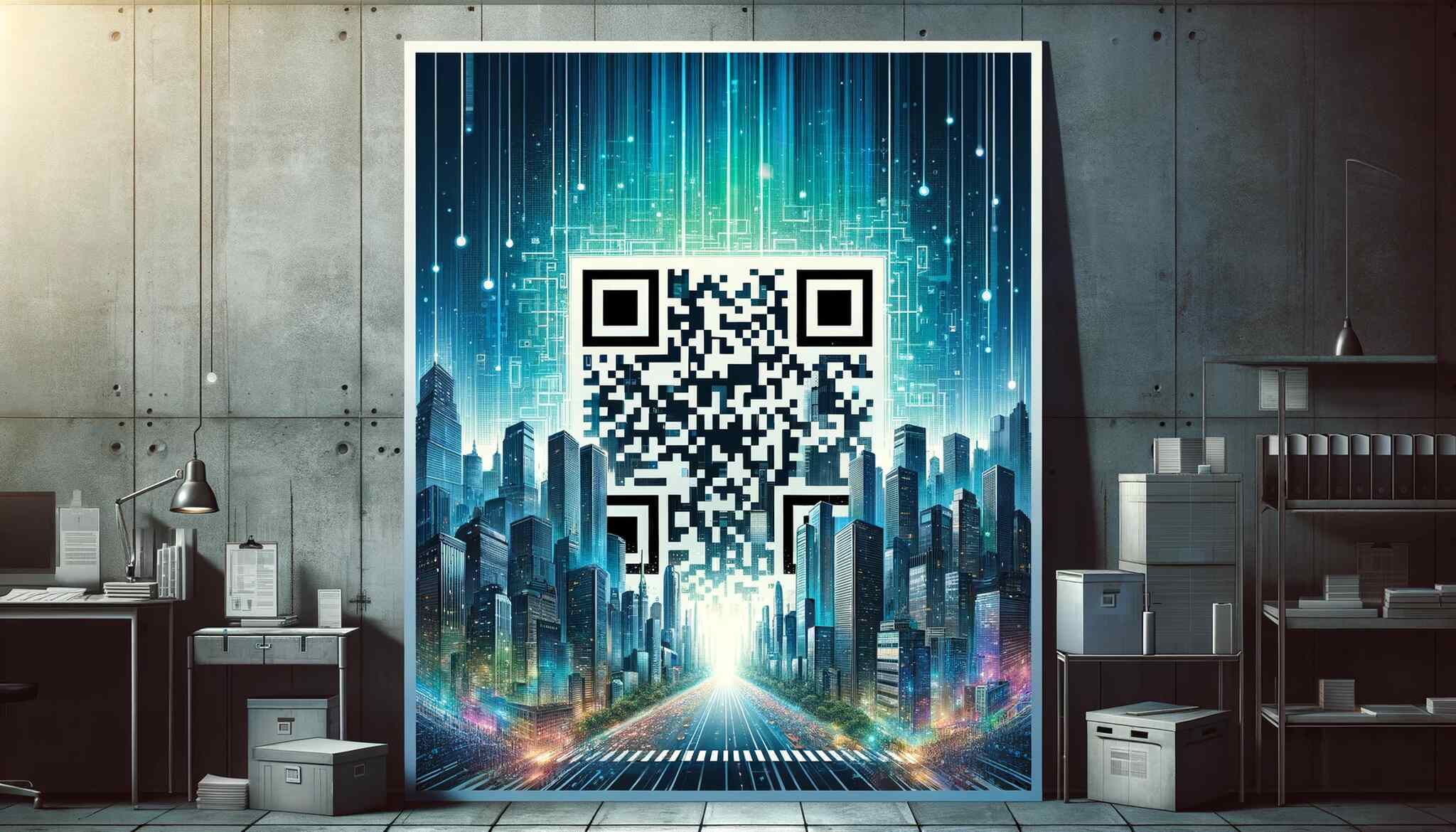
Concert posters are where Spotify pre-saves and ticket lookup work hardest. Most people who stop to read a concert poster already know the band or are curious enough to want a sample. The QR code answers "what do they sound like" and "how do I go" in one scan.
The best destination is a smart link page that detects the user's region and routes them to local ticket inventory or to a streaming pre-save for the new album. Pair it with a one-line CTA: "Scan to listen. Scan to go."
For a venue running a residency or a tour series, use a single dynamic code that you re-point each week to the next artist. The poster on the wall stays the same, the URL rotates with the calendar, and your design budget drops to zero after the first print run.
4. Academic and Research Conference Posters
This is the use case the r/PhD community keeps pointing out, and most generic QR-on-poster articles miss it. Academic posters are space-constrained. You can't fit a full reference list, an extended methodology, or a contact card on a 36x48 print without sacrificing the figures.
A QR code solves all three. Point one code at a Drive or institutional repository folder with the bibliography, supplementary tables, and the underlying dataset. Add a smaller code in the corner for a vCard with the researcher's email, ORCID, and lab page — see our guide on QR codes for sharing contact details for the vCard setup.
The dynamic part matters. After the conference, re-point the references code at the preprint or the eventually-published paper. The poster still hanging in the lab corridor a year later now links to the final version, not the half-finished symposium copy.
5. Charity and Awareness Campaigns
Non-profit posters live or die on the conversion between "I care about this" and "I just donated." Cash is gone, mobile payment is normal, and a donation page with Apple Pay or Google Pay takes about eight seconds to complete. The QR code closes that loop.
Point the code at a pre-filled donation page with a suggested amount, not a blank form. Donation conversion roughly doubles when the form has a default value selected. Petitions and email signups work similarly — the form should ask for one field (email) and nothing else, because every additional field cuts completion.
For awareness campaigns where the ask isn't money, point the code at a shareable graphic or short video. The win condition is the share, not the scan, so make the destination shareable in two taps.
6. University and College Recruitment
Recruitment posters sit on high school hallway boards, community college bulletin walls, and at college fairs. The reader is usually a junior or senior who won't type a long URL into a phone keyboard. The QR code is the only realistic call-to-action a paper poster can support here.
Point the code at a campus tour booking page or a "request a brochure" form, not the admissions homepage. The destination should match the funnel stage. At a fair, the visitor is high-intent — go straight to the application portal. In a public space without context, give them a video tour first.
Track scans by school or fair location with separate dynamic codes per poster batch. After two recruitment cycles you'll know which high schools convert and where to send more reps next year.
7. Retail Promotions and Coupon Posters
Window-display posters with QR codes that unlock coupons are one of the most measurable retail tactics around. The scan-to-coupon flow tells you exactly how many walk-bys turned into intent, and the redemption at checkout closes the loop to revenue.
Set up the coupon as a single-use code generated on the landing page, not a flat percentage applied automatically. Single-use codes prevent screenshot-and-share leakage and keep the discount tied to actual scans. Match the dynamic QR code to a unique store location to compare scan volume across branches.
For seasonal campaigns, re-point the same physical poster through Black Friday, the holidays, and January clearance without printing anything new. For the wider ad-format context, see our deeper write-up on QR code advertising.
8. Restaurant Menu and Order Flow
Posters in restaurant windows or near the door work as a menu preview for people deciding whether to come in. A QR code can do two things at once: show the full menu (which is bigger than the poster can hold) and capture the email of curious passers-by who haven't crossed the threshold yet.
For takeaway-heavy spots, point the code at the order page directly. For full-service restaurants, point at the menu and let the host handle seating. The dynamic part is useful for daily specials — the poster can stay up for months while the destination URL rotates with the menu.
The poster QR is also the simplest reservation funnel for restaurants without a dedicated booking app. Point it at OpenTable, Resy, or a Google Form, and the entire reservation flow happens on the phone of someone already standing in front of your window.
9. Real Estate Open House Posters
Real estate is one of the older QR code use cases and still one of the best, because the buying decision happens at the property, not at the office. A poster in a yard or window lets a passer-by tour the listing without ringing a doorbell.
Point the code at the listing page with photos, floor plan, and contact form. If you're using a CRM like HubSpot or Follow Up Boss, route the scan through a tracked URL so the lead lands in the right pipeline with the right source attribution.
For agents running multiple open houses on the same weekend, one dynamic code per property plus one master "all my listings" code on the car magnet covers both the property-specific and general-interest scans.
10. Conference and Trade Show Booths
Conference posters at a booth do two jobs: pull in foot traffic, and let people who don't want to talk to booth staff still capture your information. The QR code is for the second group, which is usually larger than the first.
Point the code at a one-page lead magnet — a slide deck, a checklist, a benchmark report — that asks for an email in exchange for the download. The badge scan gives you a name; the QR code scan gives you intent.
For multi-day events, re-point the code each day at a different asset: keynote slides on day one, demo signup on day two, a discount code for the next conference on day three. Same poster, three campaigns, three conversion paths.
11. Missing Persons and Community Alert Posters
Community boards, coffee shop corkboards, and lamp-post posters for missing persons or lost pets have always been print-first because urgency outpaces digital reach. A QR code lets the reader move from "I saw this" to "here's the tip" in one motion.
Point the code at a tip submission form with optional photo upload, not a phone number. Witnesses are more likely to share what they saw if they can type or attach evidence privately than if they have to call. For pet recovery posters, the code can point at a single page with the pet's photo, last-seen location, and the owner's contact options.
This is one of the few use cases where I'd recommend a static code over a dynamic one, because the destination shouldn't change and you don't want a missing-person URL to expire when the search ends.
12. Healthcare Information and Appointment Booking
Clinics, hospitals, and public-health campaigns use posters for everything from vaccination schedules to specialist referral paths. The QR code can lead to a translated information sheet, an appointment booking system, or a symptom checker.
The translation angle is the underrated one. Print a poster in English, but route the QR code through a landing page that auto-detects the phone's locale and serves the content in Spanish, Vietnamese, or whatever the local population speaks. The poster gets cheaper to localize because the content layer is digital.
For appointment booking, integrate with the clinic's existing scheduling system — Athenahealth, Epic, or a third-party widget — so the scan-to-appointment flow doesn't bounce the patient between three systems.
13. Job Recruitment and Application Posters
HR posters on warehouse walls, retail back rooms, and hourly-wage hiring boards convert better with a QR code because the typical applicant has a phone, not a laptop. Point the code at a mobile-first application form, not a desktop ATS portal.
Greenhouse, Workable, and Lever all have mobile-friendly application flows; legacy ATSs like Taleo and iCIMS often don't. If your ATS doesn't render well on a phone, build a simple intake form (email plus availability) and have a recruiter follow up by email.
For high-volume hiring, one poster with one QR code can replace an entire stack of printed applications. The dynamic URL lets you swap roles when openings change without reprinting.
14. Art Exhibition and Museum Interpretive Posters
Museum and gallery posters work differently from retail. Visitors are already engaged, already standing still, and already in the mood to learn more. The QR code is the audio guide, artist bio, curator's notes, and museum shop link rolled into one.
Point the code at a mobile page with short audio narration, a high-resolution image gallery, and a "support this exhibit" donation button at the bottom. Track scans per exhibit poster to see which works generate the most curiosity — useful data for curators planning the next show.
For traveling exhibitions, dynamic codes let one poster design follow the show to different cities, with city-specific dates and tickets behind each scan. Posters in Berlin and Tokyo can look identical and route to different ticket pages.
How to Add a QR Code to a Poster: 5 Steps
The mechanical process is the same regardless of which of the 14 use cases above you're running. The decisions below are what separates a poster code that converts from one that gets ignored.
- Define the destination first. Don't generate the code until you know what's on the other side. A QR code with no mobile landing page is just decoration. Build the page, test it on three phones, then generate the code.
- Build a mobile-first landing page. The page should load in under two seconds on 4G, fit on a single screen without scrolling, and have a single dominant call-to-action. Anything else is friction.
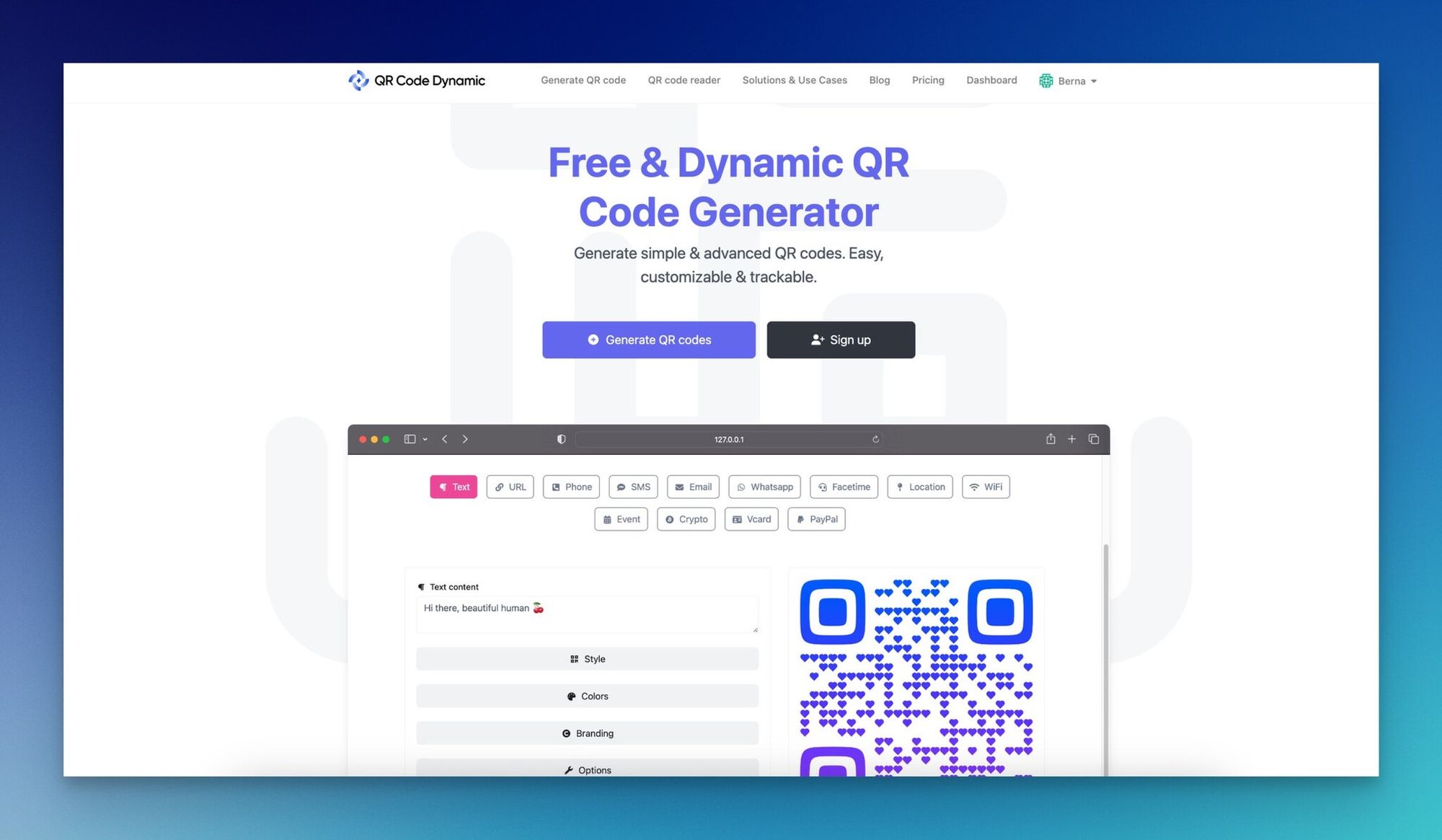
- Generate a dynamic QR code at QR Code Dynamic. Pick dynamic over static unless your destination will never change. Dynamic means you can edit the URL post-print, swap campaigns, and pull scan analytics by time, location, and device.
- Place the code with the right size and contrast. Minimum 1.2 inches (3 cm) for close-up posters, 10 cm or more for back-of-room reads. Dark code on a light background, never the inverse. Quiet zone of at least four modules around the code so the scanner can lock on. See our minimum QR code size guide for the full size matrix.
- Test, print, then track. Scan with iPhone Camera, Google Lens, and one third-party scanner before sending to print. After the poster is up, pull weekly scan reports for the first month — that's when you'll catch placement issues (lighting, glare, height) that you can fix with a reprint or a relocation.
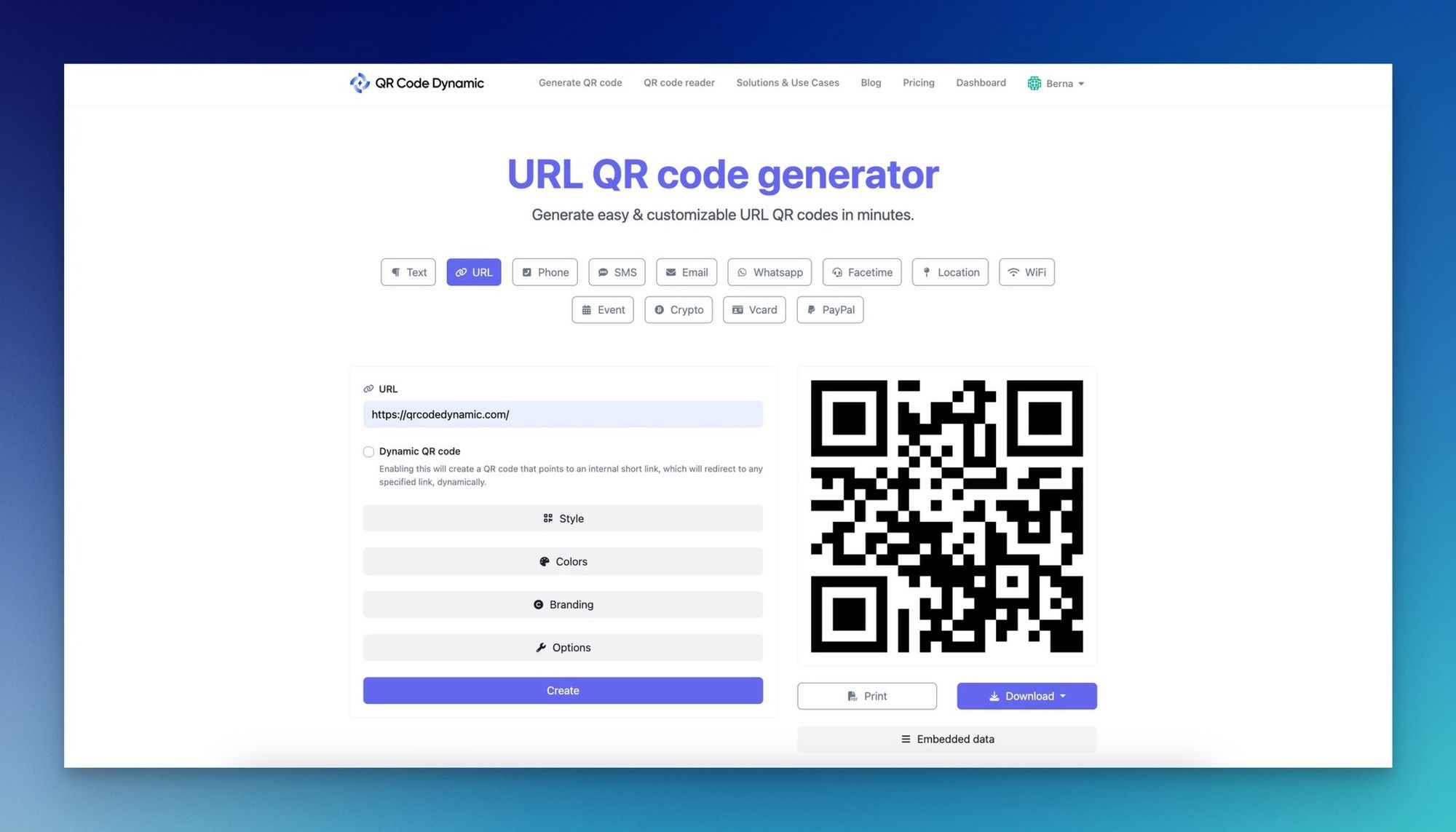
If you're designing the poster in Canva, the workflow integrates directly — see our walkthrough on how to make a QR code on Canva. For posters going through a commercial printer, our printing QR codes guide covers DPI, color space, and bleed considerations that affect scan reliability.
Best Practices for Placement, Sizing, and Design
The five steps above get a code on the poster. The points below are what makes the difference between a code that gets scanned and one that gets ignored.
Eye-level placement beats top or bottom every time. A QR code at the bottom of a 24x36 poster mounted on a wall sits below the average phone's natural scanning angle. Move it to the lower-right at roughly eye level when read from three feet away. For larger formats (bus stop, billboard), top-right works because the viewer is looking up anyway.
Size for the reading distance, not the poster size. A small poster read from one foot needs a 3 cm code. A large poster read from 10 feet needs a 20+ cm code. The math is roughly 1 cm of code per meter of reading distance. Anything smaller and most phones won't lock focus.
Contrast is non-negotiable. A dark code on a white or light background scans every time. A light code on a dark background scans about 70% of the time on older phones because the scanner library expects dark-on-light. If your brand requires the inversion, test on three phones older than four years before you print 500 copies.
Quiet zone matters more than people think. The white margin around the code is part of the code. Without at least four module widths of clear space on all sides, scanners struggle to identify the boundaries. Don't crop tight to the code edges.
Always include a CTA next to the code. "Scan to RSVP," "Scan for the menu," "Scan to apply" — three words that double scan rates by removing the question "what happens if I scan this." A code without a CTA assumes the viewer already trusts the brand enough to scan into the unknown. Most don't.
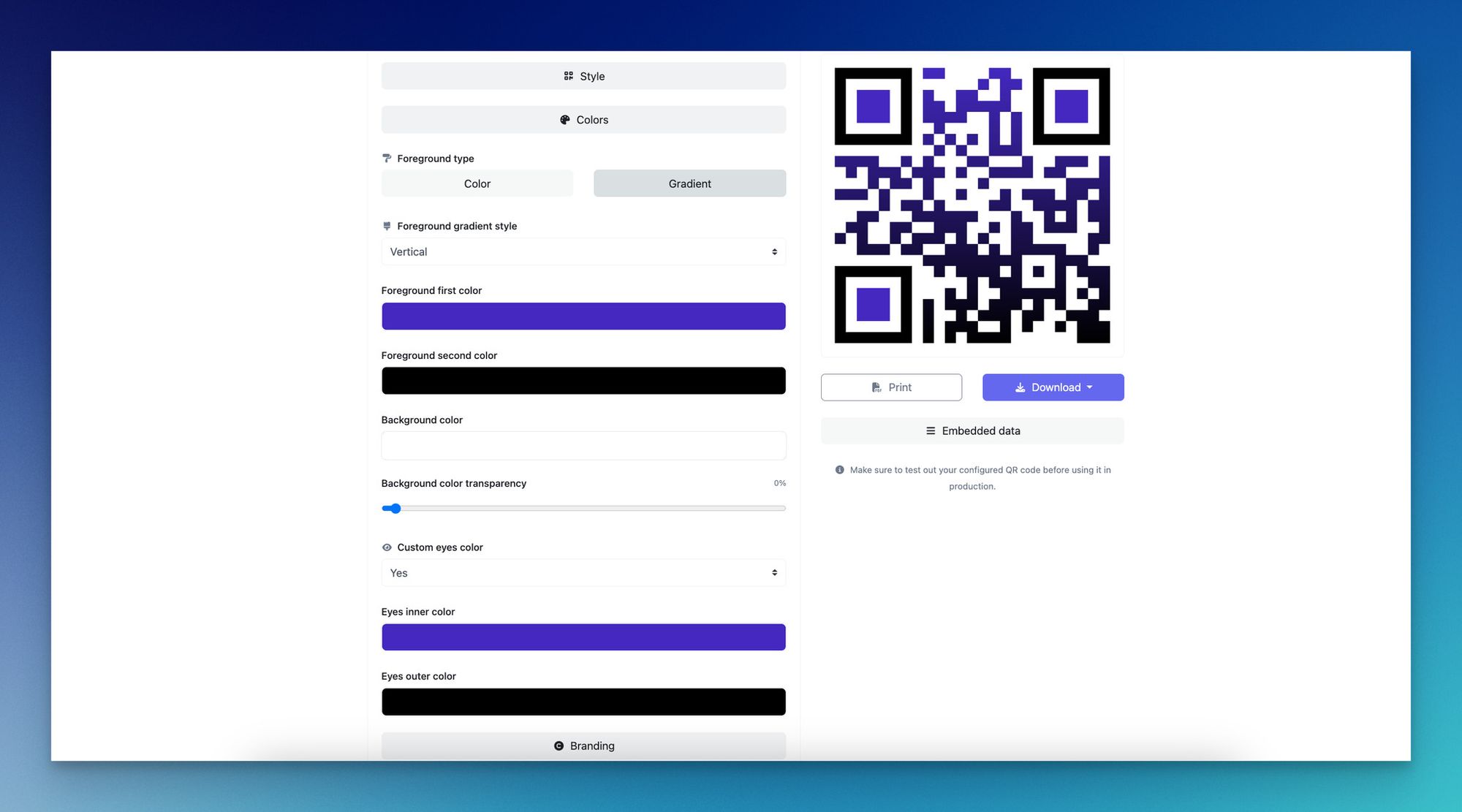
Brand the code without breaking it. Logos in the center, custom colors, and rounded modules all work, but only up to roughly 30% modification of the underlying pattern. Past that, error correction can't compensate, and scan rates drop. For inspiration on how far you can push the design without losing scannability, see our roundup of QR code design ideas.
Common Mistakes to Avoid
Most poster QR code failures don't come from the code itself. They come from one of these five upstream choices.
Using a static code for a campaign that might change. Static codes are fine for permanent destinations (a company homepage, a fixed vCard). For anything tied to a date, an event, or an offer, dynamic is the only sensible choice. Reprinting 500 posters because a URL changed is a budget killer.
Forgetting the call-to-action. A naked QR code in the corner of a poster reads as decoration. A code with "Scan to get 20% off" reads as an offer. The label is what converts.
Printing the code too small. The most common scan failure I see is a 1 cm code on a poster designed to be read from across a room. The phone can't focus, the user gives up, and the campaign loses a measurable share of intent. Always size for the longest realistic reading distance.
Skipping scan analytics. The whole point of a poster QR code is the data on the other side. If you're not pulling weekly scan reports broken down by time, location, and device, you're flying blind. Compare scan volume to the poster's print location and you'll learn which spots are worth re-renting next campaign.
Pointing at a desktop-only landing page. Every QR code scan is a mobile scan. If the destination URL renders as a wall of horizontal scrolling, tiny text, or a desktop checkout flow, the bounce rate will be brutal. Build the mobile page first, then verify the desktop version works too — not the other way around.
Frequently Asked Questions
How can I put a QR code on a poster?
Generate a dynamic QR code at QR Code Dynamic, download it as a PNG or SVG, then drop it into your poster design file in Canva, Adobe Express, Figma, or InDesign. Size it at minimum 3 cm square for close-up posters or 10 cm for posters viewed from a few meters away. Place it lower-right at reading height, add a short CTA like "Scan to RSVP," and test the print proof with three different phones before going to full production.
Do QR codes work on posters?
Yes, and the response data backs it up. Marketing LTB measured 2x to 4x higher response rates for QR codes on out-of-home placements versus typed print URLs. The scanning behavior has gone mainstream too — over 99.5 million U.S. consumers scan QR codes monthly. The only real question for posters in 2026 isn't whether codes work, it's whether you're using a dynamic code that lets you edit the destination after the poster is printed.
How to create a QR code for a poster?
Five steps: define the destination URL, build a mobile-friendly landing page that loads in under two seconds, generate a dynamic QR code from a tool like QR Code Dynamic, design the poster with the code placed at eye level with a quiet zone and a CTA, then test on multiple phones before printing. The order matters — generating the code before the landing page is ready leads to either a placeholder URL going to print or a static code locked to an unfinished destination.
What are the benefits of using QR codes on posters?
Three benefits stand out. First, measurability: a QR code is the only practical way to track how many people actually engaged with a printed poster. Second, editability: dynamic codes let you swap destinations after print, so one poster can run three campaigns. Third, conversion lift: the scan-to-action flow on a phone is dramatically shorter than asking someone to remember a URL or a phone number. According to OAAA, 46% of people use internet search and 38% visit a webpage after seeing OOH content — a QR code captures that intent before it dissipates.
What size QR code do I need for a poster?
The rough rule is 1 cm of code per meter of reading distance, with a 3 cm minimum for any printed code regardless of distance. For a poster read from one foot, 3 cm square works. For a poster read from across a room (three meters), aim for at least 3 cm with a generous quiet zone. For bus shelter posters, billboards, or anything read from five meters or more, go to 10 to 20 cm or larger. Our minimum QR code size guide has the full distance-to-size matrix.
Pick the Poster Use Case That Drives Your Next Scan
The 14 use cases above all share one thing: they treat the poster as a measurable channel, not a printed wish. Pick the one that matches what you're trying to do this quarter, build the mobile landing page first, generate a dynamic code, and ship the print run.
Running an event? Start with use case one. In retail? Seven and eight cover most of the playbook. Academic or non-profit work? Four and five are the best starting points.
Dynamic beats static for anything time-bound, the CTA next to the code matters more than the code's design, and the analytics tell you whether to reprint or reroute. Generate your first poster code at QR Code Dynamic and start the scan data flowing this week.

I work as a Growth Marketer at Popupsmart, using my 3+ years of SaaS experience to create clear, useful marketing content that helps brands grow, reach the right audiences, and improve their results.